




Meeting-Aufzeichnungsplattform mit durchsuchbaren Protokollen und Analysen
Panopto eine KI-gestützte Videomanagementlösung, die alle Informationen in Ihren Videokonferenz- und Besprechungsaufzeichnungen sicher, durchsuchbar und leicht teilbar macht.
13.000.000
Nutzer











Hören Sie auf, Notizen und Protokolle zu machen.
Beginnen Sie ganz einfach mit der Aufzeichnung Ihrer Meetings
Meetings sind oft der Ort, an dem Arbeit stattfindet. Allein in den USA finden täglich zwischen 36 und 56 Millionen Geschäftskonferenzen statt, wobei ein durchschnittlicher Mitarbeiter jeden Monat an 62 davon teilnimmt.
Leider geht ein Großteil der wertvollen Informationen, die in diesen Meetings ausgetauscht werden, verloren. Nur eine Stunde nach Ende eines Meetings können sich die Mitarbeiter nur noch an 44 Prozent der besprochenen Inhalte erinnern. Sechs Tage nach einem Meeting sinkt diese Zahl auf 25 Prozent.
Meeting-Protokolle und Zusammenfassungen tragen wenig zur Lösung dieses Problems bei, da sie nur einen winzigen Bruchteil der Diskussion wiedergeben. Sie können weder die Nuancen der Unterhaltung noch die Details von visuellen Hilfsmitteln wie Whiteboards und Bildschirmfreigaben wiedergeben.
Aus diesem Grund nehmen immer mehr Unternehmen Besprechungen standardmäßig auf. Wenn Sie Ihre Besprechungen aufzeichnen, können die Teilnehmer ihre ungeteilte Aufmerksamkeit auf das Geschehen richten, ohne sich um Notizen kümmern zu müssen.
Niemand muss sich um kurzfristige Terminkonflikte kümmern. Teams können aufgezeichnete Besprechungen nach der Sitzung mit neuen Teammitgliedern teilen. Und ein durchsuchbares Archiv aufgezeichneter Besprechungen kann einen unvergleichlichen historischen Kontext für laufende Projekte bieten.
Ganz gleich, ob Sie mit Ihrem Videokonferenzsystem oder einfach mit einer Kamera im Konferenzraum aufzeichnen – Panopto nahezu jede Art von Besprechung einfach, sicher und verwaltbar erfassen, verwalten und teilen.
Mehr Wert aus jedem aufgezeichneten Meeting ziehen

Sichere Speicherung und Freigabe
Ihre Besprechungsaufzeichnungen werden in einer zentralen, verschlüsselten Bibliothek gespeichert.

Administrator-Tools
Legen Sie unternehmensweite Richtlinien für die Aufbewahrung von Aufzeichnungen, Zugriffsberechtigungen und Freigabefunktionen fest.

Suche & Transkription
Finden Sie jeden beliebigen Diskussionspunkt in Hunderten von aufgezeichneten Besprechungen.

Einfache Videobearbeitung
Unwichtige Abschnitte kürzen, sensible Diskussionen herausschneiden oder mehrere Besprechungen zusammenfügen.

Analytik und Intelligenz
Sehen Sie, welche Meetings angesehen werden, wer sie sich ansieht und wo bestimmte Abschnitte erneut angesehen werden.
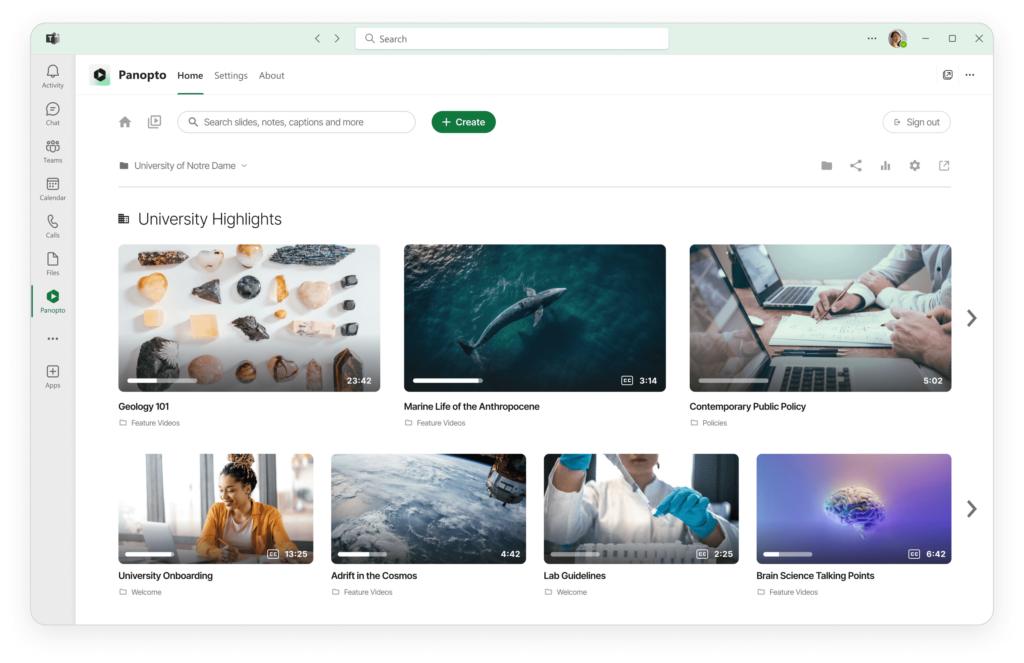
Zentrale Verwaltung für alle Ihre Meeting-Aufzeichnungen
Aufzeichnung und Organisation von Team-, Kunden- und Konferenzgesprächen
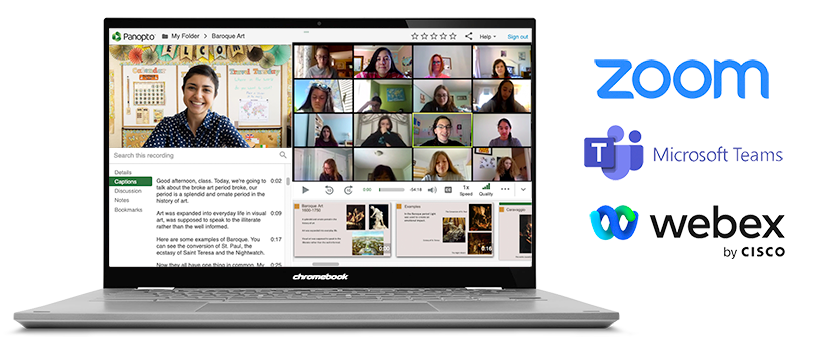
Zeichnen Sie Meetings aus Zoom, Microsoft Teams oder anderen Videokonferenz-Tools auf. Die Aufzeichnungen werden automatisch in übersichtliche Ordner hochgeladen. Ihr gesamter Meeting-Verlauf wird an einem Ort durchsuchbar.
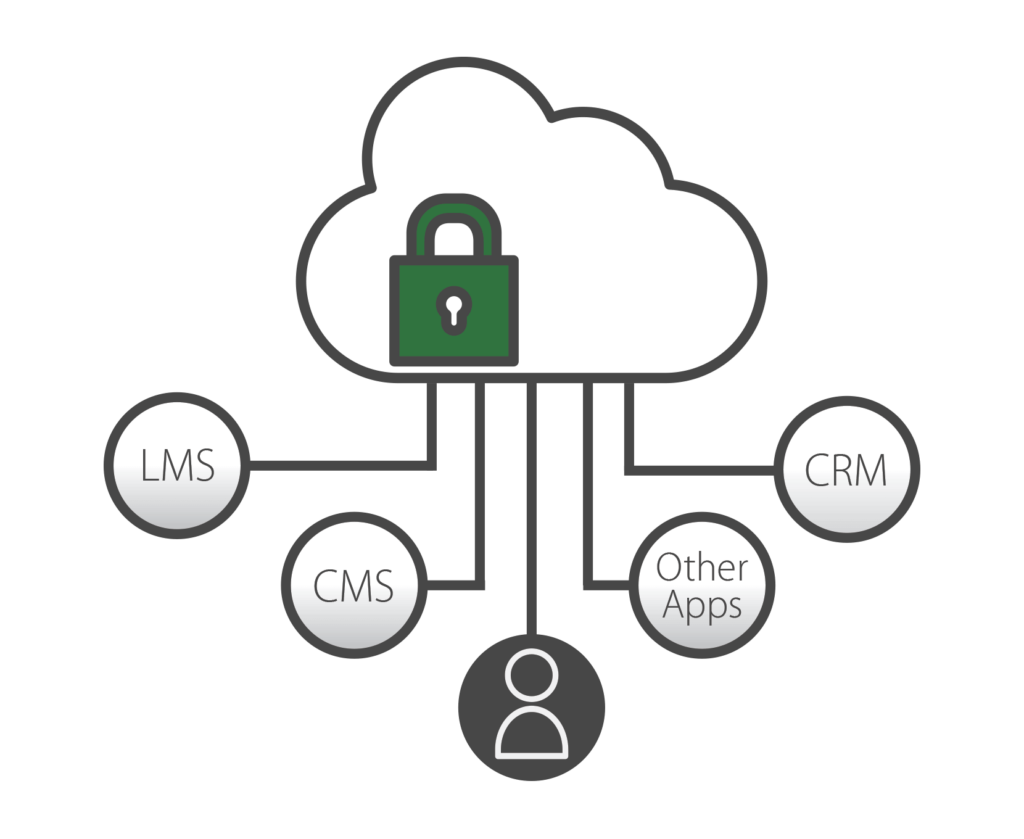
Panopto in Zoom, Teams und andere Plattformen Panopto , um Aufzeichnungen automatisch zu erfassen und durchsuchbar zu machen. Jede Unterhaltung wird zu einem Wissensschatz, den man später wiederfinden kann.
Die Plattform lässt sich mit Ihren bestehenden SSO-Systemen wie Google Apps, OAuth, SAML und Active Directory verbinden, sodass Ihre Mitarbeiter ihre bestehenden Zugangsdaten verwenden können. Administratoren können die Freigabeberechtigungen auf Unternehmens-, Abteilungs- oder individueller Videoebene steuern. Legen Sie Aufbewahrungsrichtlinien fest, um Aufzeichnungen nach einer bestimmten Zeit automatisch zu löschen, oder planen Sie die Veröffentlichung von Inhalten zu bestimmten Terminen. Ihre Besprechungsaufzeichnungen bleiben ohne zusätzlichen Aufwand organisiert und sicher.
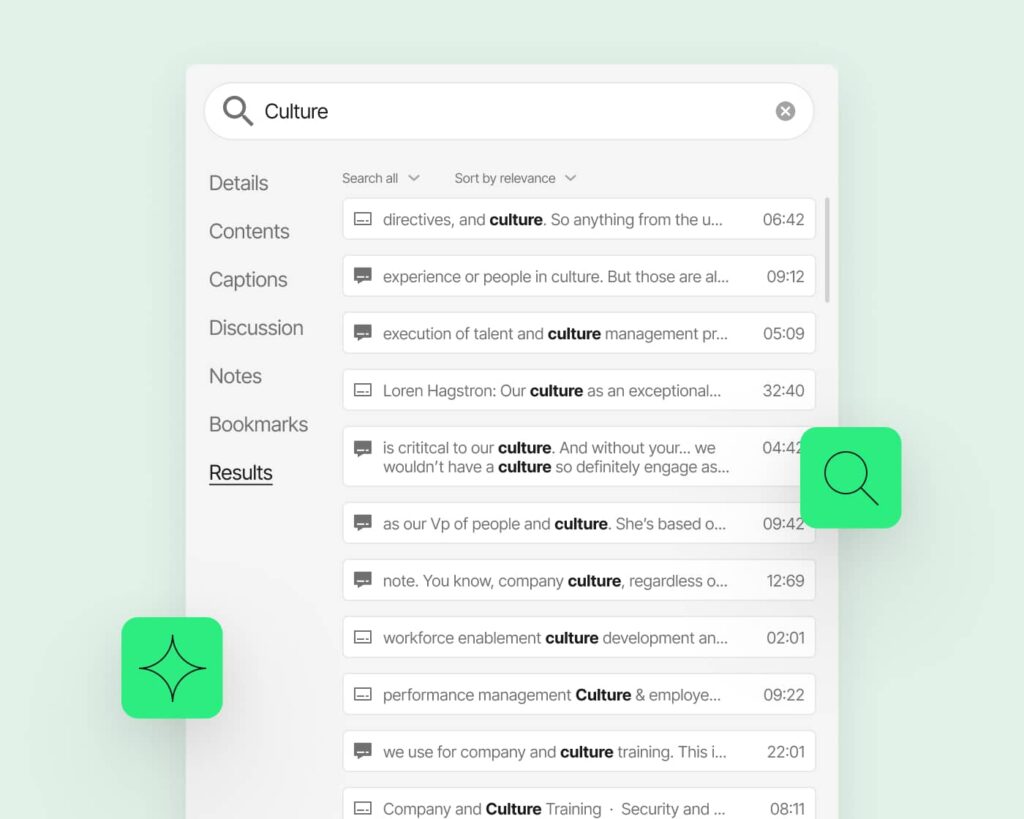
Suche in jeder aufgezeichneten Besprechung
Sparen Sie sich das mühsame erneute Ansehen ganzer Meetings. Suchen Sie nach bestimmten Themen, Aktionspunkten oder Entscheidungen. Panopto Sie direkt zu dem Moment, in dem etwas erwähnt wurde.
All-in-One-Plattform für Meeting-Aufzeichnungen
Verstehen Sie in knapp zwei Minuten, worum es bei dem Hype wirklich geht:
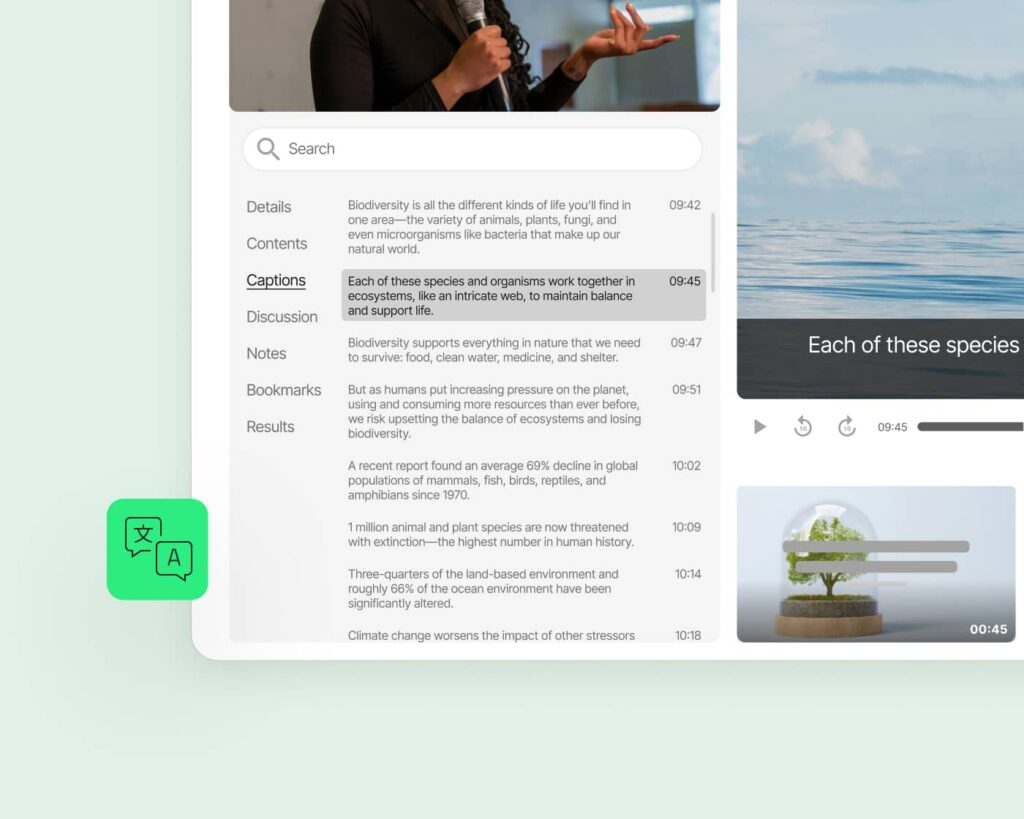
Automatische Transkription und Untertitel
Jede Aufzeichnung wird ohne manuellen Aufwand transkribiert. Untertitel werden automatisch angezeigt, um die Barrierefreiheit zu gewährleisten. Die Transkripte sind durchsuchbar und können als Referenz heruntergeladen werden.
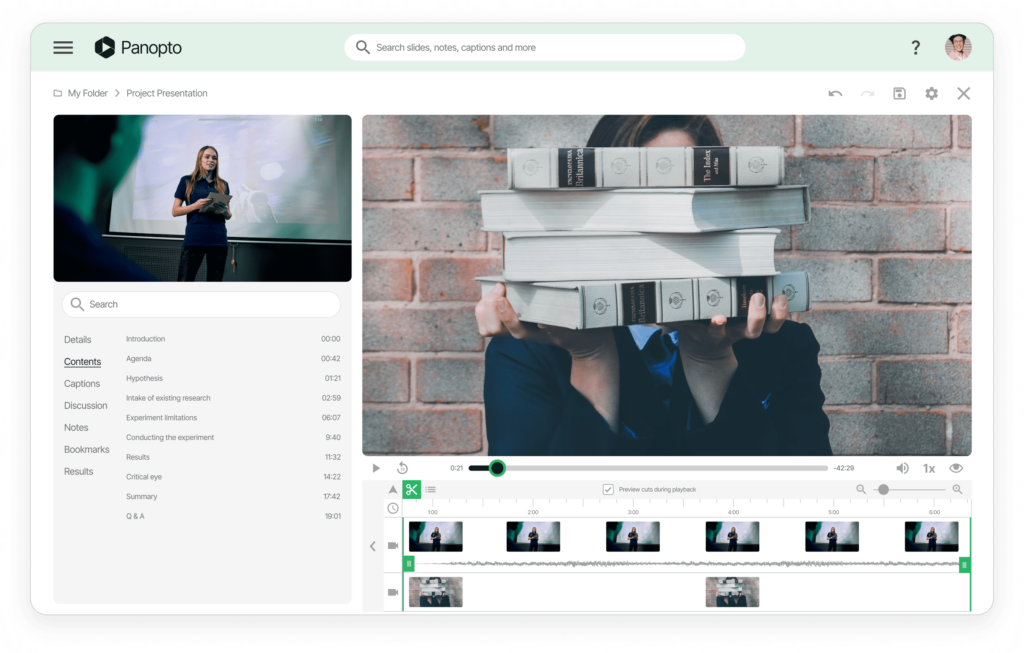
Integrierte Videobearbeitungswerkzeuge
Entfernen Sie zu Beginn tote Luft, schneiden Sie Pausen heraus oder extrahieren Sie wichtige Abschnitte. Erstellen Sie Highlight-Zusammenfassungen aus längeren Besprechungen. Teilen Sie die wichtigen Teile, ohne dass die Leute sich das Ganze ansehen müssen.
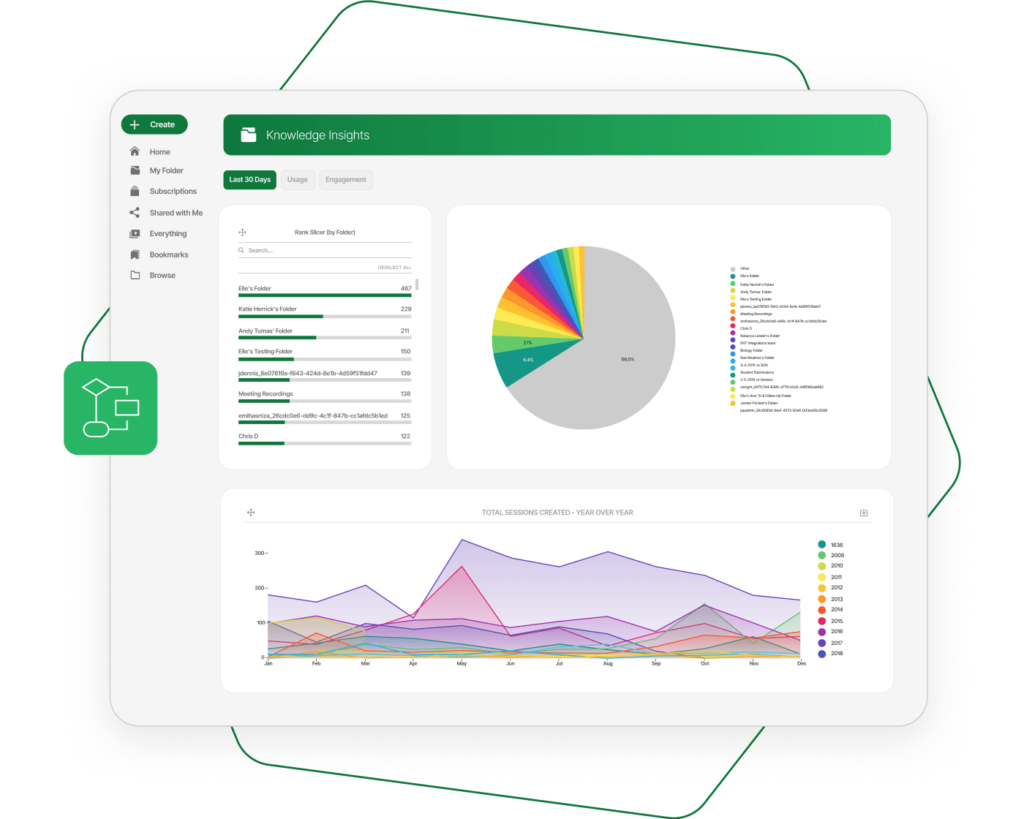
Gewinnung von Erkenntnissen mit fortschrittlicher Analytik
Verfolgen Sie, welche Meetings das größte Engagement hervorrufen. Sehen Sie, wo Zuschauer bestimmte Abschnitte erneut ansehen oder abschalten. Nutzen Sie Daten, um die Effektivität von Meetings zu verbessern und Wissenslücken zu identifizieren.
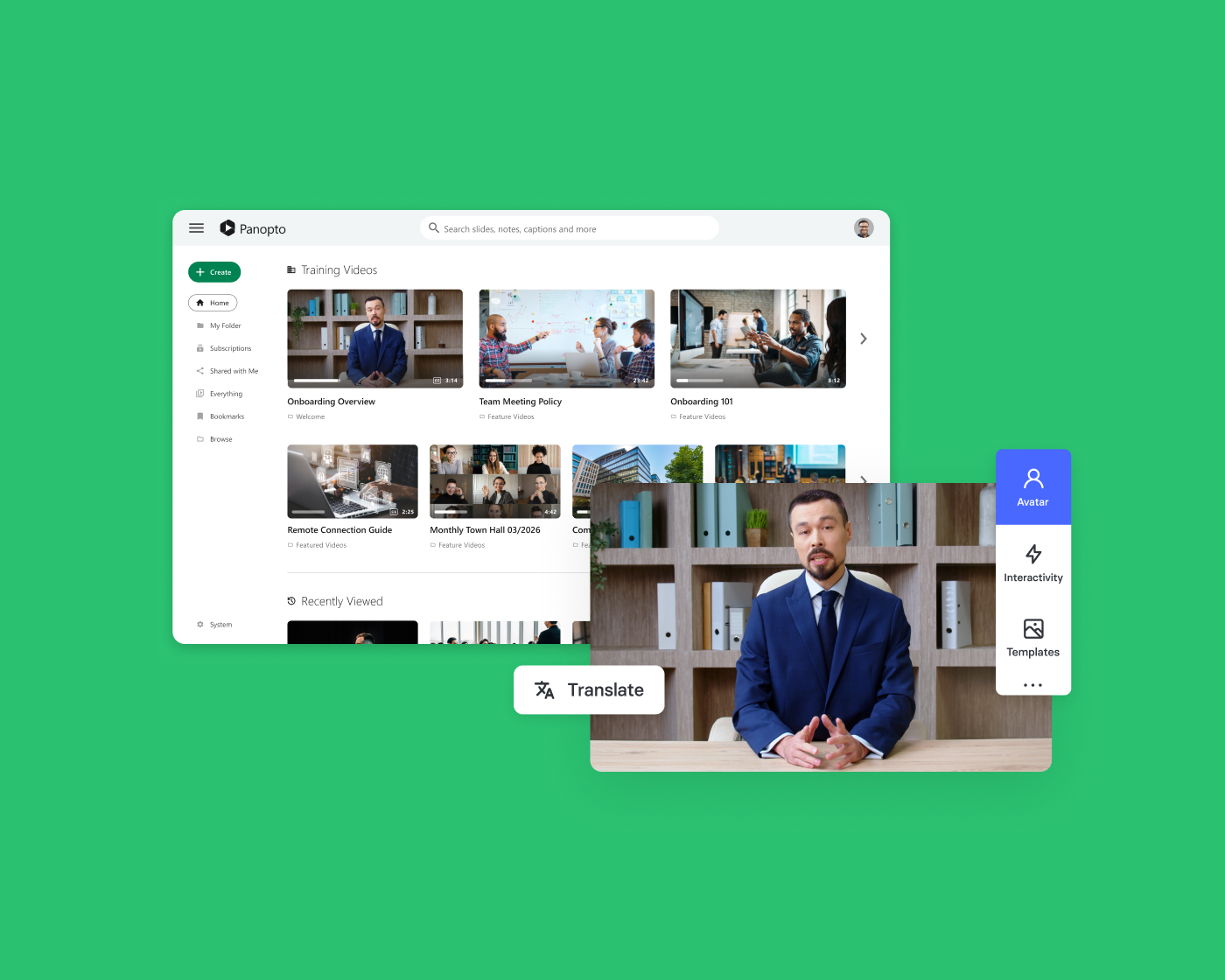
Passen Sie Ihre Arbeitsabläufe und Zugriffskontrollen an
Konfigurieren Sie automatische Aufbewahrungsrichtlinien für verschiedene Arten von Besprechungen. Legen Sie Standardberechtigungen nach Abteilung oder Projekt fest. Erstellen Sie Genehmigungsworkflows für die externe Freigabe. Panopto an die Arbeitsweise Ihres Unternehmens Panopto .
Lesen Sie mehr über die Aufzeichnung von Videokonferenzen.


Häufig gestellte Fragen
Mit welchen Videokonferenzplattformen lässt sich Panopto ?
Panopto mit Zoom, Microsoft Teams, Webex und anderen gängigen Videokonferenz-Tools. Die Aufzeichnungen werden nach Ende der Besprechung automatisch in Ihre Panopto hochgeladen. Es sind keine manuellen Downloads oder Übertragungen erforderlich.
Können wir alte Besprechungsaufzeichnungen automatisch löschen?
Ja. Legen Sie Aufbewahrungsrichtlinien fest, um Aufzeichnungen nach 30 Tagen, 90 Tagen oder einem beliebigen anderen Zeitraum automatisch zu löschen. Wenden Sie unterschiedliche Regeln auf verschiedene Arten von Besprechungen an. Die Compliance-Anforderungen bleiben überschaubar.
Benötigen Mitarbeiter separate Anmeldedaten für Panopto?
Nein. Panopto in Ihr bestehendes Single-Sign-On-System Panopto , darunter Google Apps, OAuth, SAML und Active Directory. Die Mitarbeiter verwenden dieselben Anmeldedaten, die sie bereits haben.
Können wir verhindern, dass Mitarbeiter sensible Aufzeichnungen von Besprechungen nach außen weitergeben?
Auf jeden Fall. Administratoren kontrollieren die Freigabeberechtigungen auf jeder Ebene. Beschränken Sie bestimmte Aufzeichnungen auf den internen Zugriff. Verlangen Sie eine Genehmigung, bevor externe Freigaben erfolgen.
Wie organisieren wir Aufzeichnungen von verschiedenen Teams und Abteilungen?
Erstellen Sie Ordner für jedes Team, jedes Projekt oder jede Abteilung mit benutzerdefinierten Zugriffskontrollen. Aufzeichnungen können automatisch in den richtigen Ordner verschoben werden, je nachdem, wer das Meeting geplant hat. Ihre Bibliothek bleibt auch bei zunehmender Größe übersichtlich.
Können wir Aufzeichnungen so planen, dass sie zu einem bestimmten Zeitpunkt verfügbar sind?
Ja. Legen Sie für jede Aufzeichnung ein bestimmtes Datum und eine bestimmte Uhrzeit für die Veröffentlichung fest. Dies ist nützlich für Sperrfristen, koordinierte Ankündigungen oder die planmäßige Veröffentlichung von Schulungsinhalten. Die Videos bleiben so lange verborgen, bis Sie bereit sind.