




Plateforme d'enregistrement de réunions avec transcriptions consultables et analyses
Panopto une solution de gestion vidéo basée sur l'intelligence artificielle qui sécurise, rend consultables et facilement partageables toutes les informations contenues dans vos enregistrements de vidéoconférences et de réunions.
13 000 000 utilisateurs









Cessez de prendre des notes et de rédiger des procès-verbaux.
Enregistrez facilement vos réunions
Les réunions sont souvent le lieu où le travail s'effectue. Rien qu'aux États-Unis, entre 36 et 56 millions de conférences professionnelles sont organisées chaque jour, et un employé moyen participe à 62 réunions par mois.
Malheureusement, une grande partie des informations précieuses échangées lors de ces réunions est perdue. Une heure seulement après la fin d'une réunion, les employés ne se souviennent que de 44 % du contenu discuté. Et six jours après la réunion, ce chiffre tombe à 25 %.
Les comptes rendus et les résumés de réunion ne permettent pas de résoudre ce problème, car ils ne reflètent qu'une infime partie de la discussion. Ils ne peuvent pas reproduire les nuances de la conversation ni les détails des supports visuels tels que les tableaux blancs et le partage d'écran.
C'est pourquoi un nombre croissant d'organisations enregistrent désormais leurs réunions de manière systématique. Lorsque vous enregistrez vos réunions, les participants peuvent se concentrer pleinement sans avoir à prendre de notes.
Personne n'a à résoudre un conflit d'horaire de dernière minute. Les équipes peuvent partager les enregistrements des réunions avec les nouveaux membres après la session. Et une archive consultable des réunions enregistrées peut fournir un contexte historique inégalé pour les projets en cours.
Que vous enregistriez à partir de votre système de visioconférence ou simplement avec une caméra dans la salle de conférence, Panopto vous Panopto de capturer, gérer et partager facilement et en toute sécurité pratiquement tout type de réunion.
Tirez le meilleur parti de chaque réunion enregistrée

Stockage et partage sécurisés
Vos enregistrements de réunions sont conservés dans une bibliothèque centralisée et cryptée.

Outils de l'administrateur
Définissez des politiques à l'échelle de l'organisation pour la conservation des enregistrements, les autorisations d'accès et les capacités de partage.

Recherche et transcription
Trouvez n'importe quel sujet de discussion parmi des centaines de réunions enregistrées.

Montage vidéo simple
Supprimez les sections non pertinentes, coupez les discussions sensibles ou assemblez plusieurs réunions.

Analyse et intelligence
Découvrez quelles réunions sont visionnées, qui les regarde et où les gens reviennent sur certaines sections spécifiques.
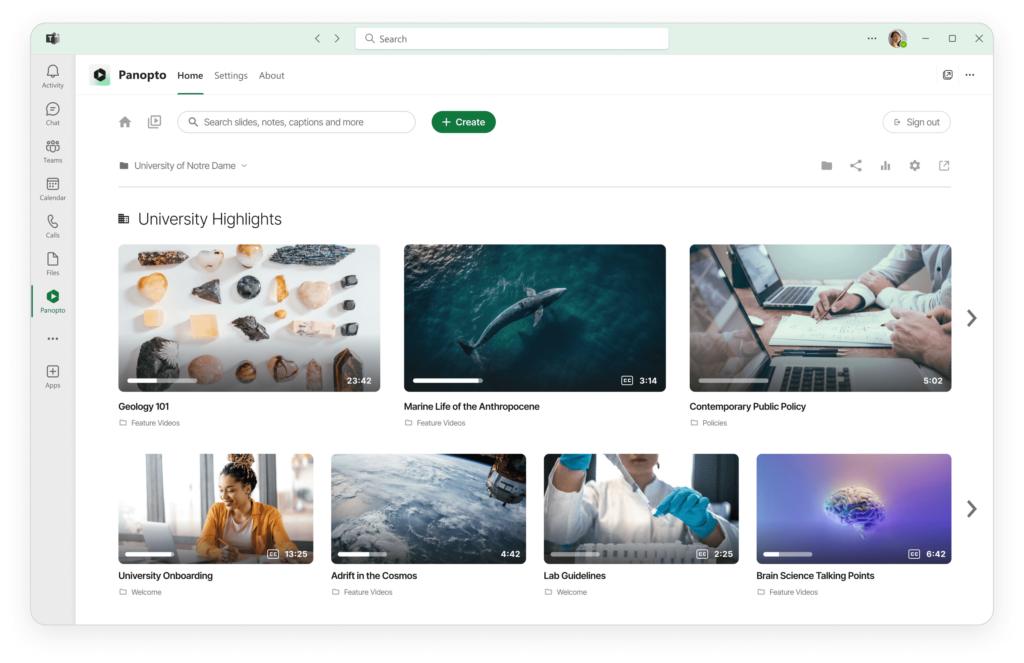
Gestion centralisée de tous les enregistrements de réunions
Enregistrer et organiser les appels de l'équipe, des clients et les conférences téléphoniques
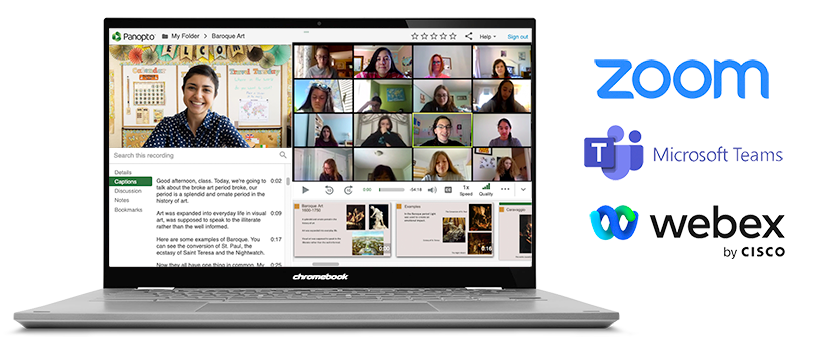
Capturez vos réunions depuis Zoom, Microsoft Teams ou tout autre outil de visioconférence. Les enregistrements sont automatiquement téléchargés dans des dossiers organisés. L'historique complet de vos réunions devient consultable en un seul endroit.
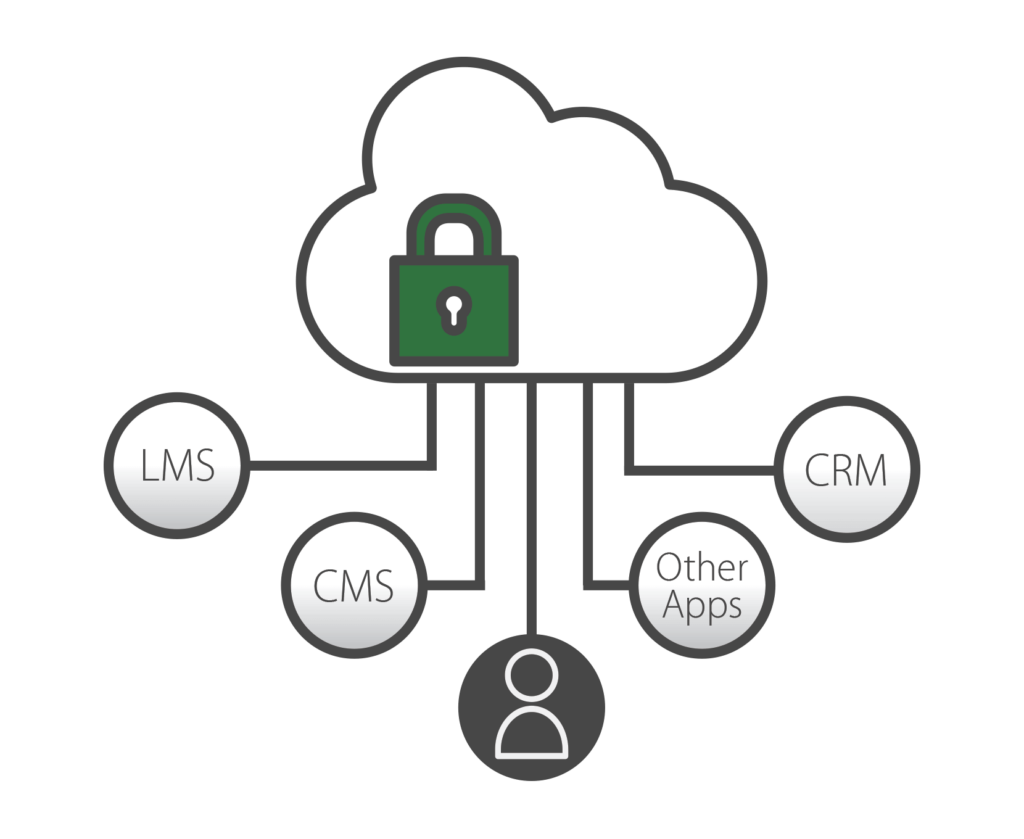
Panopto à Zoom, Teams et d'autres plateformes pour capturer automatiquement les enregistrements et les rendre consultables. Chaque conversation devient une ressource de connaissances que les utilisateurs peuvent retrouver ultérieurement.
La plateforme se connecte à vos systèmes SSO existants tels que Google Apps, OAuth, SAML et Active Directory, afin que vos employés puissent utiliser les mêmes identifiants que ceux dont ils disposent déjà. Les administrateurs contrôlent les autorisations de partage au niveau de l'entreprise, du service ou de chaque vidéo. Définissez des politiques de conservation pour supprimer automatiquement les enregistrements après une certaine période ou programmez la publication de contenu à des dates spécifiques. Vos enregistrements de réunions restent organisés et sécurisés sans travail supplémentaire.
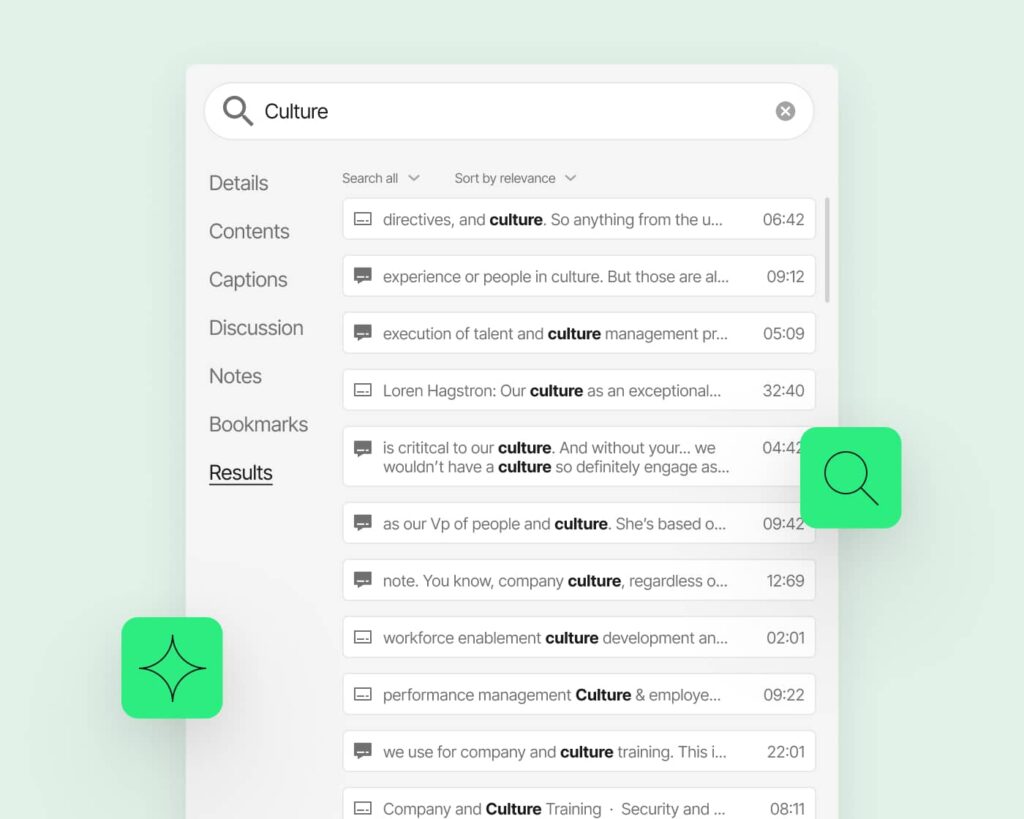
Recherche dans n'importe quelle réunion enregistrée
Évitez le processus fastidieux qui consiste à revoir l'intégralité des réunions. Recherchez des sujets, des mesures à prendre ou des décisions spécifiques. Panopto vous Panopto directement au moment où quelque chose a été mentionné.
Plate-forme tout-en-un pour l'enregistrement des réunions
En un peu moins de deux minutes, vous comprendrez ce qui fait l'objet d'un battage médiatique :
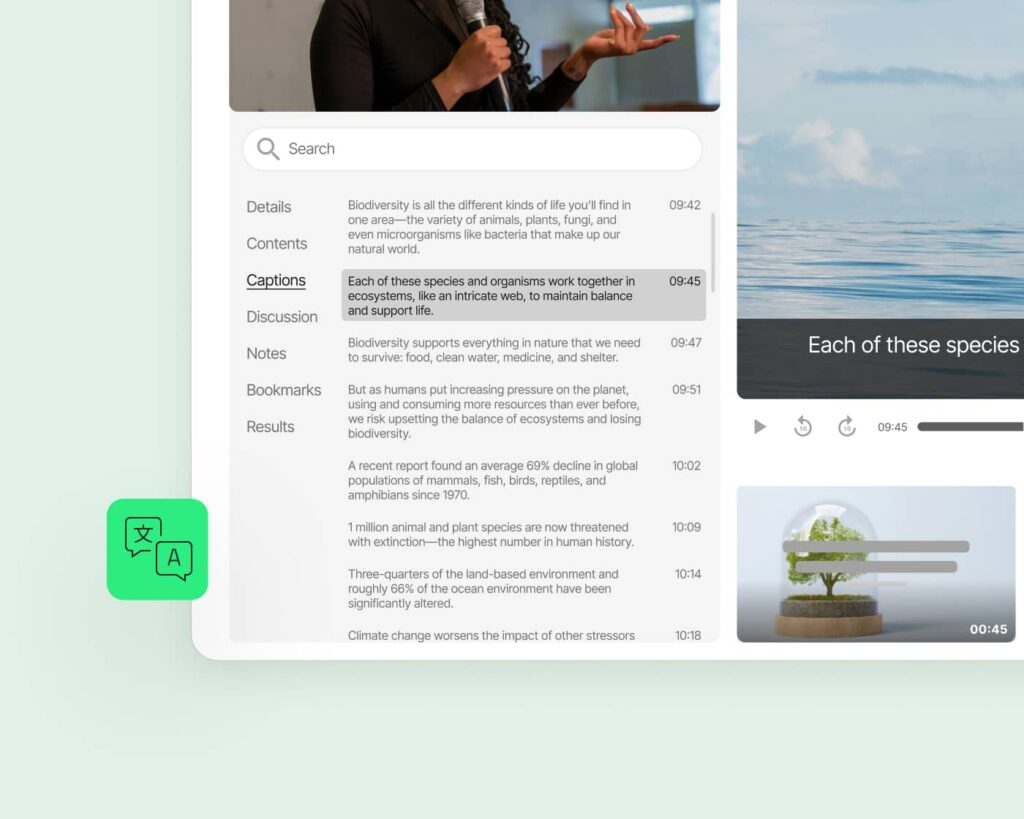
Transcription automatique et sous-titrage
Chaque enregistrement est transcrit sans intervention manuelle. Les sous-titres apparaissent automatiquement pour faciliter l'accessibilité. Les transcriptions peuvent être consultées et téléchargées à titre de référence.
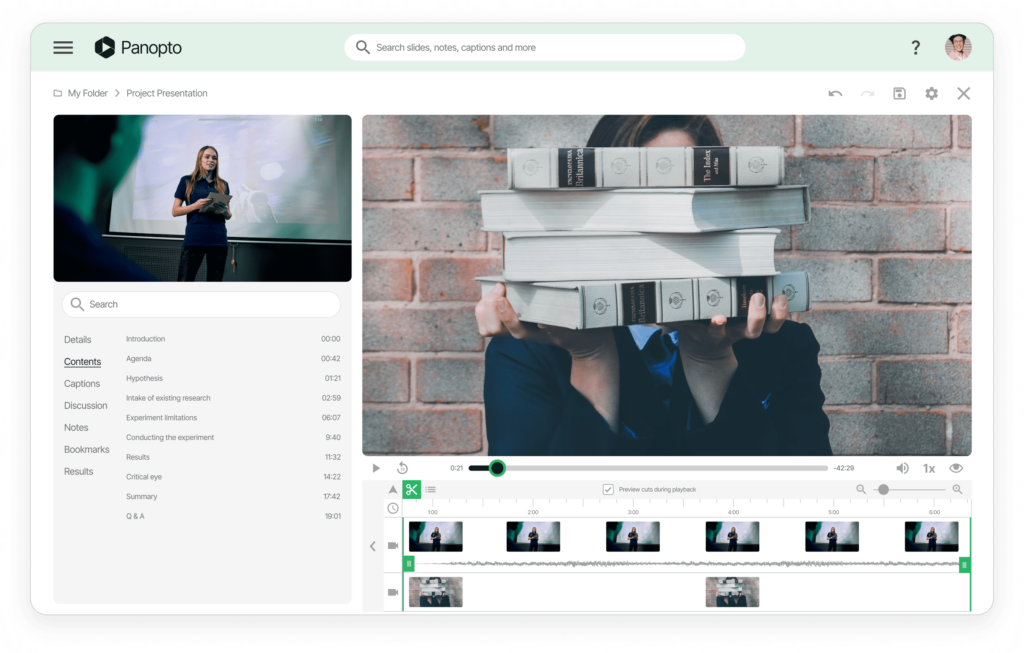
Outils de montage vidéo intégrés
Supprimez les temps morts au début, coupez les pauses ou extrayez les segments clés. Créez des résumés à partir de réunions plus longues. Partagez les parties importantes sans obliger les gens à regarder l'intégralité.
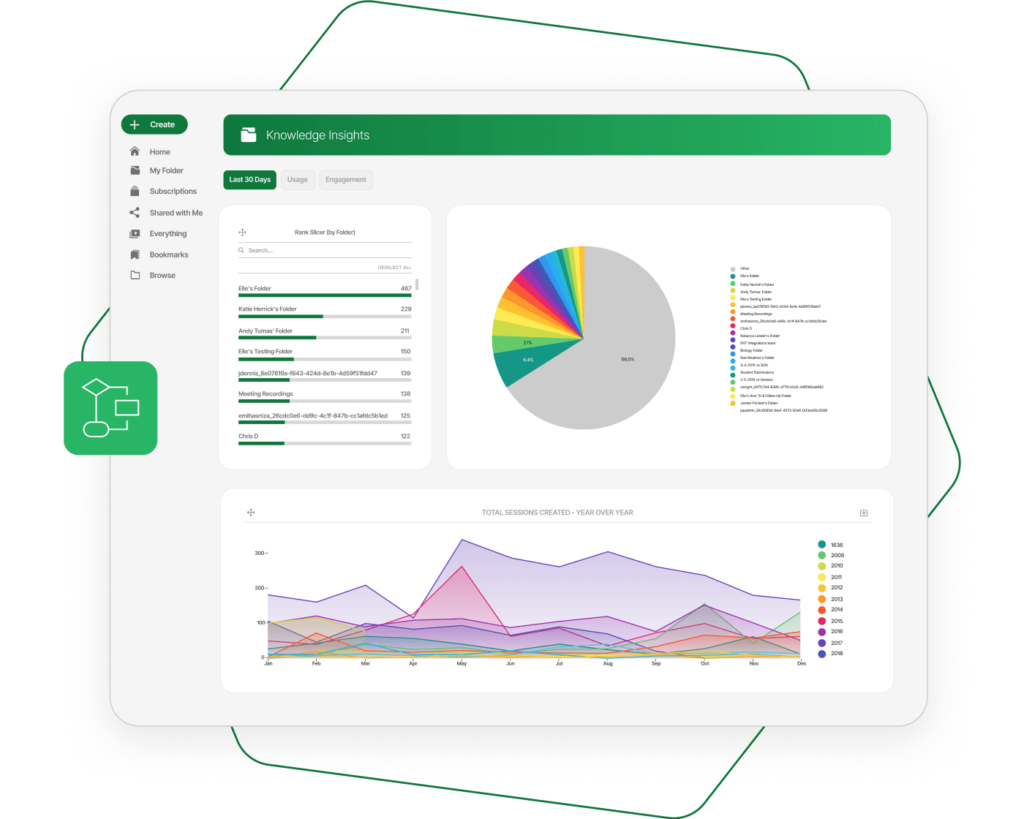
Extraire des informations grâce à des analyses avancées
Identifiez les réunions qui suscitent le plus d'intérêt. Découvrez les sections que les participants regardent à plusieurs reprises ou celles qu'ils ignorent. Utilisez les données pour améliorer l'efficacité des réunions et identifier les lacunes en matière de connaissances.
Personnalisez vos flux de travail et vos contrôles d'accès
Configurez des politiques de conservation automatiques pour différents types de réunions. Définissez des autorisations par défaut par service ou par projet. Créez des workflows d'approbation pour le partage externe. Panopto au fonctionnement de votre organisation.
En savoir plus sur l'enregistrement des vidéoconférences.



Questions fréquemment posées
Avec quelles plateformes de visioconférence Panopto -t-il ?
Panopto avec Zoom, Microsoft Teams, Webex et d'autres outils de visioconférence majeurs. Les enregistrements sont automatiquement téléchargés dans votre Panopto à la fin des réunions. Aucun téléchargement ou transfert manuel n'est nécessaire.
Pouvons-nous supprimer automatiquement les anciens enregistrements de réunions ?
Oui. Définissez des politiques de conservation pour supprimer automatiquement les enregistrements après 30 jours, 90 jours ou toute autre période de votre choix. Appliquez différentes règles à différents types de réunions. Les exigences de conformité restent gérables.
Les employés ont-ils besoin d'identifiants de connexion distincts pour Panopto?
Non. Panopto à votre système d'authentification unique existant, notamment Google Apps, OAuth, SAML et Active Directory. Les employés utilisent les mêmes identifiants que ceux dont ils disposent déjà.
Pouvons-nous empêcher les employés de partager en externe des enregistrements de réunions sensibles ?
Absolument. Les administrateurs contrôlent les autorisations de partage à tous les niveaux. Limitez l'accès à certains enregistrements à l'interne uniquement. Exigez une autorisation avant tout partage externe.
Comment organiser les enregistrements provenant de différentes équipes et différents services ?
Créez des dossiers pour chaque équipe, projet ou service avec des contrôles d'accès personnalisés. Les enregistrements peuvent être automatiquement acheminés vers le bon dossier en fonction de la personne qui a planifié la réunion. Votre bibliothèque reste organisée à mesure qu'elle s'agrandit.
Pouvons-nous programmer des enregistrements pour qu'ils soient disponibles à un moment précis ?
Oui. Définissez la date et l'heure de publication de n'importe quel enregistrement. Cette fonctionnalité est utile pour les périodes d'embargo, les annonces coordonnées ou la publication de contenus de formation selon un calendrier précis. Les vidéos restent masquées jusqu'à ce que vous soyez prêt.