




At the University of San Francisco, Educational Technology Services (ETS) knows that student learning success begins with top-notch faculty support.
When faculty have intuitive online learning tools, they can teach more clearly, keep students engaged, and create flexible learning experiences. That’s why USF uses Panopto’s video knowledge platform to equip faculty with more effective ways to engage students.
Enabling faculty through self-service
Challenge
Before Panopto, USF’s online learning workflows were decentralized and scattered, built on varied video meeting, video management, and lecture capture tools. USF ETS came to Panopto in 2022 with a desire to modernize and unify the process and simplify faculty support at scale.
Solution
USF ETS created a one-stop resource hub for faculty, led by John Bansavich, Director of Educational Technology Services, with tutorials, recordings, and educational materials. They also offered live training sessions, ranging from Panopto basics to building interactivity into courses.
They worked with faculty on using Panopto effectively inside their learning management system, Canvas. Mishiara Baker from Digital Learning and Innovation helped instructors learn how to:
- Embed videos into course pages
- Use captions and transcripts
- Review analytics
- Give students clearer context before they watched videos
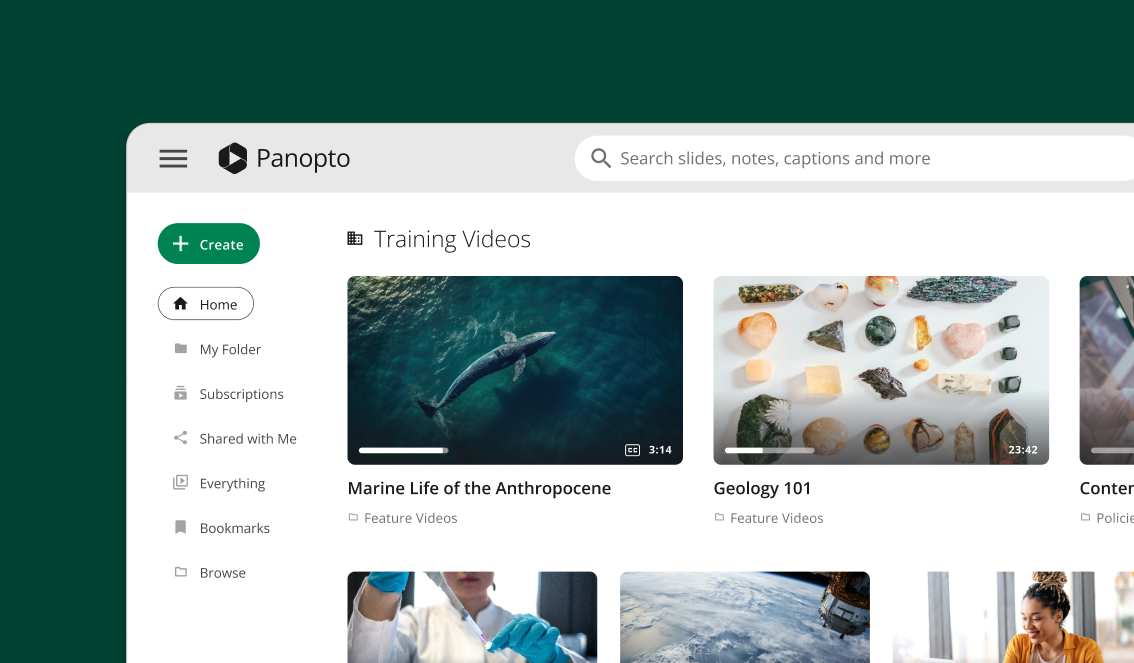
Beyond just educating faculty about Panopto, the ETS team also used Panopto to host trainings about other technologies (such as Google Drive, Excel, and Zoom). They built a Panopto Connect page, a customized online video library, to extend the reach of their video content beyond the classroom.
Outcomes
According to Bansavich, the university was “really happy with [Panopto Connect,]” noting that it offered “a more modern look and feel” and allowed instructors to learn “based on their availability.”
The practical support that ETS offers through Panopto has helped faculty graduate from uploading recordings to using digital learning more intentionally in their teaching.
With Panopto, faculty gain:
- Self-service training they can access on their own schedules
- Modern, easy access to technology resources through a centralized hub
- Broader use of teaching tools such as embedded quizzes, captions, transcripts, and analytics
Flipping the classroom
Challenge
Faculty use flipped classrooms to maximize in-person problem-solving time with students. However, biology professor Leslie King explained, “Flipped classes don’t work well if nobody’s done what they need to do to prepare.”
Solution
King uses Panopto to assign and track pre-class work. For example, in her human physiology course, King records short lectures in Panopto, places questions throughout the recording, and posts the assignment in Canvas. Students have to answer all embedded quiz questions to get a recorded score before class.
Diane Woodbridge, an associate professor in the Master’s in Data Science and AI program, uses Panopto similarly. “I use Panopto embedded quizzes to check on whether the students have understood the material for a flipped class,” she said.
Outcomes
Now, faculty can use class time to focus on application, problem solving, and active learning. Students have already absorbed material and can use valuable time with the professor to work through more difficult concepts and case-based thinking.
King said of Panopto, “I’ve found this to be a pretty nice, streamlined way for students to do some active learning.”
With Panopto, faculty can:
- Ensure students arrive prepared for in-class learning
- Shift class time to application, problem solving, and active learning
Improving student comprehension
Challenge
Faculty have to help students from diverse backgrounds (career stages, work experience, languages spoken) succeed in their classes, which becomes harder as the material gets more technical or theoretical.
For example, in Woodbridge’s classes on data science and AI, if a student misses one step in a live demo of a platform like Google Cloud Platform or Amazon Web Services, they can be lost for the rest of the session.
Solution
With Panopto, students can rewatch complex material at their own pace. She noticed one of her students, who earned almost a perfect score in the class, had watched each lecture multiple times. “If the video somehow is not there, students freak out. I can tell they really depend on rewatching it,” said Woodbridge.
Woodbridge said some students were hesitant to ask questions in class. She uses Panopto “to create a safe space where they could ask questions.”
Woodbridge is a computer scientist by training, and has used Panopto to improve her own teaching. She rewatches her lectures, compares them with student evaluations, and builds more interactivity into her classroom presence. For Woodbridge, “Having Panopto was the base… that really helped to improve further interactivity and student learning.”
Outcomes
Panopto helps students understand complex material better, revisit difficult lessons on demand, and build confidence in classes where they may hesitate to speak up. Woodbridge said, “Students really love having extra resources to enhance their understanding of the content.”
With Panopto, USF students can:
- Revisit difficult material at their own pace
- Gain confidence through multiple learning paths
- Grow in comprehension of technical demonstrations and complex workflows