







Panopto for business
Equip every employee with searchable, secure video knowledge
Panopto is the corporate video platform that turns training and institutional knowledge into a searchable video library, with LMS integrations, single sign-on, and built-in AI-powered search.
Trusted by global organizations to power learning at scale



Used across industries for compliance-ready video training








What organizations achieve with Panopto
Built for how enterprise organizations actually work
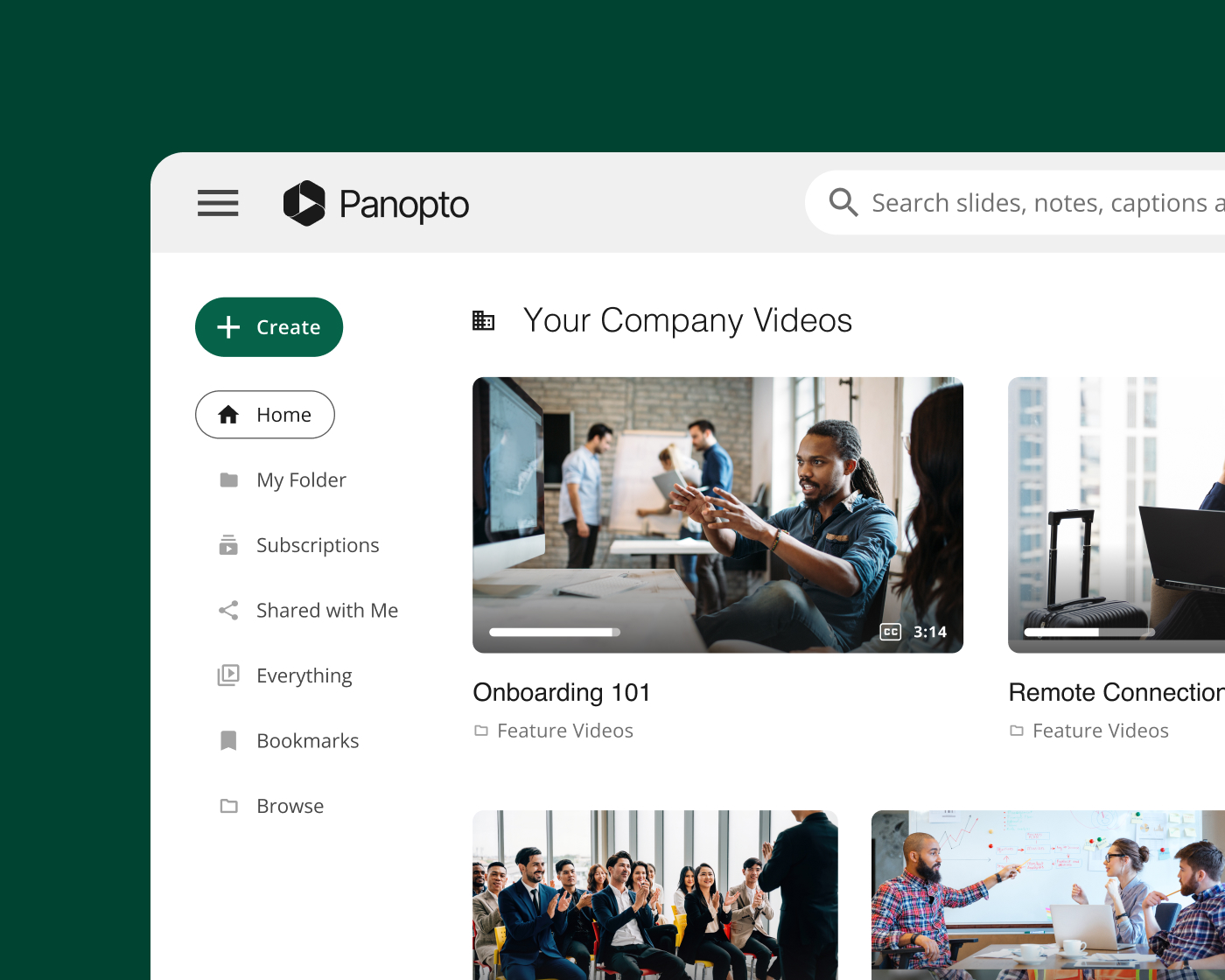
Searchable video knowledge library
Turn your video library into a searchable knowledge base
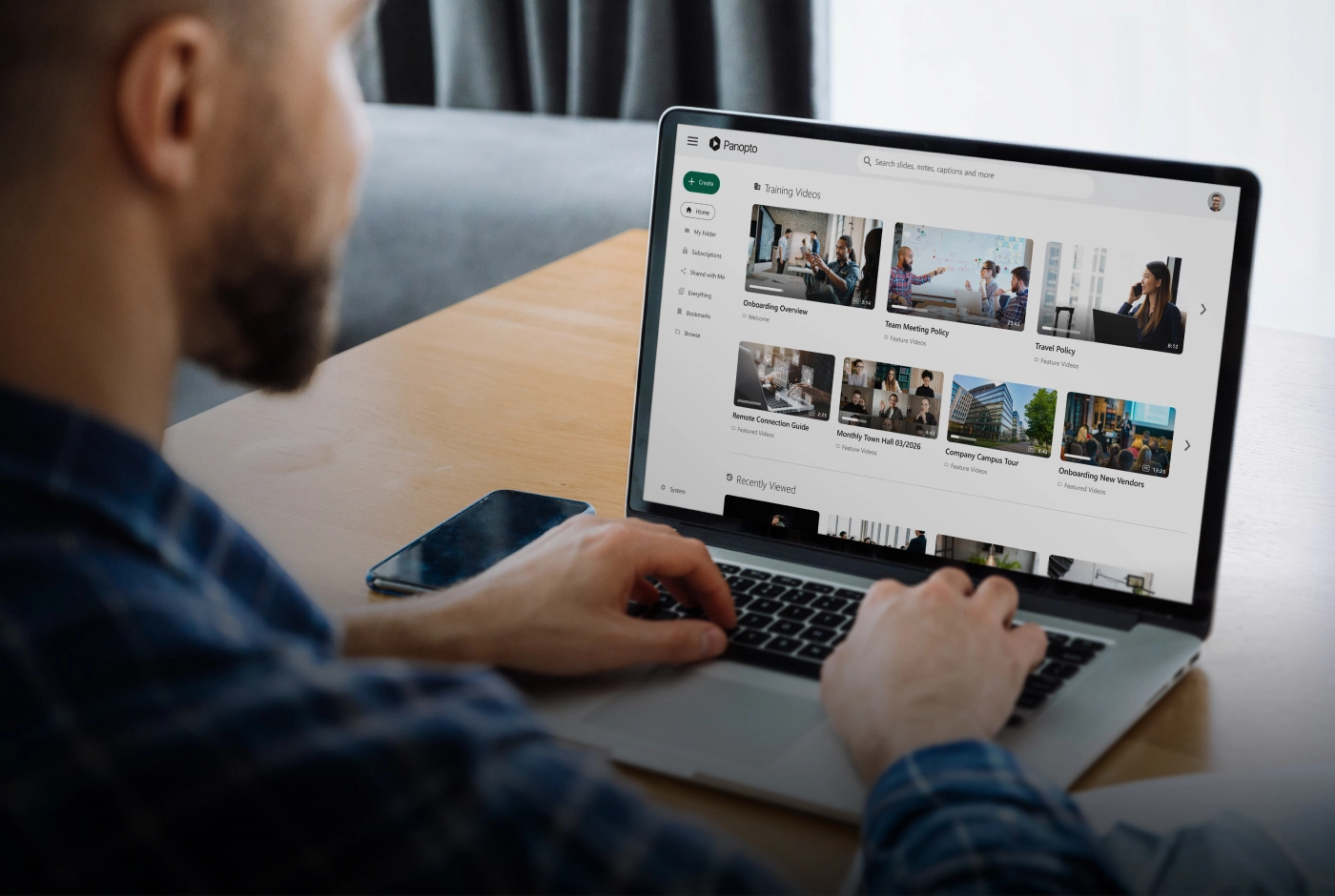
Panopto indexes every spoken word and on-screen slide, so employees can search for a procedure by name and jump straight to the answer. Materials live in a secure enterprise video CMS, organized by role, team, and process, with version control and access management, keeping onboarding content, SOPs, and procedures current and visible only to the right people.
LMS, LTI, and HRIS integrations
Keep your employees learning where they already are
Panopto integrates with Docebo, Workday, Cornerstone, and SAP via LTI, so employees complete video training, take quizzes, and get course credit without leaving their LMS. Completion data flows back automatically. HR workflows connect through Workday and SuccessFactors, linking training to employee records, with single sign-on so employees don’t need extra logins.

Security, SSO, and compliance
Protect training content with enterprise security and compliance controls
Panopto is SOC 2 Type II certified and GDPR compliant, with SAML-based single sign-on, AES-256 encryption at rest, and TLS 1.3 in transit. Role-based permissions control who can view, share, or manage each video. Audit logs and admin reporting give you defensible training records and completion data ready for any compliance review.
AI capabilities
AI built into the heart of your video library
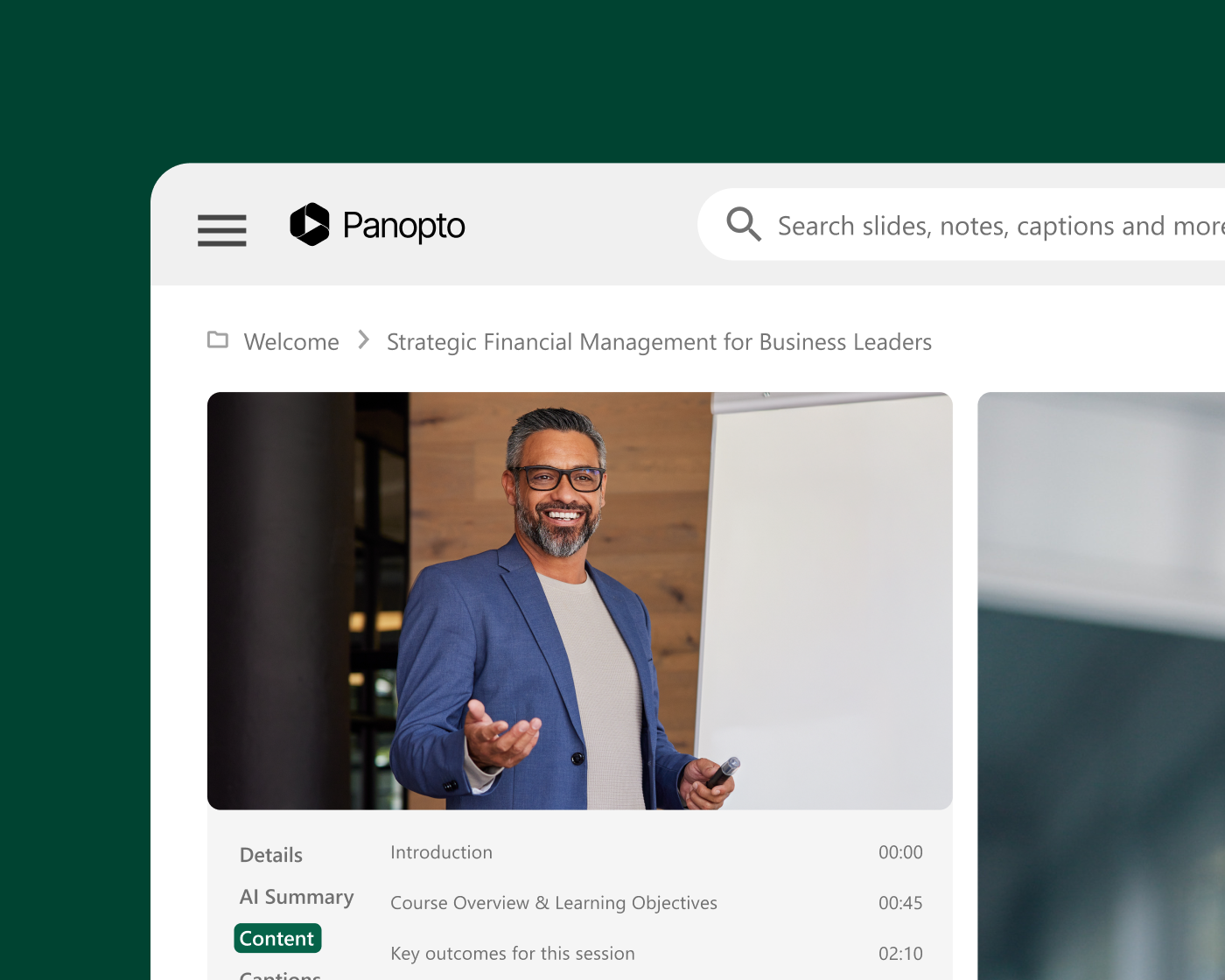
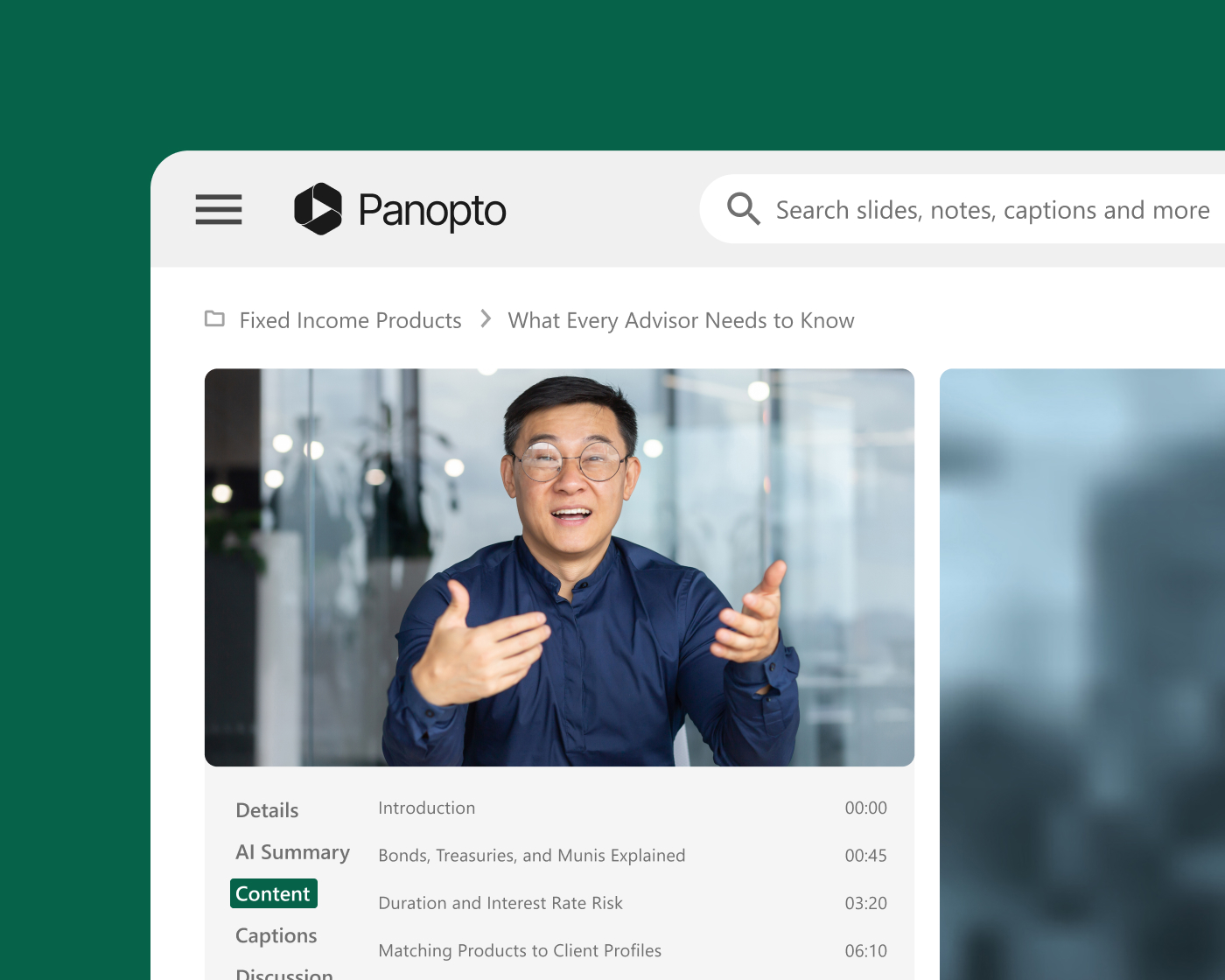
The moment a recording lands in your library, Panopto puts AI to work: it summarizes the video, breaks it into chapters, and automatically generates captions in more than 20 languages. You get a quick overview before committing to watch, jump straight to the section you need instead of scrubbing through, and pick your caption language right in the player. AI Search and MCP let you use conversational AI to find the exact moment you need, in whichever tool you already work in. Panopto Folio then turns that same video into an interactive learning experience that reinforces what you just watched.
Analytics and engagement
Measure engagement and prove learning progress
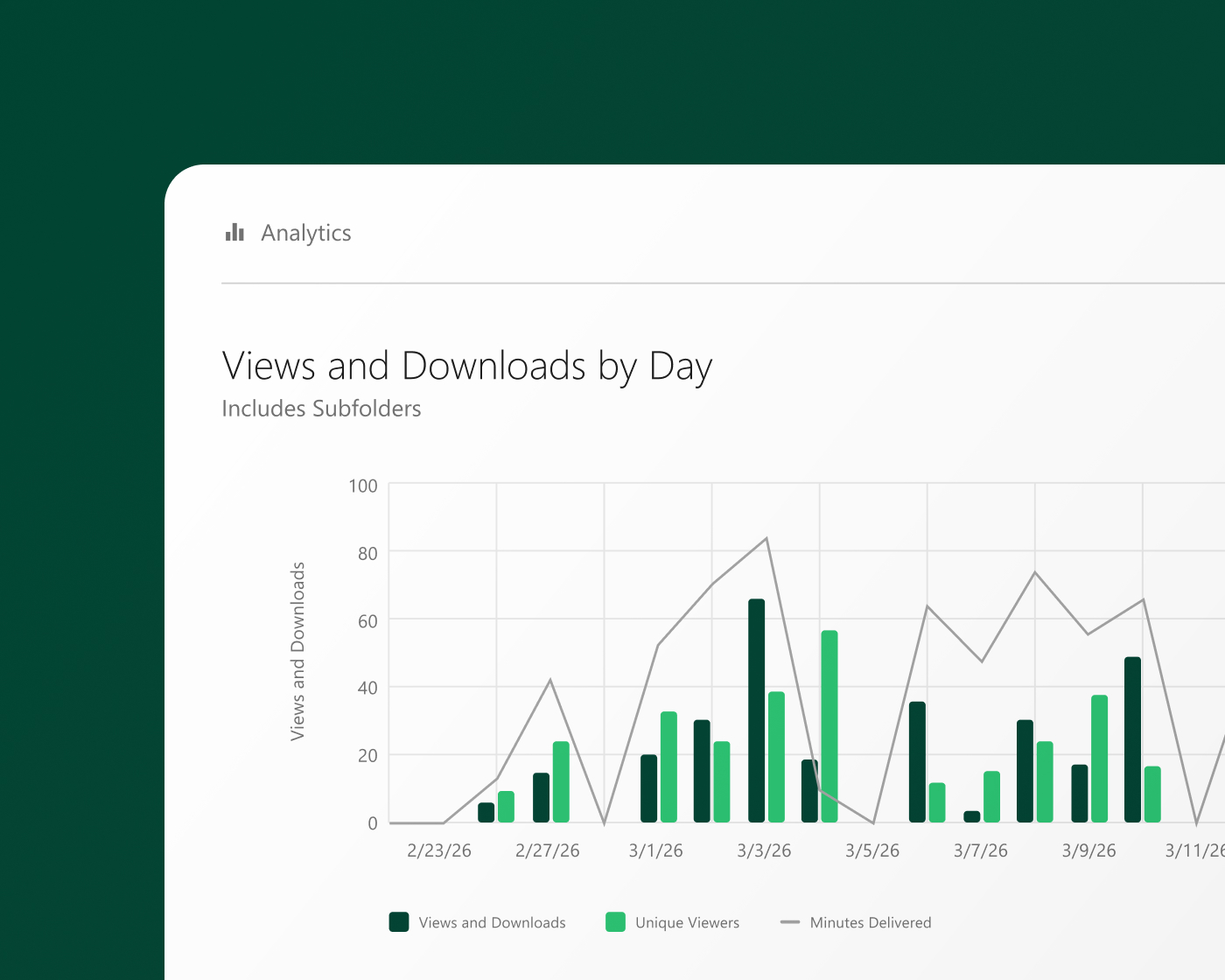
Panopto’s video analytics track per-viewer watch time, completion percentage, and engagement heatmaps that show exactly where viewers rewatch or drop off. Quiz results from in-video assessments connect viewing data to real comprehension, with scores flowing into your LMS gradebook. Advanced analytics at the library level show which content earns its place and which needs updating. Completion and access history export as audit-ready reports whenever compliance teams need proof.

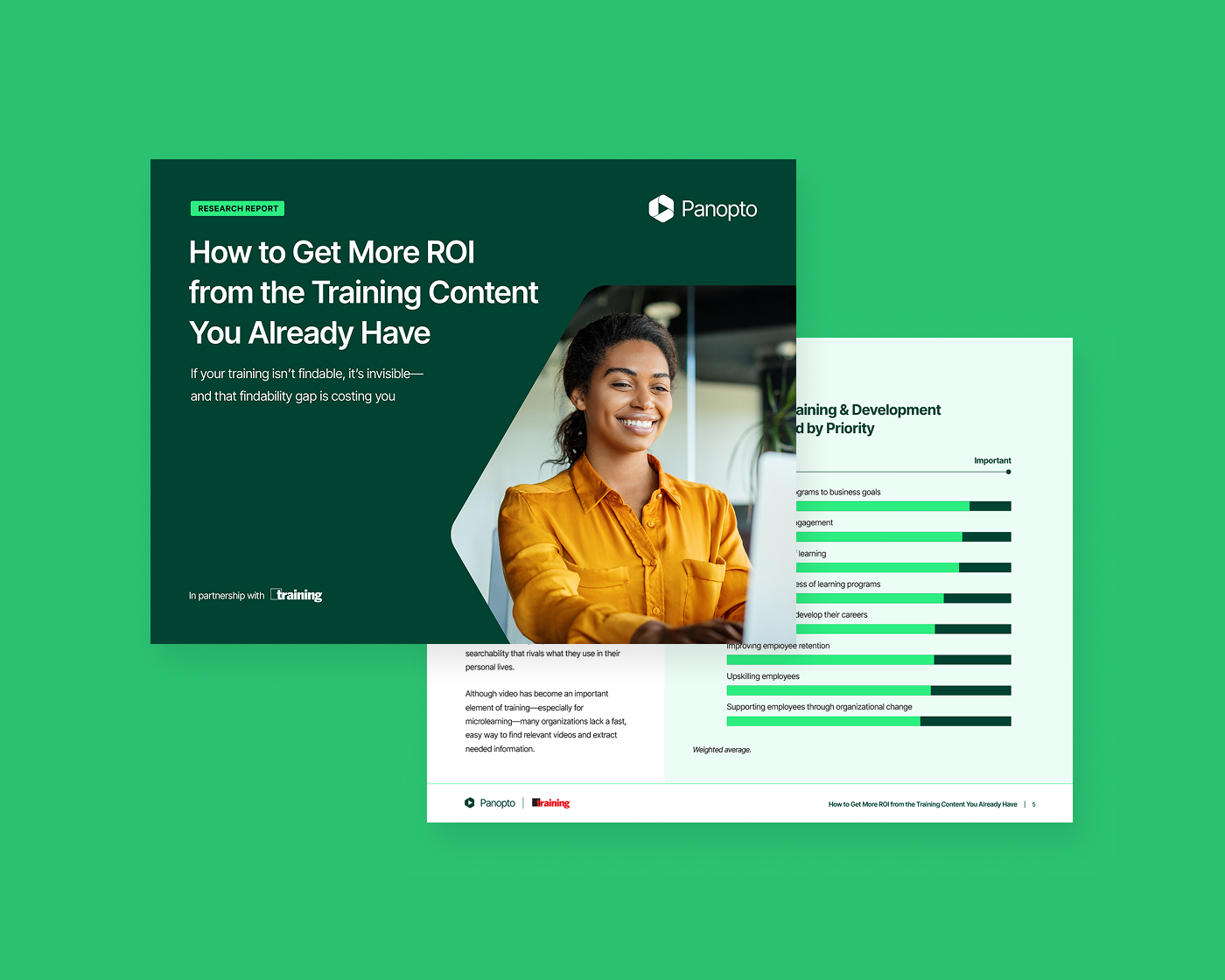
Research report
Get more return from the training content you’ve already built
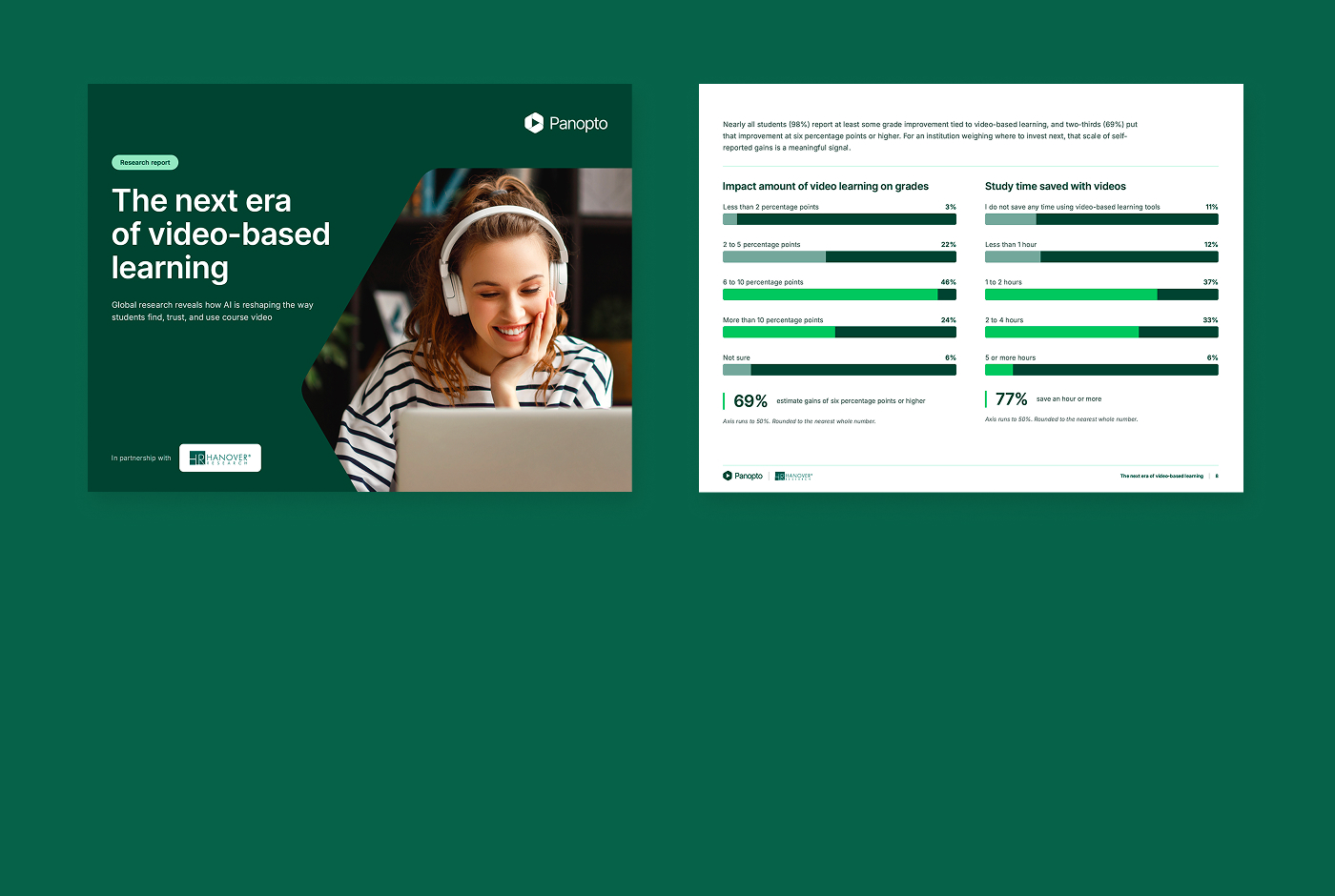
Even after teams have already spent the budget, SME hours, and production time on a training video, most of it sits in a system that’s hard to search effectively. When what you’ve already created is findable, every training dollar you’ve spent works harder, and employees spend less time searching and more time on the work that matters.
$782K
What a 1,000-employee organization spends on training each year on average
57%
L&D leaders say employees are too busy or too constrained to search for what they need
68%
L&D leaders say most of their recorded training isn’t searchable
Seamlessly integrate with your systems
From authentication to content delivery, Panopto integrates with leading LMS, conferencing, and collaboration platforms—so video fits into existing workflows rather than sitting outside them.

Cornerstone
Learning management system

Zoom
Collaboration
Microsoft Teams
Collaboration

Webex
Collaboration
GoToMeeting
Collaboration

Slack
Collaboration
Hear how our customers are putting knowledge to work








How leading organizations use Panopto
What Panopto customers are saying
“Panopto has been such a key foundation to our technology course development. The reliability and richness of features has been essential.”
Senior Director of Program Management
Qualcomm Wireless Academy

“For the team here at Nike, Panopto has two major benefits. First, the Panopto video platform really helps us meet all our video needs. And second, Panopto’s customer service has been just amazing.”
Program Coordinator
Nike

“[With Panopto] SK Telecom employees now watch more than 100 hours of video a day on average, with a total viewing time that’s 50-times greater than the hours of video we’ve recorded.”
Manager of the Competency Culture Group
SK Telecom
“Panopto quickly became one of the most appreciated tools for users. We felt like we had a real partner in Panopto.”
Project Manager for the Knowledge Program
Framatome

“Panopto is helping Sanmina improve communications, helping our teams be more effective and improve relationships with our partners and customers.”
IT Director, Digital Workplace
Sanmina

“By scanning the QR code pasted on the equipment using a smartphone, employees can learn the safe and proper way to handle that piece of equipment on the spot.”
Human Resources and Administration
Toyoda Iron Works

Explore what’s possible with Panopto for business


Frequently asked questions
How does Panopto help businesses manage and scale video for training and knowledge sharing?
Panopto is an enterprise video CMS that gives your organization one secure platform for video creation, hosting, organization, and delivery, across training, onboarding, compliance, and internal communications.
Unlike general-purpose video tools, Panopto indexes every spoken word and on-screen element in every recording, making the entire library searchable by word and timestamp. You find the answer you need in seconds instead of rewatching full recordings, while role-based access controls keep the library secure as it grows.
Is Panopto secure enough for enterprise and regulated industry use?
Yes. Panopto is SOC 2 Type II certified and GDPR compliant, built for regulated industries including financial services, healthcare, and energy.
Video is encrypted at rest with AES-256 and in transit with TLS 1.3. SAML-based single sign-on and role-based permissions control exactly who can view, share, or manage each recording, and privacy settings let you restrict content by domain, group, or individual. Audit logs and admin reporting give your compliance and security teams the documentation they need without manual reconstruction. Read more about our security.
How does Panopto help organizations onboard new employees faster?
Panopto lets you build a searchable onboarding library new hires access on day one, on demand, at their own pace, on any device, without live sessions or pulling subject matter experts away from their work.
Customers report up to 2x faster ramp time and a 50% reduction in training costs, based on outcomes from Sanmina and SK Telecom. Video analytics track completion automatically across every new-hire cohort, so you see who’s finished onboarding and who needs a follow-up, without chasing spreadsheets.
How does Panopto’s video search work?
Panopto’s AI-powered search indexes every spoken word, slide, and on-screen element using automatic speech recognition and OCR, then organizes each recording into automatic chapters with searchable transcripts. Search for a policy term, product name, or process step, and Panopto returns timestamped results from across your entire library.
That turns years of training recordings, meeting captures, and procedure videos into a searchable knowledge base instead of an archive nobody opens twice.
What tools and platforms does Panopto integrate with?
Panopto integrates across four categories of tools you already use. For LMS and LTI, that’s Docebo, Workday Learning, Cornerstone, and SAP for course assignments and completion tracking. For HRIS, Workday and SAP SuccessFactors tie training to employee records. For conferencing, we automatically capture and make searchable recordings from Zoom, Microsoft Teams, Webex, and GoToMeeting, including town halls and all-hands meetings. For collaboration, Slack access and SAML-based single sign-on mean you log in with credentials you already have. Read more about our integrations.
How does Panopto use AI to make training videos easier to use?
The moment a recording lands in your library, Panopto’s AI generates a summary, breaks the video into automatic chapters, and produces captions in 20+ languages. AI Search indexes speech and on-screen text so you find the exact moment you need instead of scrubbing through an hour of video. Together, these turn even your oldest recordings into searchable, reusable content for onboarding, SOPs, and ongoing training.
Does Panopto offer an API or integrate with CRM systems like Salesforce?
Yes. Panopto’s API and OpenSearch federation let your developers integrate video search results directly into a CRM, intranet, or other internal system, so video surfaces inside the tools your teams already use. Panopto has also built native CRM integrations for systems like Salesforce, bringing video recording, management, and search directly into your sales and customer workflows.
Can employees create, edit, and live stream video directly in Panopto?
Yes. Panopto’s browser-based video editor lets you trim clips and add transitions to screen recordings and webcam captures without extra software, all non-destructively, so it preserves your original recording. For real-time content, Panopto also supports live streaming for webinars, town halls, and other live events, automatically recording every broadcast and making it searchable for on-demand viewing afterward.
How is Panopto different from a general video hosting or streaming service like Vimeo Enterprise, Kaltura, or Brightcove?
Platforms like Vimeo Enterprise, Kaltura, and Brightcove are built primarily for publishing, broadcasting, and, in some cases, monetization options for external audiences. Panopto is built specifically for governed training and knowledge management: a searchable video CMS with LMS integrations, completion tracking, and compliance-ready records. Training video stays organized, secure, and measurable across your organization rather than optimized for public reach.