Search your Slack for a training video someone shared six months ago. Or find that product walkthrough recorded in Teams. Or the onboarding session saved to a Drive folder whose name nobody remembers.
If your organization is like most, you won’t find them. Not because the videos don’t exist, but because there is no system for where they go.
That is a video strategy problem. And it is more expensive than it looks.
Why enterprise video platforms keep failing
Most companies generate more video than ever: recorded meetings, onboarding sessions, compliance refreshers, town halls, product demos, SME walkthroughs. But without a central home, this content scatters across a dozen tools.
A training session gets recorded in Zoom, moved to a Teams channel, linked in an email, and forgotten. Another team uploads enterprise training videos to Google Drive with an expiring link. HR sends MP4s by email. The L&D SharePoint folder makes sense only to the person who built it.
The result is a knowledge graveyard. Valuable content that is unsearchable, inconsistent, and inaccessible to anyone who was not on the original thread.
This is not a technology problem—it’s a strategy problem.
What it costs to have no video strategy
Institutional knowledge disappears. When experienced employees leave, the know-how they carry goes with them. If it was never captured and stored somewhere findable, it is gone. Most companies only notice the gap mid-project.
Training cannot scale. When onboarding content lives in a folder only two people know how to navigate, every new hire gets an inconsistent experience. Employee training video platforms exist to fix this, but only when videos are actually organized and findable.
Hybrid teams get left behind. Video solutions for hybrid enterprises only work when people can reach the content they need, from wherever they are working. A recording buried in a Teams channel a remote employee cannot access is not a resource. It is friction.
Teams duplicate work. Without a shared library, people re-record content that already exists somewhere else. That wasted time adds up fast.
Sensitive content ends up in the wrong places. When there is no policy for where videos go, people use whatever is convenient. Confidential recordings land in personal Drive accounts or get forwarded by email. This is the exact risk that best enterprise-grade video redaction software and access-controlled platforms are built to address.
What is a corporate video library?
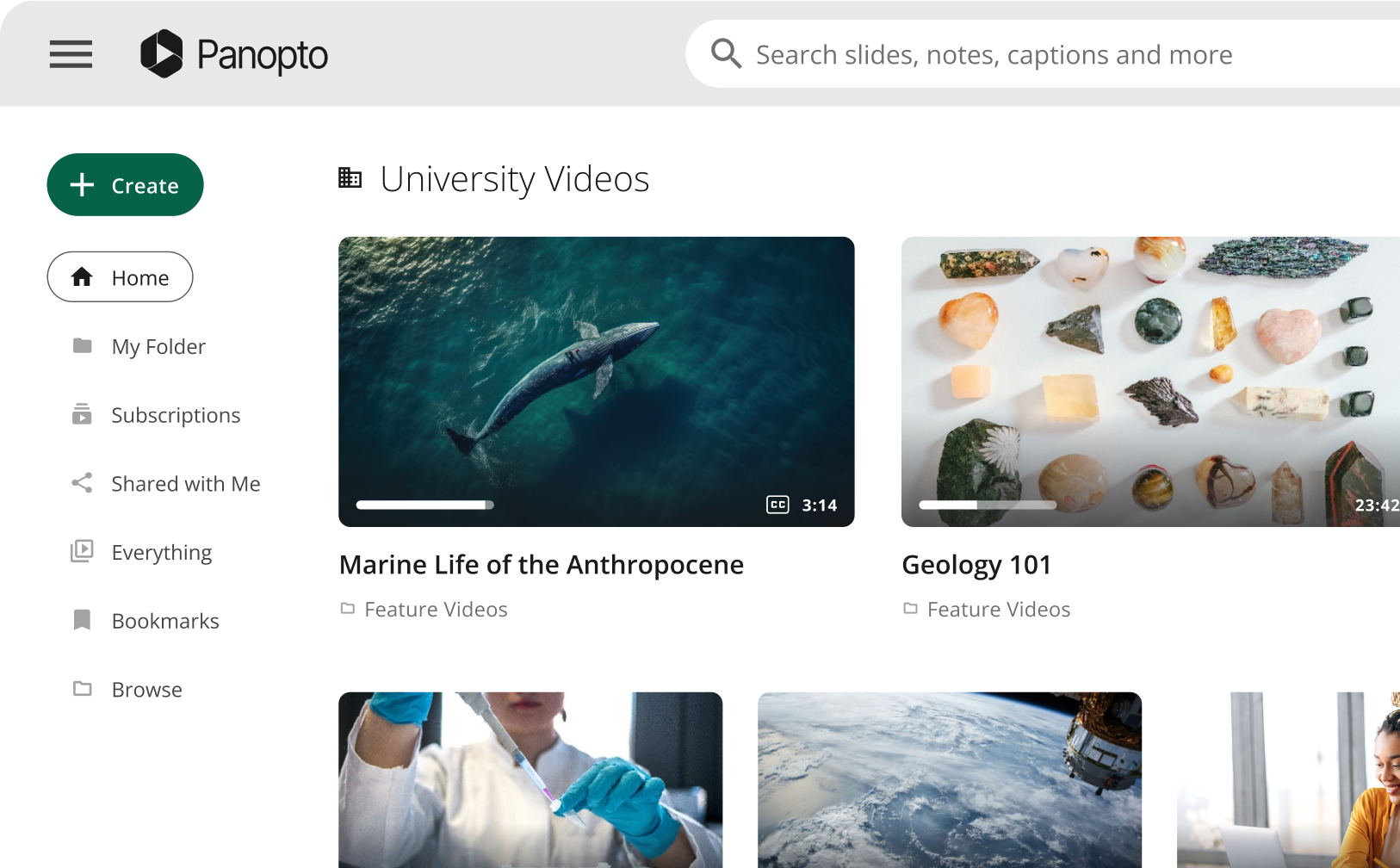
A corporate video library is a private, searchable video library built for your organization. It works the same way YouTube does: upload a video, organize it, and anyone with access can find and watch it. The difference is that access is controlled, content is private by default, and the analytics tell you exactly who watched what.
YouTube built something genuinely useful: a structured library with search, playlists, and analytics wrapped in an interface so familiar it needs no training. That is the model worth copying inside your business.
Dennis Hammel, instructional designer at construction services company Interstates, describes Panopto as functioning like a “corporate YouTube.” Learners sign in, search from a bar on every screen, and find content wherever it lives in the library. For users without domain access, the team shares direct links. “For open benefits enrollment, we just send out the relevant links so anyone in the company can see them, even if they don’t have log-in credentials.”
That is what the model looks like in practice: familiar enough to require no onboarding, secure enough for sensitive content, and flexible enough for internal and external audiences.
Corporate YouTube channels on the public platform serve marketing and brand visibility well. But the corporate YouTube concept belongs inside your business, pointing inward, not outward.
What video strategy actually requires
A working video strategy addresses four key areas:
Centralized storage: Video content should live in one place—not one location per team. A central library with tiered permissions ensures the right people can access the right content, while keeping sensitive material appropriately restricted. For most organizations, this shift from fragmented storage to a unified system delivers the most immediate operational value.
Intelligent search: Effective video platforms go beyond filename search. Using AI-powered speech recognition and optical character recognition, the best solutions index every word spoken and displayed on screen—making it possible to search for a concept and surface the exact moment it was discussed, even if the video was never manually tagged.
Granular access control: Not all content is meant for the same audience. A capable platform handles org-wide content, team-specific libraries, and externally shared links within a single permission framework.
Measurable engagement: Analytics transform video from a passive medium into an accountable communication channel. Visibility into who watched, how much they watched, and where they dropped off enables teams to assess impact and, in compliance contexts, move from assumed completion to verified completion.
What belongs in a corporate video library?
Most organizations have more video worth keeping than they realize.
Individual knowledge sharing: Quick walkthroughs, process explanations, and insights captured by experienced team members are the most undervalued category in most video libraries and the most vulnerable. When those people leave, that knowledge leaves with them.
Training and onboarding content: New hire orientation, compliance modules, systems training, and process documentation represent some of the highest-value content an organization produces—frequently accessed, difficult to update, and costly to recreate. Hammel’s team at Interstates addressed this directly by centralizing official recordings rather than leaving them scattered across Zoom and Teams.
Meeting recordings and knowledge captures: Strategy sessions, retrospectives, client briefings, and working sessions contain decisions, context, and institutional knowledge that rarely makes it into documentation. Left in Zoom cloud, that content expires. In a searchable library, it stays accessible and actionable.
Leadership and executive communications: Town halls, all-hands meetings, and leadership updates consistently rank among the most-replayed content in any organization. A central library ensures that employees who missed the live session can access it on their own time, without relying on someone to forward a link.
How AI video creation changes the equation
Building a corporate video library used to require production resources most teams did not have. That has changed.
The best AI avatar platforms for online training videos 2026 let L&D teams produce polished content from a script in minutes, no camera, no editing, no studio time. A subject matter expert writes the content. An AI avatar delivers it.
For HR teams, the top AI avatar platforms for HR training videos are already being used to scale benefits explainers, onboarding modules, and compliance courses across global workforces in 75 or more languages, without a production budget.
Panopto’s integration with Elai brings AI video creation directly into the video management workflow. Create a video in Elai using avatars, voice cloning, and guided storyboarding, then publish it straight into Panopto where it becomes searchable, trackable, and securely accessible to the right audience.
For organizations that have wanted a proper video library but lacked the production bandwidth to build one, this removes the main blocker.
The document management parallel
If you wanted employees to find company documents, you would not scatter them across personal inboxes, shared drives, and Slack threads. You would use a document management system.
Video deserves the same logic, and arguably needs it more. An hour of recorded video contains more usable context than a deck with twenty slides. The only reason organizations have not managed video the same way is that search inside video used to be hard—it’s not anymore.
A central video library closes the gap between how much video your organization creates and how much of it actually gets used. That gap is where institutional knowledge disappears, training inconsistency grows, and duplicated effort accumulates.
At Interstates, once Panopto was in place, the shift was simple. Official training went into the library. People could find it. External stakeholders got links. The system worked because it matched the mental model employees already had from YouTube.
Where to start
Pick one category of content and consolidate it. Training videos, onboarding recordings, leadership communications: any of these makes a good starting point. Get it into a central, searchable library. Give the right people access. Start tracking who watches.
Once employees discover that searching the library actually works, the behavior change follows on its own.
Panopto is built for exactly this: a secure, searchable video library with AI-powered search, LMS and SSO integrations, viewer analytics, and AI video creation through Elai. Your organization has a video strategy problem. This is how you solve it.