




Enterprise Video Search for Business and Education
Stop wasting time scrubbing through hours of video to find two minutes of useful information. Panopto’s video search finds exactly what you need in seconds, not minutes.
13,000,000
users









Search inside your video library instantly
Recording and editing videos is just the start. The real value comes when people can actually find the information buried inside those videos weeks or months later.
Panopto handles everything from recording to captioning, so your team can focus on using video to get work done, not managing video files.

Search Every Word Spoken
Automatic speech recognition captures and indexes every word anyone says in your videos. Search for a specific term and jump straight to the moment it was mentioned.

Search Every Word On-Screen
Optical character recognition captures and indexes every word that appears on screen. That includes text in screen shares, documents, and any visual content shown during recordings.

Slide Search
Slide ingestion technology indexes every word in presentation decks, including speaker notes that viewers never see. You can find information even when it wasn’t spoken aloud.

Search Digital Notes
Take notes directly in the video while you watch. Those notes become searchable too, so you can find your own observations just as easily as the video content itself.
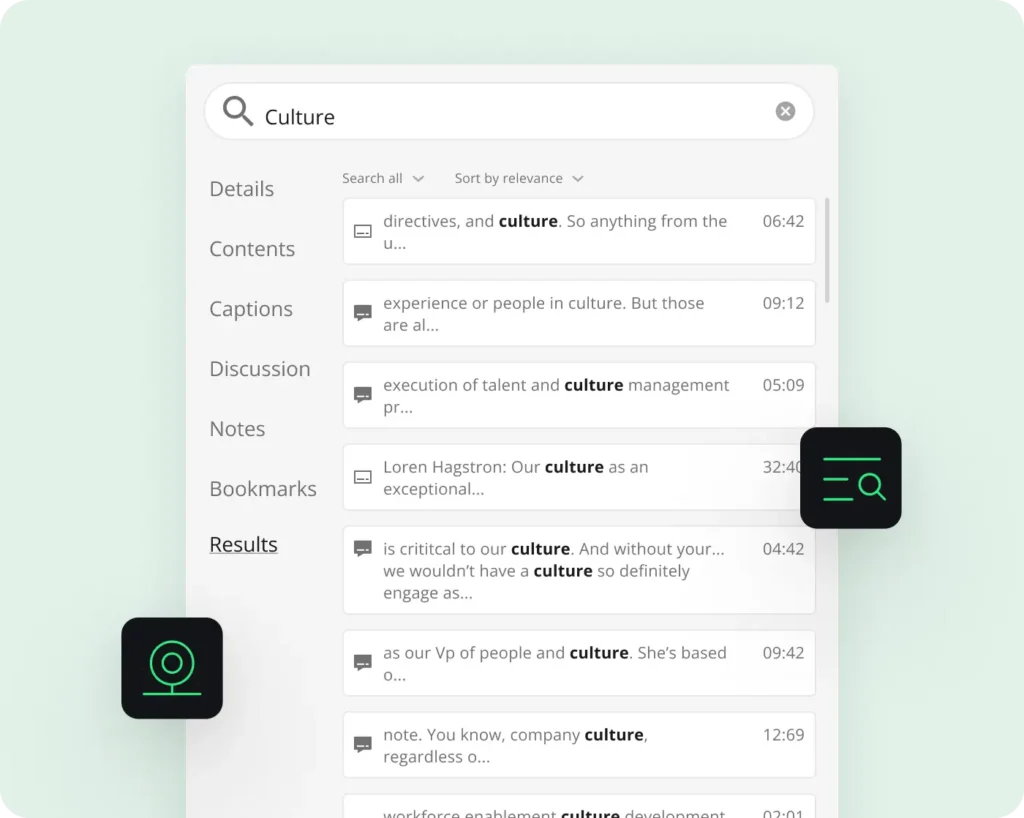
“The Best Support for Video Search.”
AI-powered video indexing for faster discovery
Panopto’s Smart Search is the most comprehensive way to find content inside your video library. Forrester Research confirms this, reporting that Panopto has “the best support for video search.”
ASR and OCR technology automatically transcribes and captions every video, making your entire library searchable by keywords. The search is secure and fast. You’ll find what you need in seconds instead of hunting through folders or asking colleagues to resend links.

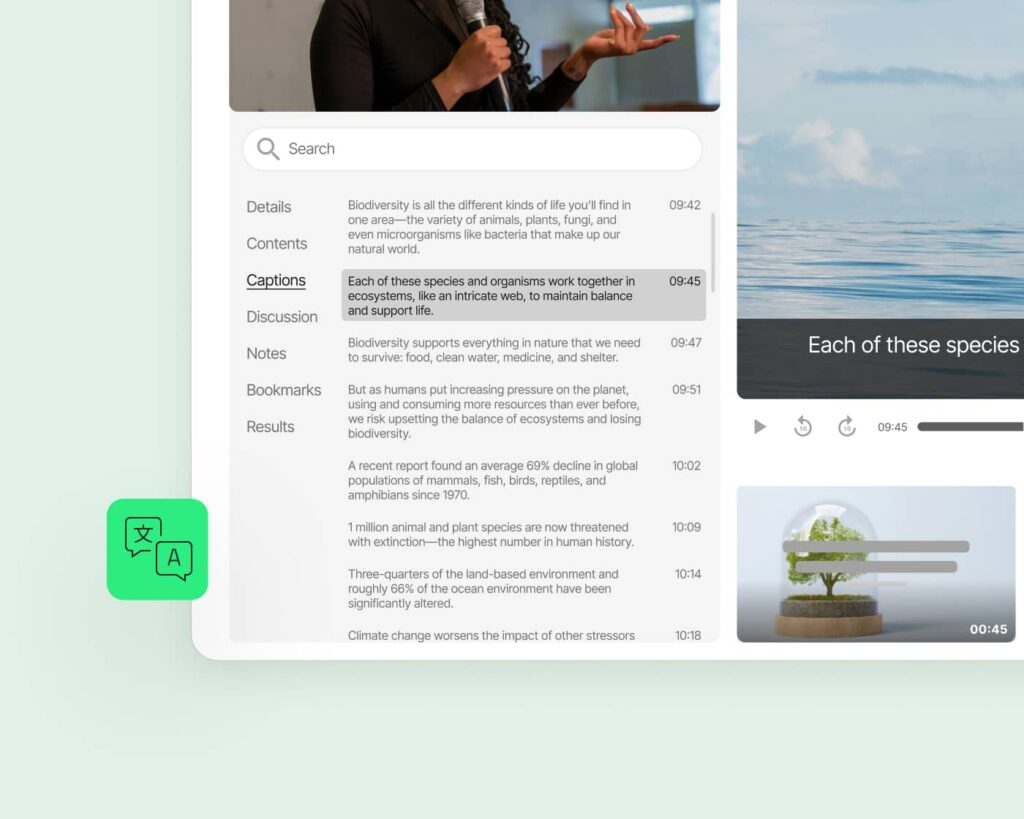
Multi-language support in 15+ languages
Automatic transcription and captioning
Smart Search supports fifteen languages: English, Spanish, German, French, Chinese (Mandarin), Japanese, Korean, Portuguese, Danish, Dutch, Finnish, Norwegian, Swedish, Hungarian, and Polish.
Upload a video in any of these languages and Panopto automatically indexes it. Search in the same language the video was recorded in. No manual transcription or translation required.
Personalized discovery across your video content
Share and acquire knowledge more efficiently.
People learn from video the same way they learn on YouTube. They browse, they search, they follow creators they trust. Panopto brings that same discovery experience to your organization’s knowledge library.
Apply tags to videos so they’re easier to find. Subscribe to specific people or topics so new relevant videos appear on your home screen automatically. Browse by tags when you want to explore a subject more deeply. You’ll discover information you didn’t know existed without searching for it specifically.
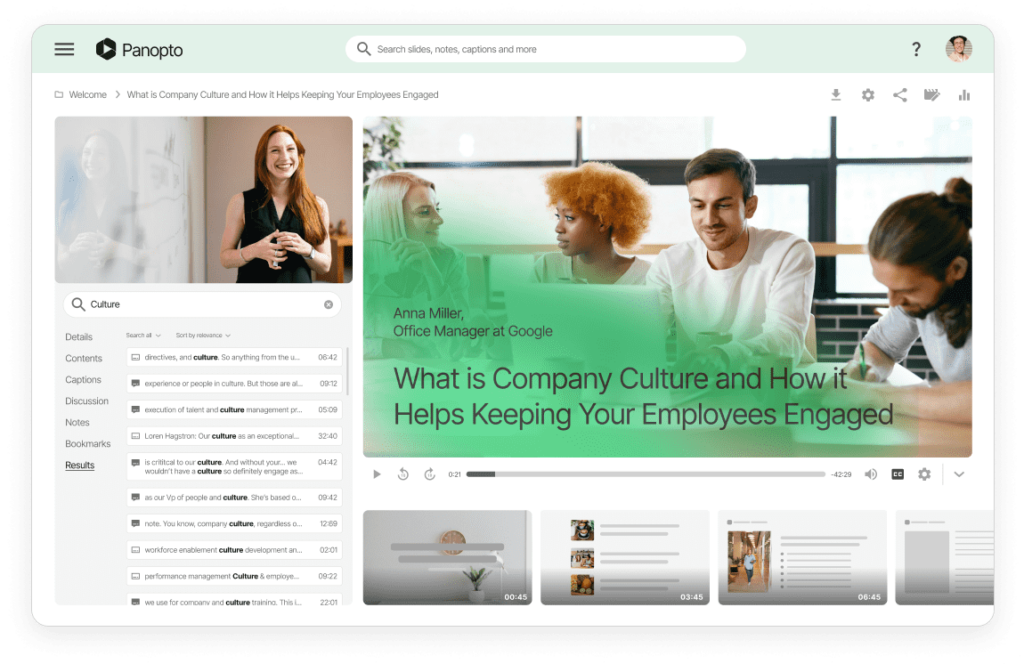
Federated search across platforms with OpenSearch
Search your video library from anywhere.
Your teams don’t search for information in just one place. They check Slack, browse the LMS, look through SharePoint. They shouldn’t have to open Panopto separately to search videos.
Panopto’s Smart Search engine connects with your LMS, CMS, and collaboration platforms. That means people can find relevant video content wherever they normally look for information.
OpenSearch federation links Panopto’s search with other tools your organization uses. Search results from your video library appear alongside results from other systems, all in one place. This works with Slack, Canvas, Blackboard, Moodle, Saba, Salesforce, SharePoint On-Premises, and more.
You can even search your private video library from your browser’s address bar. Add Panopto to your browser’s search providers list and get Smart Search results without leaving Firefox, Chrome, Internet Explorer, Edge, or Safari.
Read more about video search and discovery.


Empower growth, at work and home.
How accurate is the automatic transcription?
Panopto’s ASR technology delivers high accuracy for clear audio in supported languages. The system improves over time as it learns your organization’s terminology. You can edit transcripts if needed, but most users find the automatic transcription accurate enough to use as-is.
Can I search videos I don’t have permission to view?
No. Search results are access-aware. You’ll only see results from videos you’re authorized to access. This keeps sensitive content secure while still making your permitted video library fully searchable.
Does search work for videos recorded outside Panopto?
Yes. Upload videos from any source and Panopto automatically transcribes and indexes them. The search works the same whether you recorded in Panopto, Zoom, Teams, or uploaded a file from years ago.
How long does it take for a new video to become searchable?
Videos become searchable within minutes of upload. Panopto processes transcription and indexing automatically in the background. By the time you share the video with your team, they can already search its contents.