




How to Use AI Video Generators from Scripts and Storyboards

AI video generators from scripts have revolutionized video creation, eliminating the need for time-consuming or resource-heavy production processes. With tools like these, you can seamlessly turn written content into professional-quality videos in just a few clicks. By combining AI-powered technology with intuitive interfaces, these generators handle everything—from visuals and animations to voiceovers—making video production accessible to everyone.
Whether you’re crafting training videos, promotional content, or educational materials, an AI video generator from script allows you to bypass the complexities of traditional production while delivering polished, engaging results. In this post, we’ll explore how these tools work and show you how to transform your ideas into captivating videos with ease.
Why Use AI Video Generators from Scripts?
Traditional video production can be slow, costly, and complex, but AI video generators from scripts make it fast, affordable, and accessible. These tools streamline the process by automating key tasks like syncing voiceovers, generating visuals, and applying transitions—saving you hours of effort.
For businesses, educators, and content creators, the cost-effectiveness of AI tools is a game-changer. With features like customizable templates and stock visuals, you can create professional-grade videos without hiring a production team or investing in expensive software.
Best of all, these tools are easy to use. Their intuitive interfaces make video creation manageable for everyone, regardless of skill level. Plus, they offer creative flexibility, enabling you to experiment with styles and animations while ensuring consistent, polished results.
AI video generators turn your script into an engaging, professional video with minimal time and effort—making them essential for modern video production. Next, we’ll explore how to get started with these tools.
Features to Look for in an AI Video Generator from Script
Not all AI video generators are created equal. To ensure you select the right tool for your needs, look for these key features that enhance functionality, ease of use, and overall output quality:
Ease of Use for Script to Video Tools
A great AI video generator should be intuitive, even for beginners. Look for tools with simple interfaces, drag-and-drop functionality, and clear instructions that make the video creation process straightforward. Advanced features are valuable, but they should be easy to navigate.
Customization in AI Video Generators
Flexibility is essential for tailoring your video to your audience. Choose a tool that allows you to adjust elements like:
- Themes and templates for branding.
- Animations and transitions for engagement.
- Voiceovers, with options for AI-generated voice cloning or custom narration.
These features ensure your video is unique and aligns with your vision.
High-Quality Video Outputs
The final product should look polished and professional. Select a tool that supports high-definition video (1080p or higher) and smooth transitions. Check for features like natural-sounding voiceovers and seamless integration of text, visuals, and animations.
Automated Script to Video Creation
The primary function of the tool should be to transform scripts into videos effortlessly. Ensure the AI generator can analyze your need, suggest a script with matching visuals, and sync narration automatically. This reduces manual work and speeds up the production process.
How to Create content with an ai video generator from script
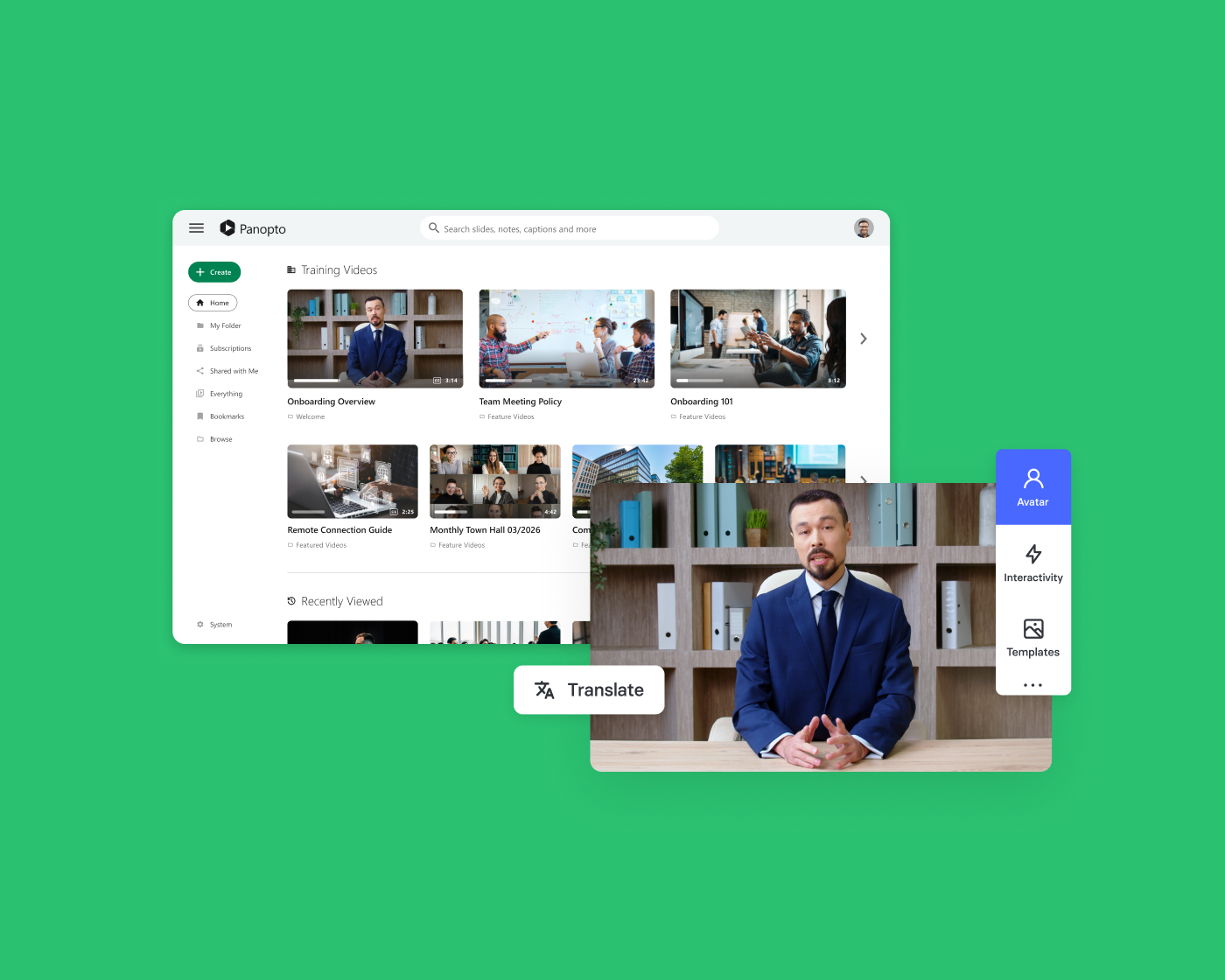
Turning your script into a polished video using AI is simple and efficient. Here’s a step-by-step guide to get started with interactive video solutions by Panopto:
1. Prepare Your Script and Storyboard
Before diving into video creation, ensure your script and storyboard are ready. Write a concise, engaging script that clearly conveys your message. If possible, create a basic storyboard to map out the visuals for each section of your video. This helps the AI tool match content to visuals effectively.
2. Choose the Right AI Tool
Select an AI video generator that fits your needs. Look for tools offering features like automated visuals, voiceovers, and customizable templates. Consider factors such as ease of use, on-screen avatars, and output quality to ensure the tool aligns with your goals.
3. Upload Your Script
Most AI tools allow you to upload your script directly or paste it into a designated text editor. Ensure your script is formatted clearly for easy processing, and include cues or notes for voiceovers or visual elements if the tool supports it.
4. Customize Your Video
Once your script is uploaded, the AI will generate a preliminary video. From there, you can:
- Customize the colors, graphics, and fonts to match your brand.
- Adjust timing to match the pace of your narrative.
- Select an AI avatar presenter to deliver your message on-screen.
- Add or modify animations, transitions, and text overlays.
- Choose AI-generated voiceovers or upload your own audio for narration.
This step gives you creative control to ensure the video aligns with your vision.
5. Preview, Edit, and Export
Before finalizing, preview the video to ensure it looks and sounds exactly as you intended. Make adjustments as needed—such as refining transitions, syncing audio, or correcting any text placement. Once satisfied, export your video in the desired format, typically MP4 for wide compatibility.
By following these steps, you can transform your script into a professional, engaging video with minimal effort. AI tools make the process seamless, empowering you to focus on delivering a compelling message rather than managing technical details.
Transform Your Ideas Into Impactful Videos with AI-Powered Ease
AI video generators have transformed how we create and share content, making video production faster, easier, and more accessible than ever. Tools like Elai, powered by Panopto, take this innovation to the next level by seamlessly turning scripts into professional-quality videos. Elai empowers you to produce engaging, polished videos that captivate your audience with minimal effort.
With features like automated visuals, customizable voiceovers, and easy integration with Panopto’s video library, Elai streamlines the entire process. It allows you to focus on your message while the AI handles the heavy lifting, delivering videos that are consistent, professional, and impactful. Now is the perfect time to explore how Elai, powered by Panopto, can transform your storytelling and bring your ideas to life. Sign up for a free trial.
Latest News
-
- Product Spotlight
From Creation to Impact: One Unified Workflow for AI Video Learning
We’re creating a seamless path from AI-powered video creation to secure delivery, discovery, and measurement. The result is one unified workflow that reduces friction and helps organizations move faster from content creation to real learning impact.
From Creation to Impact: One Unified Workflow for AI Video Learning
-

- Webinar Recap
Understanding Student Video Behavior: Webinar Best Practices
Student video behavior reveals a clear pattern: learners navigate content strategically, searching for specific moments rather than watching linearly. A recent webinar featuring Shaun Searle from the University of Portsmouth and Ian Paice, Panopto’s Chief Customer Officer, explored how modern video platforms turn this behavior into better learning outcomes. Understanding How Students Use Video Analytics…
Understanding Student Video Behavior: Webinar Best Practices
-

- Academic Technology
What It Takes to Scale Video Successfully in Higher Education
As video becomes a standard part of teaching and learning, higher education institutions are increasingly responsible for managing it at scale. Lecture recordings, instructional videos, student support content, and departmental assets all contribute to how students learn and how faculty teach. For institutions supporting online, hybrid, and in-person learning models, the challenge is not introducing…
What It Takes to Scale Video Successfully in Higher Education