








Searching for video training software for insurance returns results that blend two product categories that solve genuinely different problems: learning management systems and video platforms.
This guide explores those two categories, then works through the five criteria that matter most for a workforce spread across regions, languages, and employment models. From there, it covers how a video layer connects to the LMS, HRIS, and conferencing tools a carrier already runs, and it closes with a checklist a buyer can carry into an evaluation.
Video training platform vs. LMS: How the two categories differ
An LMS handles assignment and record-keeping. Platforms in this category, including Cornerstone, Docebo, Absorb, and Workday Learning, enroll agents in courses, track completion, and store the compliance and continuing-education documentation regulators and state boards expect.
A video training platform handles the video itself. Training video software in this category captures and edits recordings, indexes the full library so you can retrieve any moment, delivers content in the flow of work, and reports who watched what and for how long.
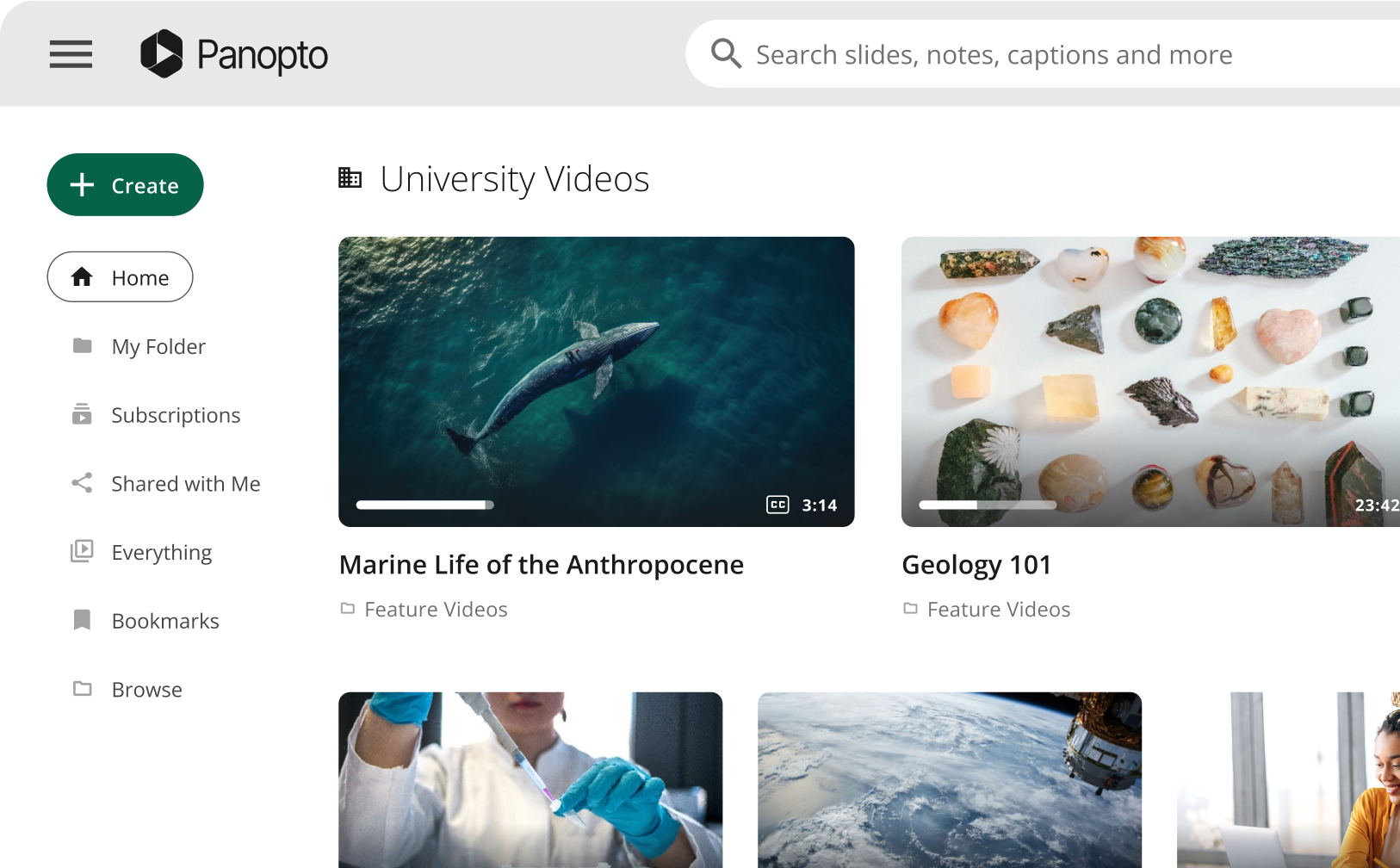
Panopto’s video content management platform indexes every spoken word and on-screen element in a recording, making the library searchable at the word and timestamp level, while version control keeps only the current approved version accessible and folder-level retention policies archive what has aged out.
The LMS assigns courses, and a video platform governs how learners actually learn. Most carriers act on that logic by keeping the LMS they own and adding the video layer through standards. Panopto supports SCORM-compatible packaging with completion tracking, as well as LTI-compliant embedding, so the video plays inside the course and completion data flows back to the LMS gradebook without manual transfer.
| Use the LMS for | Use the video platform for | Together they |
| Course assignment, enrollment, and curricula | Recording, editing, and publishing training video | Deliver a course inside the LMS with governed video at its center |
| The completion and continuing-education record | Library-wide search across spoken words and on-screen text | Prove both assignment and consumption for a regulated audience |
| Certifications, transcripts, and reporting to the business | Version control, retention, and per-viewer engagement data | Keep one record of record while the video stays current and findable |
What insurance L&D actually needs from video
Five criteria distinguish a strong fit from a poor one for a regulated, multilingual, distributed insurance workforce, and each is written below as something a buyer can score.
Capture institutional knowledge before it retires
Insurance runs on tenured judgment. An underwriter who knows which submissions are worth an exception, an adjuster who can explain why a coverage position holds up on appeal, a service lead who remembers the carrier-specific quirk in a legacy product: none of that lives in a procedure manual. It walks out with each retirement unless something captures it.
Recording an expert walkthrough is the easy half. Making it retrievable years later is the tricky part, and it depends on indexing, not filing. Because Panopto indexes both spoken word and on-screen text down to the timestamp, a question as specific as how a denied claim gets reprocessed lands on the exact second it was explained, long after the person who explained it has left.
Connect to the LMS and HRIS you already run
Every carrier already owns an LMS and an HRIS, along with the integration work and change management that went into both, so an ideal video platform connects seamlessly.
Standards-based integration is what makes the addition additive. Panopto embeds through LTI and SCORM, so the training video sits inside existing courses while the LMS keeps the completion and continuing-education record. Its Cornerstone integration runs on LTI 1.3 with SAML single sign-on and automatically provisions a folder tied to the matching course or program, and the Workday Learning integration lets admins publish Panopto videos straight into the Workday Learning catalog, where selecting one opens the Panopto player and signs the employee in through existing SSO. On the identity side, Panopto connects to HRIS platforms including Workday and SAP SuccessFactors to automate provisioning and sync role-based access, so permissions follow the employment record rather than a spreadsheet.
Onboard new agents and adjusters without the paper packet
Agent and adjuster onboarding at many carriers still runs on printed checklists and a live session repeated every few weeks, which holds up as long as hiring stays local and predictable.
Mortgage Advice Bureau, a UK intermediary with more than 1,600 advisers across 150-plus partner firms advising on mortgage, protection, and general insurance products, replaced an onboarding program that took roughly eleven weeks for a cohort of 100 advisers with on-demand video and reported a 12% increase in sales among new advisers alongside a 12% reduction in attrition. In-video quizzes and knowledge checks supply evidence of understanding rather than attendance.
Deliver training in every agent’s language
Distributed insurance forces are multilingual, and the usual workaround is a bilingual principal or team lead teaching every session twice. That approach holds for one office and doesn’t scale across twelve.
Panopto provides automatic ASR captioning in more than 20 languages and supports multiple caption tracks per video, with translated captioning available as an added service, so a single recording serves agents across languages without a second production cycle. Translated captions and transcripts are indexed for search, which means content in a supported language stays as discoverable as the original.
Reach independent and non-employee agents
A large share of distribution runs through independent agents, brokers, and MGAs who will never appear in the corporate directory. Carriers stay accountable for what those partners communicate, which makes emailed attachments and shared folders an inadequate oversight model. Panopto’s guidance for insurance organizations treats that channel as a distinct requirement, supporting role-based permissioned distribution to external partners with audit trails covering the full distribution chain.
External delivery needs to carry the same controls as internal delivery. Panopto Connect provides a branded external portal for audiences outside the LMS, including channel partners, with access managed at the portal, page, or video level through a public URL, single sign-on, a password, or invite-only entry. Only content explicitly assigned to a portal is visible to external viewers, and Connect requires an active license.
How Panopto integrates with your LMS
Panopto delivers training video into the LMS through SCORM-compatible packaging and LTI-compliant embedding. The course plays the video in place, completion data flows back automatically, and the LMS keeps the record that compliance and continuing-education reporting depend on.
Cornerstone runs on LTI 1.3 with SAML single sign-on and provisions a Panopto folder for the matching course or program, and Workday Learning surfaces published Panopto videos in the catalog employees already browse. For platforms without a named connector, LMS video integration through SCORM packaging and LTI embedding remains the mechanism, and quiz scores and completion data feed LMS gradebooks where passback is supported.
Panopto adds a layer that an LMS does not provide on its own. Library-wide search covers every spoken word and on-screen element at the timestamp level. In-video quizzes and knowledge checks produce evidence of comprehension rather than attendance. Per-viewer analytics report watch time, percentage completed, and access method, with exportable records filterable by user, folder, course, or date range for audit purposes.
Governance travels with the video rather than living in a separate policy document. Version control keeps only the current approved recording accessible, folder-level retention policies handle archiving and removal, and role-based access controls sync with existing single sign-on and directory structures. Panopto is SOC 2 Type II certified and GDPR compliant, maintains audit logs and administrative reporting, and encrypts content at rest and in transit, which matters when the material being governed includes disclosure language and claims procedure.
Your LMS stays the record of record, and the video becomes searchable, governed, and provable in one managed library.
How Panopto fits the rest of your video stack
A carrier’s training content also passes through meeting platforms, document stores, authoring tools, and an identity provider, and a video layer earns its place by consolidating that traffic rather than adding another destination.
Meeting and webinar capture is the largest source. Panopto integrates with Microsoft Teams, Zoom, and Webex to import recordings automatically, then processes, captions, and indexes them for search inside the governed library. Administrators map folders so recordings file themselves by user, team, or course, and once imported, those recordings fall under the same access controls, retention policies, and audit logging that apply to everything else in the library. That single behavior turns a product briefing recorded on a Tuesday call into a governed asset instead of an expiring link.
Panopto also integrates with Slack to share recordings directly in channels, and with Microsoft 365 Copilot so video transcripts are available to AI tools as a knowledge source. Authored courses embed governed Panopto video inside the module through the same SCORM and LTI mechanisms already used to connect to the LMS. Access management follows the same standards-based approach: Panopto supports single sign-on through SAML 2.0, Active Directory, and OAuth 2.0, so permissions are governed centrally without added administration.
Six questions to evaluate video training software for insurance
Use these six questions to evaluate training video software, and score each vendor on the answers rather than the demo. A useful discipline is to bring your own content to the scoring session, since a vendor’s sample library is built to make search look effortless.
- Search. Does it index the whole library by spoken word and on-screen text, or only file titles and folder names?
- Integration. Does it connect to your existing LMS and HRIS through SCORM and LTI rather than asking either to move?
- Proof. Does it produce per-viewer completion data, in-video quiz results, and exportable records filterable by user, folder, course, and date?
- Language. Does it deliver in every agent’s language without a second recording?
- Reach. Does it extend governed access to independent, non-employee agents with the same controls applied internally?
- Consolidation. Does it bring together the video currently scattered across meeting platforms, shared drives, and cloud recordings?
A platform that scores well on search and consolidation but poorly on integration will affect record-keeping. One that integrates cleanly but cannot reach external partners leaves the channel you are still accountable for outside the governed library.
For a carrier whose priority is training that is findable, governed, and provable across employees and external partners alike, the answer points toward a purpose-built video training platform connected to the LMS rather than a second system of record.
Panopto is built for that purpose, with independent reviewers reflecting how buyers in the enterprise video category assess it: 4.5 out of 5 across 265 reviews on G2, and 4.9 out of 5 across 35 verified reviews on Gartner Peer Insights in the Enterprise Video Content Management market.
Choosing video training software for insurance
The insurance video training software decision is about which option plugs into the LMS you already run and what it enables once it is in place.
A purpose-built platform makes training searchable at the moment an adjuster needs an answer, delivers it in the language each agent works in, governs which version is live, and produces per-viewer evidence that holds up when someone asks for it. Your LMS keeps doing what it does well, which is assigning courses and holding the record. The two systems divide the work rather than duplicating it.
Request a demo to see how Panopto can support your organization’s training and compliance requirements.
Frequently asked questions
No. Panopto is a video content management platform that complements an LMS rather than replacing it.
Panopto’s video training documentation describes the division: the LMS handles course assignments and reporting, while Panopto handles capture, governance, search, and how employees find answers when they need them. The video CMS covers capturing, organizing, governing, and delivering video, with word-level search, version control, role-based access, and completion tracking built for organizations with compliance requirements.
The strongest fit for a carrier is a platform that makes the entire video library searchable by spoken word and on-screen text, connects to the existing LMS through SCORM and LTI, and produces per-viewer completion and assessment evidence that can be exported for review.
Measured against those criteria, Panopto indexes every spoken word and on-screen element at the timestamp level, embeds into the LMS through SCORM-compatible packaging and LTI, and generates exportable completion records filterable by user, folder, course, or date range. Independent reviewers rate it 4.5 out of 5 across 265 G2 reviews and 4.9 out of 5 on Gartner Peer Insights in the Enterprise Video Content Management market.
An LMS assigns courses, tracks completion, and holds the compliance and continuing-education record. A video training platform creates the video, makes the library searchable, governs which version is live, and reports who watched what.
The two work together through standards rather than competing for the same role. Panopto states the split directly: the LMS manages assignments and reporting, while the video platform manages how people actually learn and locate answers. In practice, the video embeds inside the LMS course through SCORM or LTI, and completion data flows back so the LMS record stays authoritative.
No. Panopto is designed to complement an LMS, which continues to manage enrollments, assignments, and completion reporting.
Panopto publishes a Cornerstone integration built on LTI 1.3 and SAML single sign-on, which provisions a Panopto folder tied to the corresponding course or program and lets administrators and learners work inside the Cornerstone environment. For LMS platforms without a named connector, SCORM packaging and LTI-compliant embedding are the mechanism, and completion data still flows into the LMS.
Yes. Panopto integrates with LMS platforms through LTI-compliant embedding and SCORM-compatible packaging, so employees access training inside the tools they already use and completion data transfers without manual entry.
Where grade passback is supported, quiz scores and completion data flow into the LMS gradebook automatically. The Workday Learning integration publishes Panopto content directly into the Workday catalog with automatic SSO sign-in, and Panopto also connects to HRIS platforms including Workday and SAP SuccessFactors to automate provisioning and sync role-based access.
Insurance teams use a governed video platform to publish current approved guidance, confirm who accessed which version, and export that record when examiners ask.
Panopto supports version-controlled compliance training with audit trails, viewer tracking, and exportable completion data, so teams can respond to a market conduct examination without reconstructing evidence across systems, with timestamps tied to specific content versions. Folder-level retention policies archive or remove superseded material, and in-video quizzes add evidence of comprehension alongside the access record.
Yes. Panopto provides automatic ASR captioning in more than 20 languages and supports multiple caption tracks per video, with translated captioning available as an additional service.
One recording can therefore serve a multilingual workforce without duplicate productions. Translated captions and transcripts are indexed by Panopto’s search, so content in a supported language remains as discoverable as the original recording, and transcript downloads support people who prefer reading to watching.
Yes. The Panopto Connect add-on provides a branded external portal that delivers video to audiences outside the LMS, including channel partners.
Administrators control access at the portal, page, or video level, choosing a public URL for broad audiences or requiring single sign-on, a password, or invite-only access for anything that needs tighter control. Only content explicitly assigned to a portal is visible to external viewers. Panopto’s insurance page frames the same capability for independent agents, brokers, and MGAs, with role and geography controls and audit trails across the distribution chain.