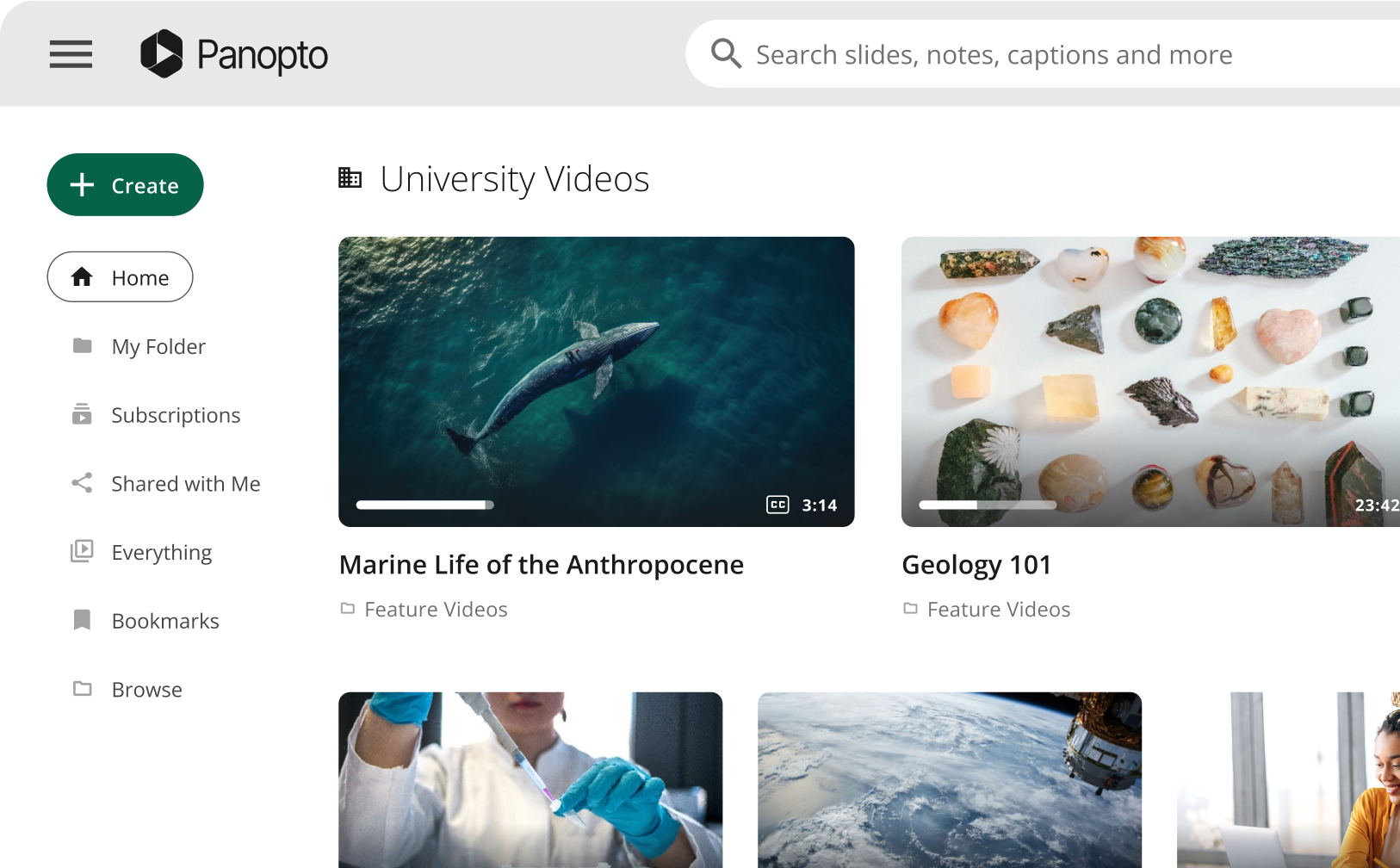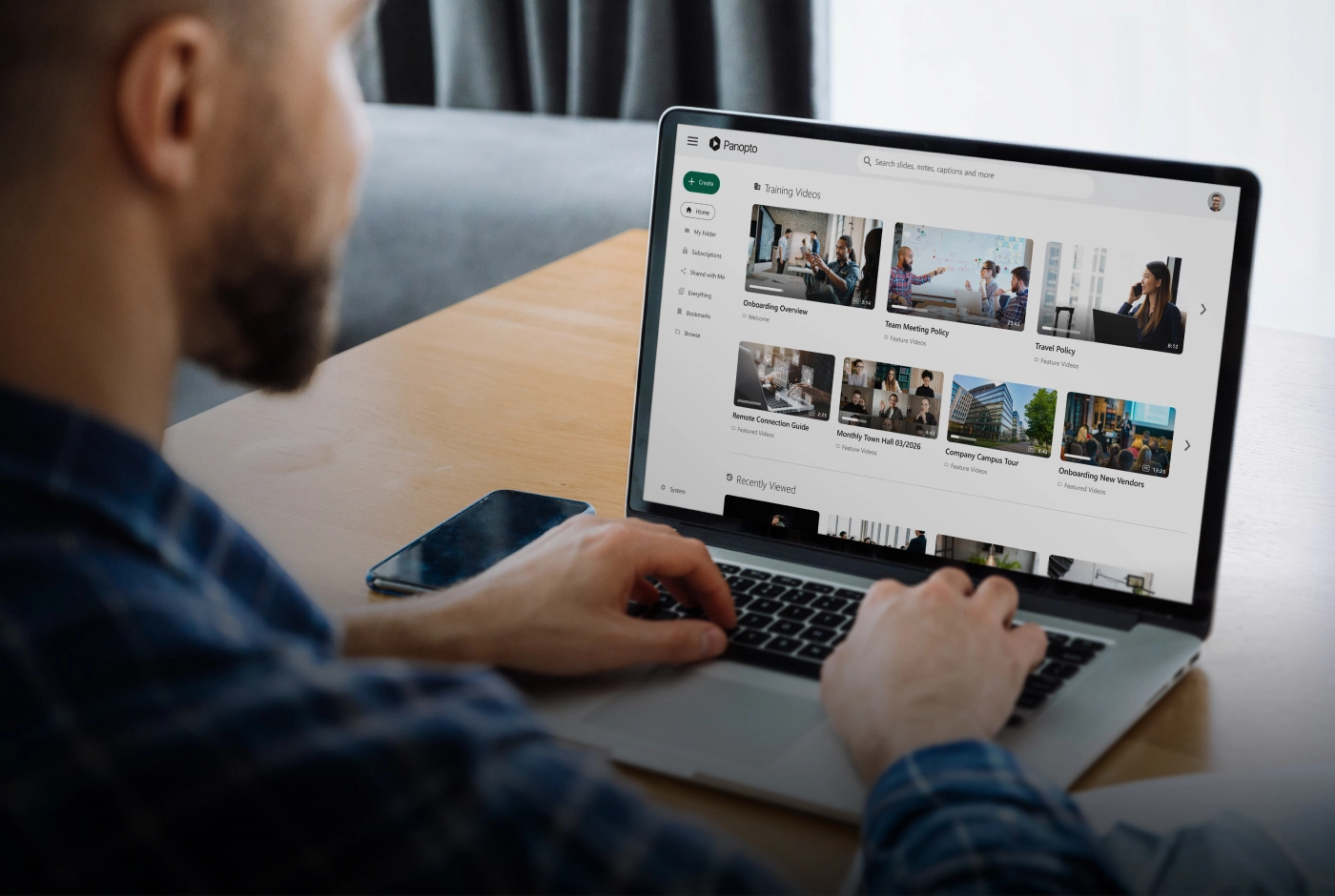










Choosing the right video platform affects how your organization creates, manages, and delivers educational or training content. In this guide, we compare Panopto vs. Mediasite across the areas that matter most in real-world rollouts: pricing approach, recording and video management capabilities, search and AI capabilities, live streaming, integrations with LMS systems, accessibility, security and compliance, and the day-to-day support experience.
While both platforms serve higher education and enterprise video needs, they’re built with different assumptions about deployment model and infrastructure. Mediasite is a lecture capture platform with a strong on-premises deployment option and a hardware recorder heritage, now operating under Enghouse Video. Panopto is built as a video infrastructure for organizations that need to capture, manage, search, and measure a large and growing content library. Panopto is also uniquely positioned for higher ed institutions looking for a campus-wide (and beyond) video solution.
By the end, you’ll have a clear view of where each platform fits your organization’s needs best.
Pricing and licensing models
Pricing structures determine your total cost of ownership over time, and the two platforms offer different approaches.
Panopto uses customized plans with stable, predictable monthly costs. Once you establish your pricing, it stays consistent regardless of how much you grow. You won’t see surprise increases when you add more users. Enterprise deployments can negotiate volume discounts, making the platform more cost-effective at scale.
Mediasite is quote-based only with no published pricing tiers. It positions itself around “flexible licensing models” and “truly unlimited video creation, storage, and archiving with no hidden costs.” One user review notes the price is “very expensive.” Contact sales for a custom quote.
| Feature | Panopto | Mediasite |
| Pricing model | Customized plans with stable month-to-month costs, set to support growth | Quote-based; flexible licensing; unlimited storage emphasis |
| Enterprise plans | Custom tiers with volume discounts | Custom quote based on organizational size |
Core features comparison
Video creation and recording
Recording capabilities determine how easily faculty and trainers can capture content, and the flexibility here makes a significant difference in day-to-day use.
Panopto’s video recording tools support multi-camera setups across desktop applications for Windows and Mac, browser-based Panopto Capture, and mobile apps. You can record your screen, webcam, and multiple external cameras at the same time. The platform automatically generates slide indexes and creates a table of contents so that viewers can jump to specific sections. If you need to schedule recordings across multiple locations, the Remote Recorder lets IT administrators set up web and mobile scheduling with bulk scheduling tools.
Mediasite offers three capture tiers: Mediasite Capture (browser-based, no install required), Mediasite Recorder (desktop), and Mediasite Pro Recorder (hardware room recorder with automated scheduling that integrates with campus booking systems). It supports 360-degree video and VR headset playback. Collaborative editing lets teams review and refine videos before publishing. Audio normalization handles inconsistent recording environments. Its hardware-first history means strong room-based capture for institutions with existing infrastructure.
| Capability | Panopto | Mediasite |
| Multi-camera recording | Multi-camera with screen, webcam, and multiple external camera support | Hardware Pro Recorders; 360-degree video support |
| Recording software | Desktop (PC/Mac), browser-based Panopto Capture, mobile app | Mediasite Capture (browser), Mediasite Recorder (desktop), Mediasite Pro Recorder (hardware) |
| Automated editing | Automated slide indexing and table of contents generation. Destructive and non-destructive editing paths included. | Collaborative editing before publish; audio normalization; non-destructive editing |
| Remote recording | Remote Recorder with web/mobile scheduling and bulk scheduling tools | Pro Recorder with automated scheduling via campus systems |
| 360-degree video | Not prominently featured | Supported; VR headset playback |
Smart search and AI capabilities
Search functionality impacts how quickly users find specific information within video libraries and find a particular concept across multiple recordings.
Panopto’s Smart Search uses AI to index every spoken word through automatic speech recognition and every word that appears on screen through optical character recognition. You can search across individual courses or your entire library. Search results link straight to the exact timestamp. Click once to jump to the relevant moment. AI Search goes further: users ask complex, natural-language questions and receive synthesized answers drawn from specific video segments across your content library. Semantic search surfaces results based on contextual understanding, not just keywords, keeping learners within your verified content rather than broader unvetted sources.
Mediasite also uses OCR for slides and screencasts and ASR for audio tracks, making both searchable. AI-generated captions cover 12 or more languages. The platform added AI summarizations, Smart Chapters, tag and title generation, and natural language querying in early 2025. Advanced video search indexes content across the library. The OCR and ASR combination puts Mediasite on par with Panopto’s foundational search layer. However, Panopto’s Smart Search has a longer production track record with click-to-timestamp navigation across enterprise-scale deployments.
| Feature | Panopto | Mediasite |
| Inside-video search | Smart Search indexes spoken words (ASR) and on-screen text (OCR). Search across courses and the entire library | OCR and ASR search; searchable text from slides and audio |
| Auto-captioning | Automated captions available: 25+ languages. One-click access to third-party captioning vendors | 12+ languages |
| AI summarization | Time‑stamped chapters (TOC), slide index, and short + long AI summaries | AI summarizations and Smart Chapters (added 2025) |
| Natural language search | Indexes transcripts, on‑screen text and slides; returns timestamped hits and jump‑to moments (not generative answers) | Natural language querying (added 2025) |
| Search interface | Click-to-jump: search results link directly to timestamp in video | Advanced search with indexed content |
Live streaming and broadcasting
Panopto’s secure, large-scale live streaming supports thousands of concurrent viewers without additional infrastructure. Setup is turnkey from the Panopto Windows or Mac recorder. Create your viewer link and waiting room in advance, then start streaming. Live sessions automatically record for on-demand viewing, so anyone who missed the live event can watch later.
Panopto uses RTMP-based webcasting, which prioritizes a stable, reliable stream over real-time interactivity. Enterprise companies use Panopto for large webcasts that require scalability, SSO access, and detailed analytics. It serves as a central hub for broadcasting and distributing important internal communications (such as town halls, company-wide updates, and leadership announcements) at scale.
Mediasite supports secure live streaming with automatic recording for on-demand viewing. Its RTMP-based broadcast capability integrates with existing room hardware and campus scheduling systems. Live sessions can be embedded in LMS courses for students who attend virtually. Mediasite’s live streaming is tightly coupled to its on-premises and hardware deployment model, which gives institutions with existing Pro Recorder infrastructure a familiar path. Real-time interactivity features such as live polling and emoji reactions are more limited than some competitors.
| Feature | Panopto | Mediasite |
| Concurrent streams | Secure, large-scale streaming supporting thousands of concurrent viewers | RTMP-based; integrates with campus hardware and scheduling |
| Setup complexity | Turnkey from Windows/Mac recorder (no streaming servers needed). Create viewer link and waiting room in advance; viewers watch in any browser | Integrates with Pro Recorder and campus scheduling systems; tightly coupled to on-premises hardware |
| Auto-recording | Live sessions automatically recorded for on-demand viewing | Live sessions recorded automatically for on-demand viewing |
Platform integrations
Panopto fits neatly into the systems you already use. It connects with leading LMS platforms like Canvas, Blackboard, Moodle, and Brightspace. It also pulls in recordings from Zoom and Microsoft Teams, adds captions, and makes them searchable without extra steps.
For IT teams, Panopto supports secure single sign-on and user management through common identity providers, keeping access simple for users and controlled for admins. Explore the full range of integration options to see what connects with your existing systems.
Mediasite integrates with Canvas, Blackboard, Sakai, Moodle, and Brightspace, with automatic publishing to the LMS. Meeting replay supports Zoom, Teams, Vidyo, and Lifesize. SSO is available via Active Directory, LDAP, LTI, and SAML. The integration footprint is broad, with Sakai support giving Mediasite an edge at institutions still running that LMS.
| Integration type | Panopto | Mediasite |
| LMS integration | Deep integration with OpenLMS, Canvas, Blackboard, Moodle, Brightspace with gradebook sync | Canvas, Blackboard, Sakai, Moodle, Brightspace; automatic publishing |
| Video conferencing | Automatic ingestion of WebEx, Zoom & Teams | Meeting replay from Zoom, Teams, Vidyo, Lifesize |
| Single sign-on | SAML 2.0, Active Directory via ADFS/SAML, OAuth 2.0 | Active Directory, LDAP, LTI, SAML |
Analytics and reporting
Panopto provides tracking and analytics in site, folder, and session dashboards that show per-user completion percentages, total minutes watched, and views-by-video-time heatmaps. The engagement heatmaps show exactly where viewers rewatch content or drop off, which helps you pinpoint confusing segments that might need clarification. In-video quiz results integrate automatically with LMS gradebooks. All data exports to CSV for further analysis.
Mediasite provides usage analytics including viewing statistics, session reports, and content engagement data. Administrators can track which videos are being watched and for how long at the organization level. Granular per-user engagement heatmaps and automatic LMS gradebook integration are not prominently documented features. Organizations with detailed learner analytics requirements should verify specific reporting capabilities directly with Enghouse Video.
| Capability | Panopto | Mediasite |
| Viewer analytics | Site/folder/session dashboards with per-user completion percentages, minutes watched, heatmaps, plus CSV exports | Organization-level viewing statistics and session reports |
| Quiz analytics | In-video quiz results with LMS gradebook integration | Not prominently documented |
| Engagement insights | Engagement heatmaps and views-by-video-time reveal rewatch peaks and drop-off points to pinpoint confusing segments | Organization-level data; granular per-user heatmaps not prominently documented |
| Advanced analytics (knowledge insights) | Role-based dashboards for instructors and admins. KPI monitoring, threshold alerts, and on-demand reporting. Identifies at-risk learners based on rewatch and drop-off behavior | No equivalent dedicated analytics suite |
| BI & data integration (KI data connector) | Direct connection to Power BI, Tableau, and other BI tools via native AWS Redshift connector; Learning data combines with LMS, SIS, and HRIS in a single source of truth | No equivalent BI connector |
Accessibility
Accessibility requirements shape platform selection for institutions and organizations subject to ADA Title II, the EU’s European Accessibility Act (which closely aligns with WCAG), and equivalent mandates across APAC markets.
Panopto is WCAG-aligned with automated captioning in 20+ languages, ADA Section 508 compatibility, screen reader support, and keyboard navigation. FERPA-ready deployments serve U.S. higher education institutions. Deep LMS integration keeps accessibility metadata, including caption files and quiz results, inside the institutional system of record.
Mediasite claims WCAG 2.2 A/AA compliance with dyslexia-friendly fonts, customizable themes, keyboard shortcuts, and captions in 12 or more languages. It self-describes as a “market leader in accessibility.” Both platforms take accessibility seriously; the main distinction is caption language breadth (Panopto at 20 or more languages, Mediasite at 40 or more) and Panopto’s FERPA-ready designation for U.S. student records.
| Feature | Panopto | Mediasite |
| WCAG compliance | Broadly conformant with WCAG 2.2 A/AA | WCAG 2.2 A/AA compliant |
| Caption languages | 25+ | 12+ |
| FERPA | FERPA-ready | Not publicly documented |
| Dyslexia-friendly fonts | Not prominently featured | Yes |
| Keyboard navigation | Yes | Yes |
Security and compliance
Security is non-negotiable when your content includes sensitive training or academic material, and compliance requirements can instantly eliminate platforms before you even compare features.
Panopto offers enterprise-grade security with SOC 2 Type II, GDPR, and FERPA-ready deployments, with strong encryption and fine-grained access controls down to the content level, so you can control exactly who sees what.
Mediasite provides role-based access controls and SSO integration via LDAP and Active Directory. Mediasite claims WCAG 2.2 A/AA compliance for accessibility. Mediasite does not publicly document SOC 2, HIPAA, or FERPA status. Organizations with specific compliance mandates should request documentation directly from Enghouse Video before committing.
| Feature | Panopto | Mediasite |
| Compliance | SOC 2 Type II, GDPR. Infrastructure supports FERPA-compliant deployments | SOC 2, HIPAA, and FERPA not publicly documented |
| Encryption | TLS 1.3+ for data in transit; AES-256 server-side encryption for data at rest | Not publicly specified |
| Access controls | Granular role-based access controls, audit logs, and SCIM provisioning | Role-based access controls; SSO via LDAP and Active Directory |
Infrastructure and reliability
Infrastructure affects performance, scalability, and uptime. When you’re serving thousands of learners, you need systems that won’t buckle under load.
Panopto is built cloud-native on AWS, which helps it scale smoothly as usage grows, whether that’s a single-department rollout or an enterprise-wide deployment. With support for 11M+ learners globally, it’s proven at high volume, and its multi-region approach can improve playback performance while also helping teams align with regional data residency needs. Panopto also maintains a dedicated trust and status site so you can quickly see uptime history and any active incidents.
Mediasite offers on-premises, cloud (Mediasite Cloud), and hybrid deployment, with a consistent experience across all three. Organizations in regions where data cannot leave their own infrastructure, including institutions in China deploying on private servers, can run Mediasite on-premises. The hardware recorder ecosystem (Pro Recorders) integrates with campus scheduling systems for fully automated room capture. This deployment breadth is Mediasite’s clearest structural differentiator for compliance-constrained or infrastructure-heavy environments.
| Feature | Panopto | Mediasite |
| Infrastructure | Cloud-native on AWS with elastic scalability across multiple regions | On-premises, cloud (Mediasite Cloud), or hybrid |
| Performance | Supports over 11 million learners | Enterprise-scale; customer list available from Enghouse Video |
| Transparency | Real-time status at trust.panopto.com | Standard status page |
| Global reach | US, EU, Canada, Asia Pacific, Japan, Australia data centers | On-premises and cloud globally; private server deployment available in restricted regions |
| On-premises option | Includes private hosting with local storage, database, and encryption key control | Yes; full on-premises deployment available |
| Restricted-region deployment | Country-specific servers available | Yes; private server deployment for restricted regions (e.g., China) |
| Hardware recorders | Remote recorder (software-managed) | Mediasite Pro recorder (dedicated hardware) with campus scheduling integration |
Customer support and service
Support quality determines how quickly you resolve issues. When video fails right before a critical lecture or training session, response time matters.
Panopto’s support model is built for teams that need help fast, not days later. Customers get access to 24/7 human support, which can make a real difference during rollout, peak usage periods, or time-sensitive training launches. Rapid deployment is possible, and some customers report completing campus-wide integration in as little as 3 days. Multiple customers in case studies mention the responsiveness and dedication of Panopto’s support team. One customer noted they “wish all of our vendors could be as good as Panopto in terms of how responsive and available they are.”
Mediasite customer support is consistently praised in user reviews. Capterra reviewers describe support as “amazing” and note staff “always go out of their way to help.” Dedicated support teams are available. Mediasite does not publicly document specific SLA terms or 24/7 availability.
| Service level | Panopto | Mediasite |
| Response time | 24/7 customer support with a human support team and fast issue resolution | Dedicated support teams; 24/7 availability not publicly documented |
| Implementation | Rapid deployment: some customers report campus-wide integration in 3 days | No published implementation timeline |
Independent third-party reviews
Third-party reviews provide unbiased perspectives from real users who’ve implemented and used these platforms.
Panopto reviews
Users consistently rate Panopto highly across multiple review platforms:
- G2 Rating: 4.3/5 stars from 246+ verified reviews (View on G2)
- Capterra Rating: 4.5/5 stars (View on Capterra)
- TrustRadius Rating: 9.2/10 (View on TrustRadius)
- Gartner Peer Insights Rating: 4.9/5
Mediasite reviews
Mediasite has a smaller review base on major platforms:
- Capterra: 4.2/5 stars (11 reviews)
- Feature ratings: Multiple Format Support 4.5/5, Video Capture 4.4/5, Content Management 4.3/5, Access Controls 4.0/5, Video Editing 3.6/5, Video Creation 3.5/5. (View on Capterra)
- G2: 3.9/5 stars (10 reviews) (View on G2)
Common praise for Mediasite: easy to use once set up, strong live-streaming backend, excellent customer support. Common criticism: complex nested menu structure, slow video processing, cumbersome download and sharing workflow, difficult content migration.
Panopto’s review footprint is significantly larger across major platforms, reflecting both its longer market history in enterprise video management and its broader installed base.
Customer success stories
Real implementations demonstrate how organizations use these platforms in practice.
Enterprise sector
Qualcomm uses Panopto for technical training across its organization. The platform supports their Wireless Academy and broader employee development initiatives. Read their story.
SK Telecom deployed Panopto to manage training video content for its global workforce. With nearly 5,000 videos in their library, employees now watch more than 100 hours of video daily. View the case study.
Sanmina implemented Panopto to improve knowledge sharing and training delivery across its manufacturing operations. They now have 6,300 hours of training created and delivered. Read about their experience.
Education sector
Yale University selected Panopto for campus-wide video content management and capture. The implementation supports Yale’s teaching mission across multiple schools and departments. Read the announcement.
University of Washington faculty and staff have created more than 60,000 total hours of academic recordings that students use as study aids. In surveys following implementation, 98% of UW students agreed that Panopto contributed to their learning, and 9 in 10 believed that viewing recordings helped them improve their grades. Read the full story.
The University of Nevada, Las Vegas expanded from 20 classrooms with Panopto equipment to 150 classrooms as part of their HyFlex learning initiative. Students and faculty now view video access as a necessity, not a luxury. Read the case study.
Creighton University implemented Panopto to standardize video across its campus after finding that hardware-based appliance solutions proved unworkable and unaffordable at scale. The platform’s ease of use and reliability met their needs for consistent lecture capture, allowing them to create more than 10,000 total recordings. Learn about their implementation.
Mediasite customers include New York Law School, University of Leeds, Michigan Virtual, Tilburg University, Massey University, and Southern Cross University.
Conclusion and recommendation
Both platforms serve their target markets. Your choice depends on whether you prioritize cloud-native scalability, powerful search, and LMS-native video (Panopto) or a deployment-flexible platform with hardware recorder heritage and on-premises options (Mediasite).
When Panopto makes sense
Panopto works best as a video content management system for both enterprise and higher education organizations. It’s particularly strong when you need a powerful search across large video libraries or hardware flexibility that works with equipment you already own, instead of requiring proprietary appliances.
The platform shines for organizations that value extensive enterprise integrations, including deep LMS connections and automatic video conferencing ingestion. If you need transparent, stable pricing that won’t increase with growth, Panopto’s model provides better long-term predictability. Rapid deployment is possible, with some customers completing campus-wide integration in just 3 days.
Panopto’s Smart Search technology sets it apart by indexing both spoken words and on-screen text across your entire library, not just within individual videos. The platform’s advanced AI capabilities include automated transcription, captioning, and content indexing, making it faster to find information. You get enterprise-grade security and an infrastructure that currently supports over 11 million learners globally.
Non-destructive editing lets you make changes without altering original recordings, which is valuable for compliance and audit purposes. Live streaming scales to support thousands of concurrent viewers without requiring additional infrastructure. The platform handles multiple use cases from education to corporate training, healthcare compliance, and financial services with a single solution.
When Mediasite makes sense
- Your organization requires on-premises or hybrid deployment due to data residency mandates, regulatory requirements, or restricted-region infrastructure (including China)
- You have an existing Mediasite hardware installation with Pro Recorders already integrated into campus scheduling systems
- You are in a region where cloud-only video platforms are not viable, and local server deployment is a hard requirement
Key differences that matter
The core distinction between these platforms is deployment model and hardware ecosystem versus cloud-native scalability and AI search depth. Both platforms index spoken word and on-screen text, but Panopto’s Smart Search has a longer enterprise track record with click-to-timestamp navigation across library-wide deployments. For institutions considering a move from Mediasite to Panopto, Oxford Brookes University’s experience (1.1 million or more video views since switching in 2020) is the clearest reference point.
Oxford Brookes University switched from Mediasite and has recorded 1.1 million or more video views since 2020.
Schedule a Panopto demo and walk through how the platform fits your institution or enterprise training workflows.
Frequently asked questions
Panopto is a cloud-native, AI-native video learning platform built for search, governance, and scale across higher education and enterprise deployments. Mediasite is a lecture capture platform with strong on-premises deployment options and a hardware recorder heritage, now operating under Enghouse Video.
The most significant practical difference is the deployment model: Panopto is cloud-first while Mediasite supports on-premises, cloud, and hybrid configurations.
Both platforms cover the core lecture capture use case well. Panopto offers desktop, browser-based, and mobile recording with auto-generated slide indexes and table of contents, plus automatic Zoom and Teams ingestion. Mediasite adds dedicated hardware Pro Recorders for automated room capture integrated with campus booking systems, and supports 360-degree video. Institutions with existing Mediasite hardware installations may find Mediasite more practical to maintain; institutions starting fresh or moving to hybrid and HyFlex models tend to favor Panopto’s flexibility.
No, Panopto works with standard recording equipment, existing computers, and mobile devices without requiring proprietary appliances. This reduces costs and gives you more flexibility in how you capture content across departments, classrooms, or training facilities.
Yes. Mediasite offers on-premises, cloud (Mediasite Cloud), and hybrid deployment with a consistent experience across all three. This is one of Mediasite’s clearest differentiators for organizations in data-residency-sensitive regions or those running restricted-network infrastructure. Panopto is cloud-native on AWS and does not offer a full on-premises deployment option.
Panopto’s Smart Search indexes both spoken words and on-screen text across your entire library, with search results that link directly to the timestamp where content appears. Mediasite also uses OCR and ASR and added natural language querying and AI summarizations in early 2025.
Both cover inside-video search; Panopto’s Smart Search has a longer, proven track record at enterprise scale with click-to-timestamp navigation.
Both platforms use custom enterprise pricing negotiated directly with sales. Panopto’s pricing is designed to stay stable as your organization grows. Mediasite emphasizes flexible licensing with no hidden costs and unlimited storage.
For accurate pricing against your specific deployment size and seat count, contact each vendor’s sales team directly.
Panopto has completed many Mediasite migrations, including multiple migrations of 100,000+ hour content libraries, with dedicated migration tooling and migration-assistance services designed specifically for Mediasite environments.
Both platforms have invested meaningfully in accessibility. Panopto offers automated captioning in 20+ languages, WCAG-aligned compliance, ADA Section 508 compatibility, screen reader support, and keyboard navigation. Mediasite claims WCAG 2.2 A/AA compliance and adds dyslexia-friendly fonts and customizable themes, with captions in 12 or more languages.
The practical differences are caption language breadth and Panopto’s FERPA-ready designation for institutions managing U.S. student records.
Panopto provides engagement heatmaps showing per-user rewatch peaks and drop-off by timestamp, per-user completion percentages, and in-video quiz results that sync automatically to LMS gradebooks. For advanced use cases, Knowledge Insights and the KI Data Connector enable direct integration with Power BI, Tableau, and other BI tools without manual exports.
Mediasite provides organization-level usage statistics; granular per-user heatmaps and automatic gradebook integration are not prominently documented. Organizations that need detailed learner analytics tied to their LMS should verify Mediasite’s current reporting capabilities directly with Enghouse Video.