








Corporate teams use video to train employees, document processes, and share knowledge across the organization. But not every video platform supports all three. Choosing between Panopto and Vimeo often comes down to what the platform needs to do after recording. Many corporate teams start with a tool like Vimeo because it’s easy to use and produces polished results. For marketing or communications content, that’s often the right call.
The trouble shows up later when compliance needs proof someone completed required training, a team can’t find a procedure they know they recorded, or leadership can’t say who’s prepared and who isn’t. That’s the difference between a video hosting platform and a video knowledge platform.
Panopto vs. Vimeo for corporate teams
A video hosting platform stores recordings. A video knowledge platform makes them usable, searchable, and trackable at scale. The next five sections explore what that distinction looks like in practice.
1. Proof that compliance training was completed
For any team running compliance or safety training, auditors and regulators ask one thing: Can you prove who completed a training, on which version, and when?
Vimeo doesn’t include this natively. Getting completion data into an LMS or HRIS usually means manually exporting and importing SCORM or xAPI packages. That manual process adds work and creates room for error every time you assign training.
Panopto connects with the LMS and HRIS systems you already use, including Cornerstone, Bridge, SAP SuccessFactors, and Workday. It supports standards-based integrations such as LTI, SCORM, and single sign-on. In-video knowledge checks and per-viewer completion tracking are built into the platform.
For teams in regulated industries, proof of completion shows that people followed the procedure. That might be a safety procedure on a plant floor, a disclosure requirement for a financial advisor, or a clinical protocol in healthcare. When training records require manual reconciliation, teams can’t be sure whether people are meeting the standard the training was meant to establish.
When compliance asks who completed a required training and when, Panopto has the answer, tied to the correct procedure and version.
2. A searchable video library
Completion data answers one audit question. Finding the right video in the first place is a separate issue. When a procedure, a policy explanation, or a key moment from a meeting exists somewhere in the library, but nobody can find it, that’s a productivity drain. When the right answer is buried in a video no one can retrieve, it becomes a compliance risk, too.
Video content search is a common failure point for large libraries. In a 2025 survey of 428 L&D professionals, most reported they could search less than half of their recorded video. Recovering even 24 minutes per employee per week in search time works out to roughly $576,000 a year at a 500-employee organization.
Vimeo’s search indexes spoken word only. If the answer someone needs is on a slide, a whiteboard, or on-screen text, it won’t surface. Vimeo has also introduced an AI-powered search feature, currently in beta. Independent reviews as of mid-2026 still describe its production search as keyword- and transcript-based rather than semantic.
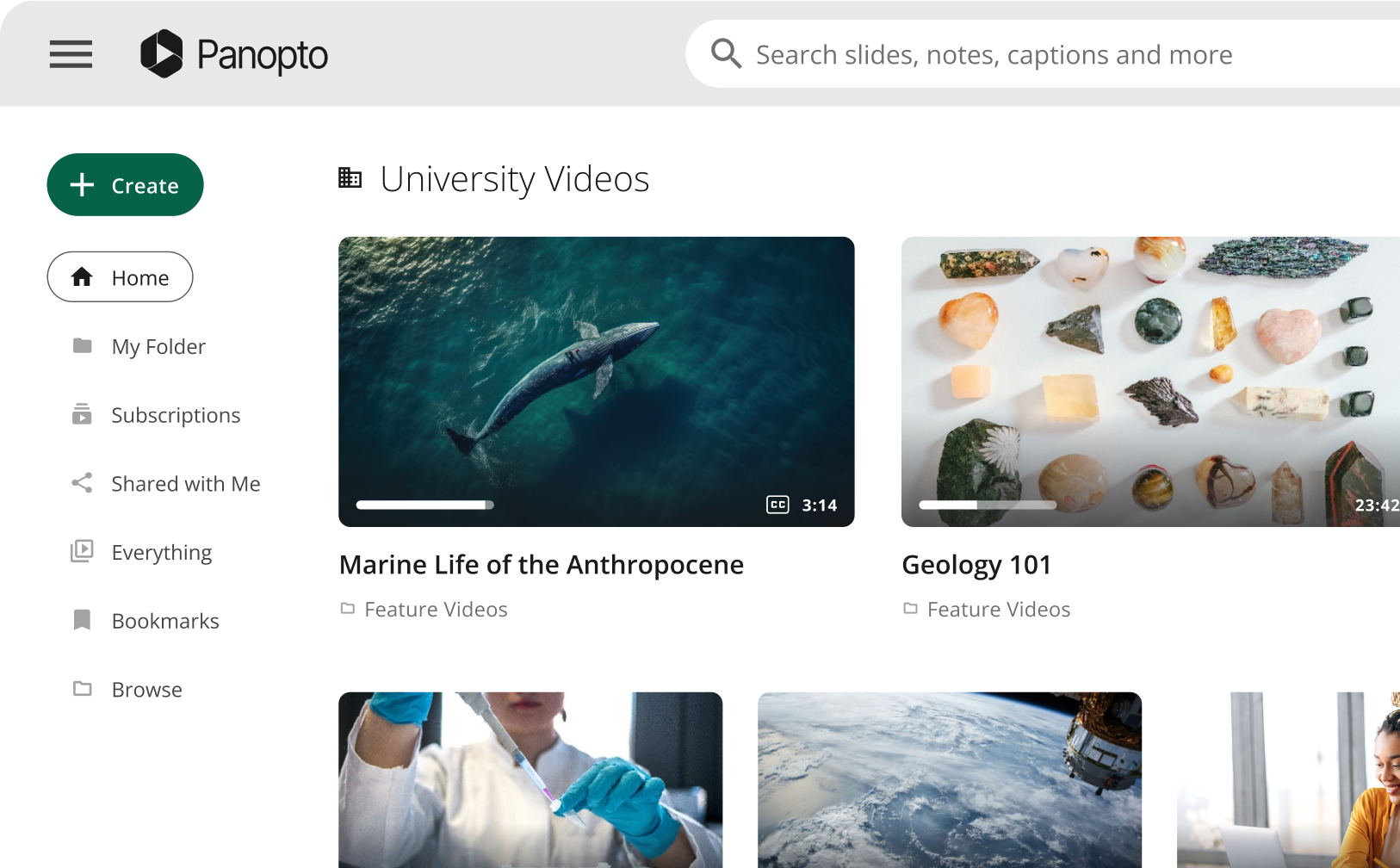
Panopto combines two search methods, Smart Search and AI Search. Smart Search indexes what’s said through ASR and what’s shown on screen through OCR, including slides, whiteboards, and documents, across the entire library. Results include click-to-timestamp links that jump straight to the relevant moment. AI Search goes a step further. Someone can type a plain-language question into a conversational interface and get a written answer, with links to the exact videos and timestamps it came from. The results respect existing permissions.
Organizations using tools like Claude or ChatGPT across their workforce can extend that same search capability through Panopto’s MCP Server. The investment in the video library and the investment in company-wide AI tools reinforce each other instead of working separately.
3. Analytics that measure learner engagement and readiness
Even when a team finds the right video, watching it doesn’t guarantee anyone understood it. View counts show that a video was popular, but they don’t show whether the people who needed to understand it did.
Vimeo’s analytics focus on viewership and reach. Identifying individual viewers and their engagement typically requires adding registration forms or other workarounds.
Panopto’s Knowledge Insights measure whether people are prepared. Engagement heatmaps show exactly where viewers lose interest or rewatch a section, and at-risk-learner identification flags people who may need follow-up. Native connectors to Power BI and Tableau feed that data directly into the reporting your team already uses. L&D, compliance, and operations teams get a direct, data-backed answer about who’s up to speed.
4. Governance that keeps training current
Readiness data assumes people found the current version of the training. An employee might find an old version of a safety procedure or a compliance policy and follow it simply because it’s the version that turned up first.
Both Panopto and Vimeo maintain security certifications, including SOC 2. The difference is whether outdated content can resurface. Vimeo doesn’t include automatic version retirement, so older material can keep appearing to viewers unless someone manages it manually.
Panopto’s version control automatically retires outdated content, so the version a viewer finds is the version they’re supposed to see. Your team spends less time tracking which version of a document is current, because the platform handles it.
5. A platform that scales predictably
As your library grows, scaling the platform affordably is the next thing to plan for. Enterprise video platform budgets work best when they’re predictable. Lower Vimeo tiers carry seat, bandwidth, and storage ceilings. Vimeo determines Enterprise pricing case by case in a sales conversation, and doesn’t publish it.
Panopto builds its plans around predictable capacity rather than charging for everyday viewing activity. Plans include defined video capacity and capabilities based on your organization’s size and needs, with additional capacity or capabilities available as your strategy expands.
With this model, your team can plan a video strategy years in advance, beyond the next renewal cycle.
What to consider as a Vimeo alternative
Vimeo works well for what it’s built for. It produces polished, easy-to-make video that looks great as a standalone destination. Corporate teams, particularly those in regulated industries, need a video strategy that also supports compliance, training, and organizational knowledge. Panopto is built for those requirements.
If your team is coming up on a renewal, consider more than whether your current platform still works. Consider whether it’s still the platform you’d choose today, and whether your provider has kept pace as your needs have grown more complex.
Can you prove who completed what, on which version, and when? Can your team find what they’ve recorded? Has the support behind your platform grown with you, or is your team working around its limits?
Switching platforms is a straightforward process. Your team requests the export, and Panopto handles the rest, including metadata, folder structure, captions, and embeds. Vimeo can stay live the entire time, so nothing goes dark during the migration. A dedicated migration lead guides the process from kickoff to go-live, and before you cancel anything, you get a full report confirming everything arrived. Most teams start with a pilot and move at their own pace from there. Request a demo today to see what a pilot looks like for your team.