Remote Video Recording Software
Professional Recording from Anywhere
Control and automate video capture remotely from a web browser or smartphone with Panopto.








Effortless Remote Video Recording for Teams and Organizations
Panopto’s remote recording and scheduling functionality enables AV teams to plan ahead, minimize last-minute setup issues, and simplify video post-production.
Schedule Recordings in Advance
Set recordings to start and stop automatically on a schedule. No one needs to remember to hit record for weekly team meetings or recurring training sessions.
Multi-Device Support
Record from any computer, conference room system, or mobile device. All recordings end up in the same centralized library regardless of where they originated.
HD Recording
Capture presentations, lectures, and meetings in high definition. Quality stays consistent whether someone’s recording from a desktop or laptop.
Automatic Video Processing
Recordings upload and process in the background. AI transcription, indexing, and format optimization happen automatically.
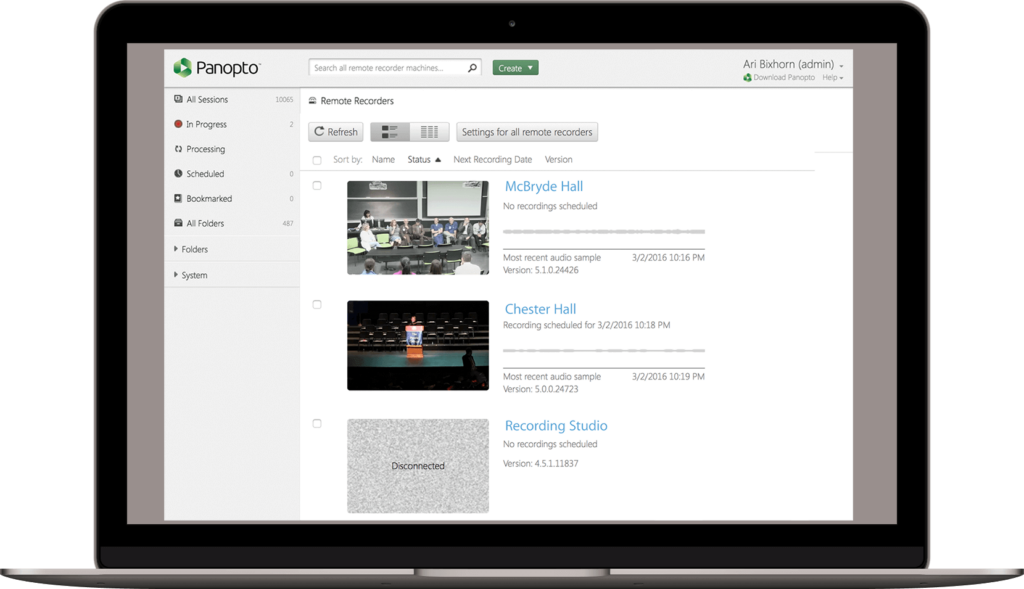
Monitor and Manage Your Remote Video Recordings
Real-Time Status Dashboard for Remote Recording Sessions
See which recordings are active, scheduled, or completed from one dashboard. Catch technical issues before they ruin an important session. Admins monitor recording status across the entire organization.
“From the beginning, we fell in love with the Remote Recorder. It really reduced the workload for the media services department. We just program in the classes, and the rooms turn on and off automatically. We don’t have to worry about anything. Panopto handles recording, streaming, uploading for us, automatically.”
Michael McCurdy, Instructional Technology Specialist, Seminole State College
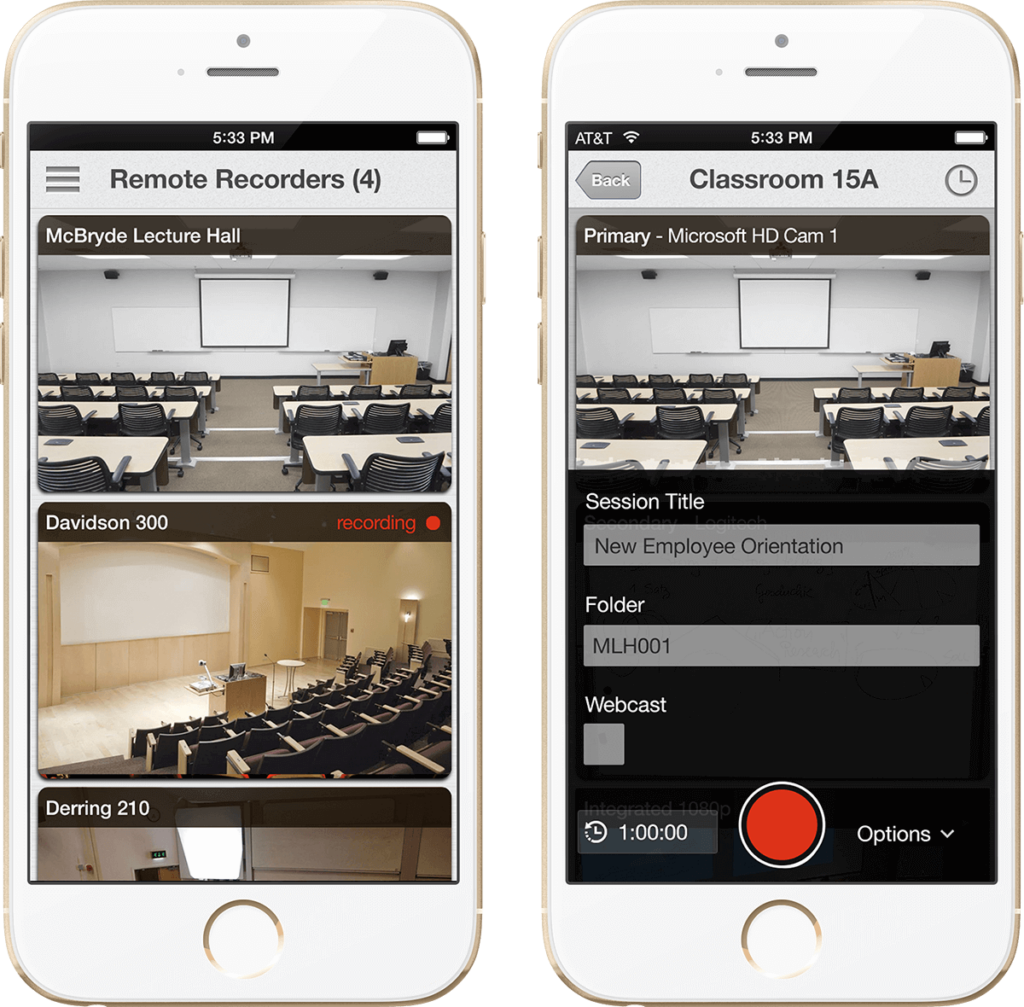
Control Remote Video Recording from even Mobile Devices
Start, Stop, and Schedule Remote Recordings via Mobile App
Manage recordings from your phone when you’re away from your desk. Start a forgotten recording or extend one that’s running long. You don’t need to be at a computer to control sessions.
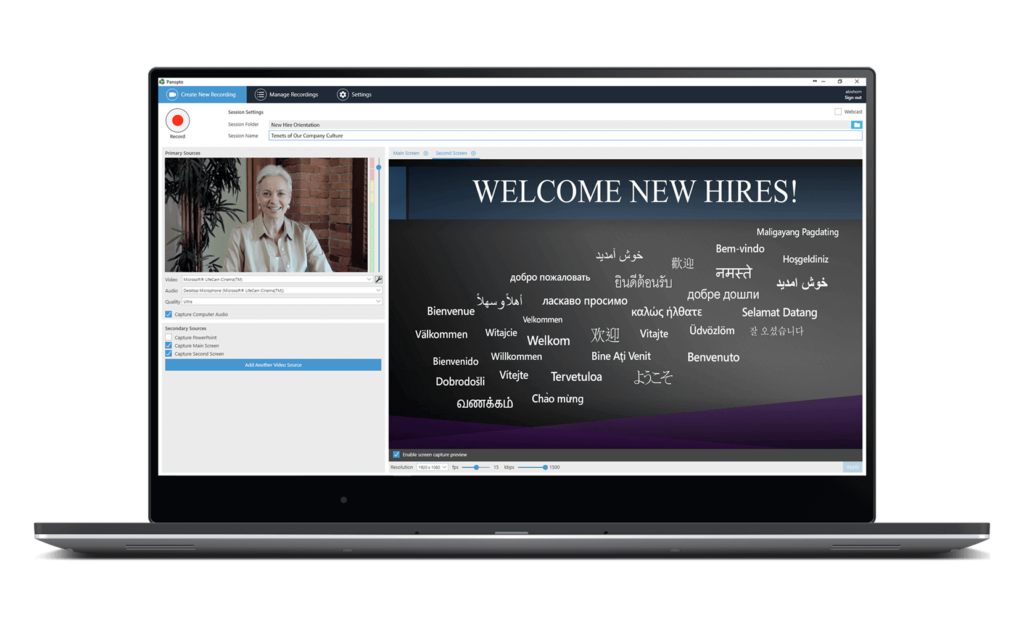
Automate Remote Video Recording for Virtual Meetings
Seamless Integration with Zoom, Teams, and WebEx Platforms
Connect your video conferencing tools to Panopto for automatic recording capture. Meetings record and upload without manual intervention. Transcripts and recordings appear in your library ready to search.
Enterprise Remote Video Recording Software That Delivers
Scalable Remote Recording Infrastructure for Global Organizations
Deploy remote recording across hundreds of conference rooms, classrooms, or home offices. Centralized management means consistent settings and security policies everywhere. IT configures once, users record from anywhere.
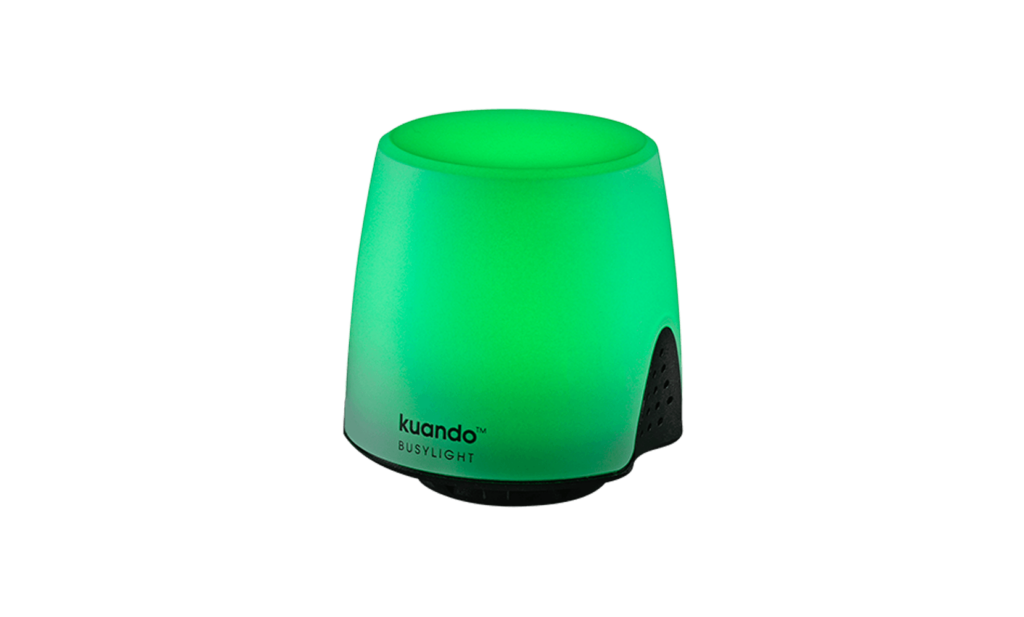
But how can they be sure it’s working?
Adding an on-air light is an easy and affordable way to give lecturers and presenters a visual indication of whether or not Panopto is recording. If it’s green, it’s recording; if it’s yellow, it’s paused; if it’s red, something’s amiss.
Learn more about the on-air lights that work seamlessly with Panopto.
Advanced Remote Video Recording Features and Capabilities
What equipment do remote recorders need to get started?
Just a computer with a webcam and microphone, or a mobile device. Panopto’s software handles the recording. No special hardware or technical expertise required.
What happens if someone’s internet drops during a remote recording?
The recording continues locally on their device. When connection restores, the video uploads automatically to your library. You won’t lose content from connectivity issues.
Can multiple people record simultaneously across different locations?
Yes. Hundreds of people can record at the same time without affecting performance. Each recording uploads to your centralized library independently.
Do remote recorders need full Panopto accounts?
It depends on your setup. You can grant recording-only permissions without giving access to the full platform. Or integrate with your SSO so everyone uses existing credentials.
How do we prevent unauthorized remote recordings?
Admins control who can schedule and initiate recordings. Set permissions by user, group, or department. Recording privileges don’t automatically come with platform access.
Can we set quality limits to manage bandwidth usage?
Yes. Configure maximum resolution and bitrate for remote recordings. Useful for teams on limited connections or when managing storage costs. Settings apply organization-wide or per user.