




- Enterprise Video Platform
Panopto vs. Echo360: Feature and Specification Comparison (2026)

Choosing the right video platform affects how your organization creates, manages, and delivers educational or training content.
In this guide, we compare Panopto vs Echo360 across the areas that matter most in real-world rollouts: pricing approach, recording and video management capabilities, search and analytics, integrations with LMS systems, security and compliance, and the day-to-day support experience.
While both platforms are used in education and enterprise settings, they’re built with different assumptions about how video is captured, organized, and measured. By the end, you’ll have a clear view of where each platform fits your organization’s needs best.
Pricing and Licensing Models
Pricing structures determine your total cost of ownership over time, and the two platforms offer different approaches.
Panopto uses customized plans with stable, predictable monthly costs. Once you establish your pricing, it stays consistent regardless of how much you grow. You won’t see surprise increases when you add more users. Enterprise deployments can negotiate volume discounts, making the platform more cost-effective at scale.
Echo360 operates on custom quote-based pricing tied to a per-student model. Your costs rise as enrollment expands, which means you need to factor growth into your budget planning. For institutions experiencing rapid expansion, this can complicate financial forecasting since you can’t predict exactly what you’ll pay next year based on current pricing.
| Feature | Panopto | Echo360 |
|---|---|---|
| Pricing Model | Customized plans with stable month-to-month costs | Custom pricing based on a quote. Pricing is per student. Costs rise as enrollment expands. |
| Enterprise Plans | Custom tiers with volume discounts | Negotiated based on institution size |
Core Features Comparison
Video Creation and Recording
Recording capabilities determine how easily faculty and trainers can capture content, and the flexibility here makes a significant difference in day-to-day use.
Panopto’s video recording tools support multi-camera setups across desktop applications for Windows and Mac, browser-based Panopto Capture, and mobile apps. You can record your screen, webcam, and multiple external cameras at the same time. The platform automatically generates slide indexes and creates a table of contents, so viewers can jump to specific sections. If you need to schedule recordings across multiple locations, the Remote Recorder lets IT administrators set up web and mobile scheduling with bulk scheduling tools.
Echo360 limits recording to 4 channels and relies on proprietary appliances combined with Universal Capture software and mobile apps. Editing happens through a browser-based Media Editor where you can trim, cut, and remove segments. Remote scheduling is managed through centralized appliances rather than distributed scheduling tools.
| Capability | Panopto | Echo360 |
|---|---|---|
| Multi-camera Recording | Multi-camera with screen, webcam, and multiple external camera support | Supports up to 4 channels |
| Recording Software | Desktop (PC/Mac), browser-based Panopto Capture, mobile app | Proprietary appliances + software Universal Capture; mobile apps |
| Automated Editing | Automated slide indexing and table of contents generation | Limited automatic segmentation; browser-based Media Editor |
| Remote Recording | Remote Recorder with web/mobile scheduling and bulk scheduling tools | Centralized appliance scheduling |
Smart Search and AI Capabilities
Search functionality impacts how quickly users find specific information within video libraries and find a particular concept across multiple recordings.
Panopto’s Smart Search uses AI to index every spoken word through automatic speech recognition and every word that appears on screen through optical character recognition. You can search across individual courses or your entire library. Search results link straight to the exact timestamp. Click once to jump to the relevant moment.
Echo360 provides transcript-based search powered by AWS Transcribe that captures spoken words only. The search is limited to within a single video, so you can’t search across a course or your entire library.
| Feature | Panopto | Echo360 |
|---|---|---|
| Inside-Video Search | Smart Search indexes spoken words (ASR) and on-screen text (OCR). Search across courses and entire library | Transcript-based search (AWS Transcribe) for spoken words only. Search within a single video only, not across courses/libraries. |
| Auto-captioning | Automated captions available | Built-in captioning with editing workflow |
| Search Interface | Click-to-jump: search results link directly to timestamp in video | Manual keyword search in transcripts |
Live Streaming and Broadcasting
Live streaming capabilities affect how you deliver real-time content to remote audiences
Panopto delivers secure, large-scale live streaming that supports thousands of concurrent viewers without additional infrastructure. Setup is turnkey from the Panopto Windows or Mac recorder. It’s simple. Create your viewer link and waiting room in advance, then start streaming. Live sessions automatically record for on-demand viewing, so anyone who missed the live event can watch later.
Echo360 supports many concurrent viewers through a link-based access model. The setup requires manual configuration and distribution with additional steps to coordinate participant entry. Recordings are available after the stream ends but need to be supported by hardware-controlled capture.
| Feature | Panopto | Echo360 |
|---|---|---|
| Concurrent Streams | Secure, large-scale streaming supporting thousands of concurrent viewers | Designed to support many concurrent viewers |
| Setup Complexity | Turnkey from Windows/Mac recorder (no streaming servers needed) | Link-based access model requiring manual setup and distribution to entrants. |
| Auto-recording | Live sessions automatically recorded for on-demand viewing | Recording available post-stream with hardware-controlled capture |
Platform Integrations
Integration quality determines how well video fits into your existing workflow. When video lives separately from your other tools, you spend more time managing systems and less time creating content.
Panopto fits neatly into the systems you already use. It connects with leading LMS platforms like Canvas, Blackboard, Moodle, and Brightspace. It also pulls in recordings from Zoom and Microsoft Teams, adds captions, and makes them searchable without extra steps. And for IT teams, Panopto supports secure single sign-on and user management through common identity providers, helping keep access simple for users and controlled for admins. You can explore the full range of integration options to see what connects with your existing systems.
Echo360 integrates with Canvas, Blackboard, and Moodle with gradebook sync. Zoom recording import and Teams integration are supported. Standard SSO support runs via Auth0 with SAML/OIDC options. Echo360’s broader product suite may not feel fully unified in practice. Some tools, like polling, video, and testing, don’t integrate seamlessly with one another, which can create a more segmented experience than you expect from a single platform.
| Integration Type | Panopto | Echo360 |
|---|---|---|
| LMS Integration | Deep integration with Canvas, Blackboard, Moodle, Brightspace with gradebook sync | Canvas, Blackboard, Moodle integration with gradebook sync |
| Video Conferencing | Automatic ingestion of Zoom & Teams recordings with auto-captioning | Zoom recording import, Teams integration |
| Single Sign-On | SAML 2.0, Active Directory via ADFS/SAML, OAuth 2.0 | Standard SSO via Auth0 with SAML/OIDC |
Analytics and Reporting
For training uAnalytics reveal how viewers engage with your content, which helps you identify where people struggle and what resonates with your audience.
Panopto provides site, folder, and session dashboards that show per-user completion percentages, total minutes watched, and views-by-video-time heatmaps. The engagement heatmaps show exactly where viewers rewatch content or drop off, which helps you pinpoint confusing segments that might need clarification. In-video quiz results integrate with LMS gradebooks automatically. All data exports to CSV for further analysis.
Echo360 offers basic analytics around attendance, interaction, and viewing behavior, including a configurable engagement score. Faculty can define how activity is weighted, and the platform surfaces poll results and participation data. Viewing heatmaps show which parts of a video are watched most often, which can help identify high-interest sections.
| Capability | Panopto | Echo360 |
|---|---|---|
| Viewer Analytics | Site/folder/session dashboards with per-user completion percentages, minutes watched, heatmaps, plus CSV exports | Attendance tracking, participation metrics, and configurable engagement score based on custom criteria |
| Quiz Analytics | In-video quiz results with LMS gradebook integration | Poll results and participation analytics |
| Engagement Insights | Engagement heatmaps and views-by-video-time reveal rewatch peaks and drop-off points to pinpoint confusing segments. | Heatmap-style frequent segments showing most-watched portions |
Security and Compliance
Security is non-negotiable when your content includes sensitive training or academic material, and compliance requirements can instantly eliminate platforms before you even compare features.
Panopto offers enterprise-grade security (SOC 2 Type II, GDPR, and FERPA-ready deployments), with strong encryption and fine-grained access controls down to the content level, so you can control exactly who sees what content.
Echo360 maintains standard education compliance with HTTPS streaming that includes encryption. Role-based access controls manage permissions across the platform.
| Feature | Panopto | Echo360 |
|---|---|---|
| Compliance | SOC 2 Type II, GDPR. Infrastructure supports FERPA-compliant deployments | Standard education compliance |
| Encryption | TLS 1.3+ for data in transit; AES-256 server-side encryption for data at rest | HTTPS streaming with encryption |
| Access Controls | Granular role-based access controls | Role-based access controls |
Infrastructure & Reliability
Infrastructure affects performance, scalability, and uptime. When you’re serving thousands of learners, you need systems that won’t buckle under load.
Panopto is built cloud-native on AWS, which helps it scale smoothly as usage grows, whether that’s a single department rollout or enterprise-wide deployment. With support for 11M+ learners globally, it’s proven at high volume, and its multi-region approach can improve playback performance while also helping teams align with regional data residency needs. Panopto also maintains a dedicated trust and status site (trust.panopto.com) so you can quickly see uptime history and any active incidents.
Echo360 operates on cloud infrastructure. The platform serves 1.5M+ students and 32K+ government learners across their entire product range, though these numbers represent all Echo360 products combined rather than just their video platform. Coverage includes North America, Europe, Middle East, and Asia Pacific with standard status reporting through a public status page.
| Feature | Panopto | Echo360 |
|---|---|---|
| Infrastructure | Cloud-native on AWS with elastic scalability across multiple regions | Cloud infrastructure |
| Performance | Supports over 11 million learners | Serves 1.5M+ students and 32K+ government learners (entire product range) |
| Transparency | Real-time status at trust.panopto.com | Standard status reporting; public status page |
| Global Reach | US, EU, Canada, Asia Pacific, Japan, Australia data centers | North America, Europe, Middle East, Asia Pacific |
Customer Support and Service
Support quality determines how quickly you resolve issues. When video fails right before a critical lecture or training session, response time matters.
Panopto’s support model is built for teams that need help fast, not days later. Customers get access to 24/7 human support, which can make a real difference during rollout, peak usage periods, or time-sensitive training launches. Rapid deployment is possible, and some customers report completing campus-wide integration in as little as 3 days. Multiple customers in case studies mention the responsiveness and dedication of Panopto’s support team. One customer noted they “wish all of our vendors could be as good as Panopto in terms of how responsive and available they are.”
Echo360 assigns a dedicated Customer Success Manager to each client for personalized onboarding and training. The CSM model provides consistent contact throughout your relationship with Echo360. Full 24/7 support is available only for high-severity, critical issues (Severity 1) through their online case submission system. Less urgent issues follow standard business hours support.
| Service Level | Panopto | Echo360 |
|---|---|---|
| Response Time | 24/7 customer support with human support team and fast issue resolution | Dedicated CSM model; 24/7 support only for Severity 1 critical issues via online submission |
| Implementation | Rapid deployment: some customers report campus-wide integration in 3 days | Personalized onboarding and training included with CSM |
Independent Third-Party Reviews
Third-party reviews provide unbiased perspectives from real users who’ve implemented and used these platforms.
Panopto Reviews
Users consistently rate Panopto highly across multiple review platforms:
- G2 Rating: 4.3/5 stars from 246+ verified reviews (View on G2)
- Capterra Rating: 4.5/5 stars (View on Capterra)
- TrustRadius Rating: 7.6/10 (View on TrustRadius)
Echo360 Reviews
Echo360 maintains a presence on review platforms:
- Capterra Rating: 4.2/5 stars (View on Capterra)
Customer Success Stories
Real implementations demonstrate how organizations use these platforms in practice.
Education Sector
Yale University selected Panopto for campus-wide video content management and capture. The implementation supports Yale’s teaching mission across multiple schools and departments. Read the announcement
University of Washington faculty and staff have created more than 60,000 total hours of academic recordings that students use as study aids. In surveys following implementation, 98% of UW students agreed that Panopto contributed to their learning, and 9 in 10 believed that viewing recordings helped them improve their grades. Read the full story
The University of Nevada, Las Vegas expanded from 20 classrooms with Panopto equipment to 150 classrooms as part of their HyFlex learning initiative. Students and faculty now view video access as a necessity rather than a luxury. Read the case study
Creighton University implemented Panopto to standardize video across its campus after finding that hardware-based appliance solutions proved unworkable and unaffordable at scale. The platform’s ease of use and reliability met their needs for consistent lecture capture, allowing them to create more than 10,000 total recordings. Learn about their implementation
Enterprise Sector
Qualcomm uses Panopto for technical training across its organization. The platform supports their Wireless Academy and broader employee development initiatives. Read their story
SK Telecom deployed Panopto to manage training video content for its global workforce. With nearly 5,000 videos in their library, employees now watch more than 100 hours of video daily. View the case study
Sanmina implemented Panopto to improve knowledge sharing and training delivery across its manufacturing operations. They now have 6,300 hours of training created and delivered. Read about their experience
Conclusion and Recommendation
Both platforms serve video management needs, but they’re built with different priorities in mind.
When Panopto Makes Sense
Panopto works best as a video management and repository platform. It’s particularly strong when you need powerful search across large video libraries, multi-sector deployment that serves both education and enterprise training, or hardware flexibility that works with equipment you already own instead of requiring proprietary appliances.
The platform shines for organizations that value extensive enterprise integrations, including deep LMS connections and automatic video conferencing ingestion. If you need transparent, stable pricing that won’t increase with growth, Panopto’s model provides better long-term predictability. Rapid deployment is possible, with some customers completing campus-wide integration in just 3 days.
Panopto’s Smart Search technology sets it apart by indexing both spoken words and on-screen text across your entire library, not just within individual videos. The platform’s advanced AI capabilities include automated transcription, captioning, and content indexing that make finding information faster. You get enterprise-grade security and an infrastructure that currently supports over 11 million learners globally.
Non-destructive editing lets you make changes without altering original recordings, which is valuable for compliance and audit purposes. Live streaming scales to support thousands of concurrent viewers without requiring additional infrastructure. The platform handles multiple use cases from education to corporate training, healthcare compliance, and financial services with a single solution.
When Echo360 Makes Sense
Echo360 works well for institutions that already have proprietary hardware investments they want to leverage, prefer dedicated Customer Success Manager relationships for ongoing support, or need classroom-specific capture solutions built around centralized appliances.
The per-student pricing model can work for smaller institutions with stable enrollment, though it requires careful budget planning for growth. The configurable engagement score lets faculty define custom criteria for measuring student interaction with videos.
Key Differences That Matter
Both platforms serve their target markets. Your choice depends on whether you prioritize powerful search and flexible deployment (Panopto) or prefer the CSM relationship model with hardware-based capture (Echo360).
Frequently Asked Questions
What is the main difference between Panopto and Echo360?
Panopto is strongest as a video management and repository platform, which is ideal for creating, storing, organizing, and distributing video content. It excels at providing a robust library experience with powerful AI-powered search across all your content. Echo360 focuses on classroom capture with proprietary hardware solutions and a CSM-based support model.
Which platform is better for lecture capture?
Both platforms handle lecture capture, but they take different approaches. Panopto offers hardware flexibility and works with equipment you already own. Echo360 uses proprietary appliances that may require additional hardware investment. Panopto’s automated scheduling and bulk recording tools simplify large-scale deployments.
Does Panopto require special hardware like Echo360?
No, Panopto works with standard recording equipment, existing computers, and mobile devices without requiring proprietary appliances. This reduces costs and gives you more flexibility in how you capture content.
Which platform has better search capabilities?
Panopto’s Smart Search indexes both spoken words and on-screen text across your entire library, with search results that link directly to the timestamp where content appears. Echo360’s search is transcript-based for spoken words only and limits you to searching within individual videos rather than across your library. Overall, Panopto has a better search capability.
Can Echo360 be used for corporate training?
Yes, Echo360 serves both education and enterprise clients. However, Panopto’s deeper enterprise integrations, stable pricing model, and multi-sector focus make it particularly well-suited for corporate training environments.
How does pricing compare between Panopto and Echo360?
Panopto uses stable monthly pricing that doesn’t change as you grow, while Echo360’s per-student pricing model means costs increase with enrollment. For long-term planning and budget predictability, Panopto’s approach is often more straightforward.
Which platform is better for active learning and student engagement?
Both platforms support engagement features, but they take different approaches. Panopto offers in-video quizzes with LMS gradebook integration and detailed engagement analytics, while Echo360 provides polling and a configurable engagement score. Your choice depends on how you want to measure and encourage participation.
Can I migrate from Echo360 to Panopto?
Yes, Panopto supports migration from other video platforms. The service delivery team manages content transfer and helps ensure your video library moves over smoothly, with some customers reporting campus-wide integration in as little as 3 days.
Does Panopto or Echo360 have better accessibility features?
Both platforms support accessibility requirements. Panopto provides automated captioning, ADA Section 508 compliance, screen reader compatibility, and keyboard navigation, while Echo360 offers built-in captioning with editing workflows. Panopto’s Smart Search provides additional accessibility benefits by indexing on-screen text.
How do live streaming capabilities compare between Panopto and Echo360?
Panopto provides turnkey live streaming from your Windows or Mac recorder without needing additional infrastructure, and sessions automatically record for on-demand viewing. Echo360 requires manual setup and link distribution. If you need frequent or large-scale live streaming, Panopto’s approach is simpler and more straightforward.
Last Updated: March 2026
Next Scheduled Update: August 2026
This comparison is based on publicly available information, vendor specifications, and verified customer reviews. Features and capabilities are subject to change. Contact each vendor directly for current specifications and pricing.
Latest News
-

- Higher Education
Video Tool Sprawl in Community Colleges and the Case for Consolidation
It starts innocuously enough: one department begins storing lecture recordings in Zoom, another uses YouTube for course content, faculty in the nursing program upload skills demos to a shared Google Drive, or the distance education team purchases a standalone captioning tool to address an ADA complaint. Each of those decisions was reasonable in isolation, but…
Video Tool Sprawl in Community Colleges and the Case for Consolidation
-
- Remote Work
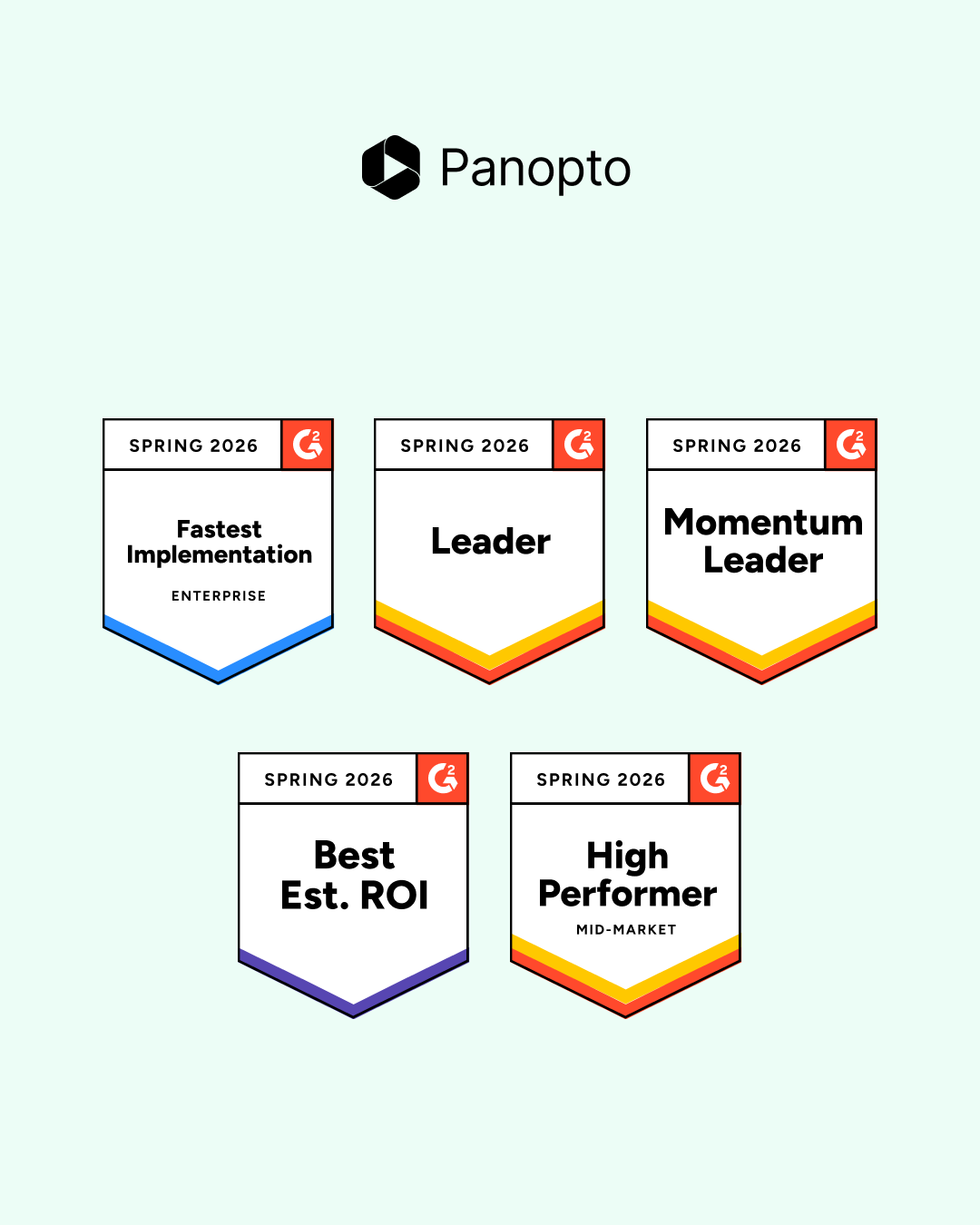
How Our Customers Made Panopto a G2 Spring 2026 Leader
We’re proud to support the customers whose feedback and real-world outcomes led to Panopto being recognized with multiple G2 Spring 2026 badges. This season, Panopto earned Leader, Momentum Leader, High Performer, Fastest Implementation, and Best Estimated ROI badges across multiple G2 Spring 2026 Reports, based on its performance within the Video Communications, Video CMS, Virtual…
How Our Customers Made Panopto a G2 Spring 2026 Leader
-

- Enterprise Video Platform
Best Video Management Platforms for Training and L&D Teams in 2026
Most video platforms were built for marketing teams. They track clicks, conversions, and ad performance. That’s useful if you’re selling a product. It’s not useful if you’re training 5,000 employees on updated compliance procedures and need to know who actually watched the whole thing. Training teams have a different set of problems to solve. You…
Best Video Management Platforms for Training and L&D Teams in 2026