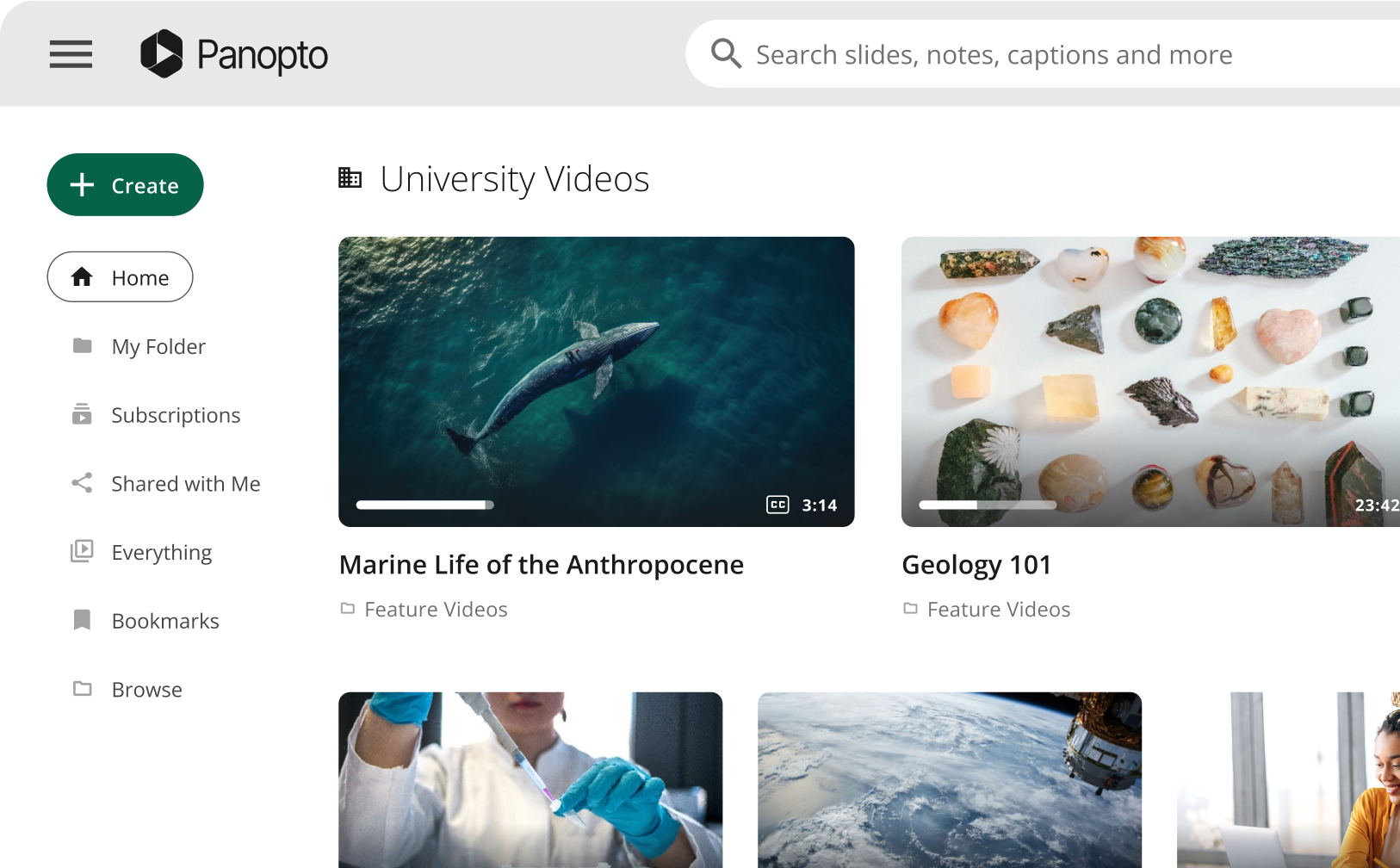
Lecture recording software captures, stores, and distributes video of classes and training sessions at institutional scale. The four main platforms are Panopto, Echo360, Kaltura, and YuJa. LMS integration and automated scheduling are now baseline expectations. Panopto serves 13 million users with AI-powered Smart Search, ASR captions in 20+ languages, and integrations with Zoom, Webex, and Microsoft Teams.
What is lecture recording software?
Lecture recording software does more than hit the record button. It captures, processes, stores, and delivers video of classes and training sessions across an entire institution. Faculty don’t manually manage files. IT doesn’t babysit uploads. Students find recordings exactly where they expect them, inside their course in the LMS.
At institutional scale, that’s what “lecture recording” actually means. It’s infrastructure.
How is lecture recording software different from a screen recorder?
Screen recorders only capture what’s on a display. They’re useful for an individual instructor filming a quick walkthrough, but they weren’t built for a university with 400 classrooms. Lecture recording software also has the ability to capture multiple streams at the same time (video, screen, notes, etc.)
Institutional lecture capture software is a different category entirely. It handles automated scheduling, centralized storage, access control, LMS distribution, compliance, and analytics across hundreds of rooms simultaneously. Recordings appear in the right course folder without anyone manually uploading a file.
Screen recorders are more of a personal tool, whilst lecture recording software runs a university’s entire video ecosystem without IT intervention per session.
The two audiences: students vs. institutions
Students need a way support learning, to review class audio, generate study notes, or catch up on a missed lecture.
IT directors, instructional designers, and academic technologists need a platform that deploys consistently across hundreds of rooms, connects to the LMS, handles thousands of concurrent users, and doesn’t require faculty to learn anything new. If that’s your situation, this guide is for you.
Types of lecture recording software
Institutional lecture capture platforms
These platforms are built for campus-wide or enterprise deployment. They combine recording tools with video management, LMS integration, searchable archives, analytics, and security controls in a single managed system.
The four main platforms at this tier are Panopto, Echo360, Kaltura, and YuJa. What separates them is the depth of AI search, ease of use for faculty, support quality, total cost of deployment, and the calibre of migration support when switching from another vendor.
Personal recording apps for students
There are free lecture recording software such as Otter.ai, HappyScribe, and Microsoft OneNote that work well for personal use, but they won’t integrate with your university’s LMS or show up in a course folder.
Screen recorders and general-purpose tools
OBS Studio, Movavi, and Loom give individual instructors more capability than a basic audio app. They’re good for pre-recorded lessons and asynchronous content. But none of them offer centralized management, an institutional video library, or viewing analytics.
Zoom and Teams both include native recording. That’s often where hybrid learning starts. Without a platform like Panopto managing those recordings, however, they sit in siloed storage with no search capability, no LMS integration, and no retention policy.
Zoom and Teams do offer their own transcription and retention controls, but Panopto extends those into a unified, searchable academic video layer that works across all three platforms.
Key features to look for in lecture capture software
Automated scheduling and one-click recording
Manual recording workflows fail at scale. Faculty forget, files end up in the wrong places and IT spends hours tracking down recordings that should have been automatic.
Panopto allows administrators to control the entire recording infrastructure from any web browser. The software automatically recognises connected cameras and microphones and remembers each professor’s settings. Faculty don’t need to do anything. At scale, faculty adoption depends entirely on simplicity. If it takes more than one step, a percentage of instructors won’t do it consistently.
Multi-source capture
A typical lecture isn’t one camera. It’s a presenter camera, a screen, slides, sometimes a document camera, and secondary cameras in larger lecture halls.
Panopto captures any combination of video sources simultaneously: audio, PowerPoint slides, document cameras, multiple IP cameras, wireless microphones, and specialised lab equipment including polarising microscopes. AV hardware integrates directly with the platform to extend those capabilities further.
AI-powered search and video indexing
This is the feature that separates a genuine knowledge base from an archive no one revisits after week one.
Panopto’s intelligent search indexes every spoken word via ASR and every word visible on screen via OCR. A student searching for “mitochondria” or “amortisation” jumps directly to the exact moment it appears in any recording across the entire library. Not just the video title. The exact timestamp.
Smart Chapters takes this further. AI automatically generates a navigable table of contents for any video, including Zoom, Webex, and Teams recordings. It’s on by default. For a university with thousands of recordings, that means students can navigate a three-hour lecture in seconds without scrubbing through a timeline.
Zoom, Webex, and Microsoft Teams integration
Hybrid learning means many sessions happen in Zoom, Webex, or Teams. Those recordings need to live in the same managed library as in-person captures, with the same permissions, search capability, and analytics applied.
Panopto’s Zoom integration automatically uploads Zoom recordings to the secure video library and makes them searchable. The Microsoft Teams integration works the same way. Webex is also supported alongside both platforms. Every recording, regardless of origin, ends up in one place.
LMS integration
Recordings should appear automatically in the correct course folder. Students shouldn’t have to leave the LMS to find a lecture, and they won’t if the integration is built properly.
Panopto integrates natively with Canvas, Blackboard, Moodle, Sakai, and D2L Brightspace. Look for LTI compliance and native integrations over workarounds that break when LMS versions update. A connection that requires manual re-linking after every platform update isn’t a solution.
Accessibility and captions
Automatic captions are a legal requirement in many regions under ADA and equivalent standards. Inaccurate captions are worse than none, because they create a false sense of compliance while failing the students who rely on them.
Panopto generates ASR captions in 25+ languages. That’s not a marketing feature for most institutions. The University of Dundee serves a campus community representing 145 countries, making real language coverage an operational requirement. Panopto was also selected by the University of Washington specifically because the university required Section 508-compliant accessibility features.
Security and compliance
Panopto holds an annual SOC 2 Type 2 audit, an independent third-party review covering security and availability.
Panopto is committed to complying with GDPR as a data processor. Additional security capabilities include role-based permissions, SSO support via SAML 2.0, OAuth, and Active Directory, two-factor authentication, and encryption at rest and in transit.
Read more about our security and compliance.
Analytics and engagement insights
Panopto tracks viewing completion, per-video engagement, and usage data at the individual video level.
At Mid-State Technical College, faculty discovered through analytics that students were stopping three-hour videos after just 10 to 20 minutes. That data changed how they designed their courses. They restructured their content because of what the numbers showed.
Support and onboarding
Support quality is one of the most documented reasons institutions switch away from video platforms.
Panopto’s customer service team has earned a 99% satisfaction rating for three years running. Support engineers are included in every implementation and 24/7 assistance is available. That matters most during the first few months of a campus-wide rollout. Poor support from competitors is the main reason institutions and enterprises switch to Panopto
Lecture capture platforms for universities
Panopto
Panopto serves 13 million users across higher education and enterprise. Panopto is used by 22 of the 25 Top Universities globally, such as Yale University, University of Pennsylvania, and University of Oxford. Other named institutions include the University of Washington, University of Dundee, Northeastern University, Arizona State University, and Saint Louis University.
Just three of the reasons why Panopto is widely used by higher ed institutions:
- Panopto’s Smart Search indexes every spoken word via ASR and every visible word via OCR across the full video library. ASR captions cover 20+ languages. Smart Chapters generates an AI-powered table of contents for every video, including recordings from Zoom, Webex, and Teams. Recordings also support embedded quizzes.
- Panopto’s security includes an annual SOC 2 Type 2 audit and GDPR compliance as a data processor.
- Panopto is easy to use and get up and running. Between 24/7 customer support and a user-friendly platform, customers have expressed a 99% satisfaction rating with using Panopto for three years running.
Northeastern University switched from Kaltura, and Oxford Brookes University switched from Mediasite. Panopto pairs each migration with a Technical Consultant and Implementation Specialist.
Echo360
Echo360 focuses on student engagement analytics and active learning tools. LMS integration covers Canvas and Blackboard, plus others via LTI with gradebook sync. Analytics track viewing data, poll responses, and quiz performance per student, all exportable to the gradebook.
Embedded quizzes are built into the Echo360 platform, while EchoPoll supports polling and gamified engagement, and EchoExam is designed for assessments. Echo360 also offers confirmed integrations with both Zoom and Microsoft Teams.
Kaltura
Kaltura is a broader video platform that extends well beyond lecture capture into live streaming, open APIs, and custom video workflows. It tends to suit larger IT teams that need maximum customisation and have the resources to manage a more complex deployment.
REACH is Kaltura’s official captioning and enrichment service. It offers machine ASR at approximately 85% accuracy and professional human captioning at 99% accuracy. For institutions with specific captioning quality requirements, that human captioning option is worth factoring into the evaluation.
YuJa
YuJa is a cost-competitive option with three confirmed capture modes: hardware appliances, a software capture desktop app, and Browser Capture Studio, which is web-based and requires no installation. LMS integration covers Canvas, Blackboard, Moodle, D2L Brightspace, and Sakai, all via LTI with gradebook integration.
Hardware partnerships include Epiphan, Extron, and Matrox. In-video search uses Visual Search across captions, slides, tags, and notes. Zoom, Webex, Teams, and Blackboard Collaborate integrations are all available.
How Panopto’s automated lecture capture works
- Course scheduling: Panopto imports the academic calendar. Rooms and time slots are mapped to recording configurations automatically.
- Auto-start: At the scheduled time, the Panopto recorder starts without any action from faculty. The software already knows which cameras and microphones are connected.
- Multi-source capture: Camera, microphone, screen content, and slides all record simultaneously and in sync.
- Auto-upload and processing: When the session ends, the recording uploads, processes, and ASR captions generate automatically across 20+ languages.
- Smart Chapters generated: AI analyses the recording and creates a navigable table of contents. This applies to Zoom, Webex, and Teams imports as well.
- LMS distribution: The recording appears in the correct course folder. Students access it directly from their course page without leaving the LMS.
- Analytics begin: As students watch, the platform logs engagement, completion rates, and viewership data that instructors can review at any time.
The faculty doesn’t touch any of this. That’s the goal.
What changed in lecture recording in 2026
Choosing the right lecture recording software in 2026 comes down to more than recording a class. Institutions need a platform that can automate capture, integrate with the LMS, support accessibility, and make every recording easy to search and manage at scale.
For universities and businesses that want reliable lecture capture, strong support, and AI-powered video search in one platform, Panopto stands out as a leading choice.
Frequently asked questions
What’s the difference between lecture recording software and lecture capture software?
The terms are used interchangeably. “Lecture capture” more specifically implies scheduled, automated, institutional recording, the kind that runs in the background without faculty needing to press record. In practice, both phrases refer to the same category of platform.
What lecture recording software do universities use?
Panopto, Echo360, Kaltura, and YuJa are the four main institutional platforms. All four integrate with major LMS platforms and support automated scheduling. The right choice depends on institution size, your LMS, IT resources, and accessibility requirements.
Can AI record and summarize my lectures?
Panopto’s intelligent search indexes every spoken word and every on-screen word across your entire video library, making any moment instantly findable. For per-session summaries, personal tools like Otter.ai offer AI transcription. One is institutional infrastructure. The other is a personal study tool.
How long does campus-wide lecture capture deployment take?
A single-building pilot can be operational within days. A full campus rollout typically takes weeks to a few months, depending on hardware, LMS configuration, and faculty training. Panopto’s dedicated service delivery team manages large-scale implementations, confirmed across Northeastern University, University of Dundee, and Saint Louis University case studies.
Does lecture recording software work with Zoom, Webex, and Teams?
Panopto integrates with Zoom, Microsoft Teams, and Webex. Recordings from any platform are automatically added to the same searchable video library, with the same permissions and analytics applied. Read more about our integrations.
Is lecture recording software FERPA and ADA compliant?
Compliance depends on how each vendor handles data. Panopto supports ADA Section 508, is committed to GDPR compliance as a data processor, and holds an annual SOC 2 Type 2 audit. Review vendor data processing agreements before deployment. Read more about our security.
How much does lecture capture software cost?
Panopto, Echo360, Kaltura, and YuJa are all priced on annual enterprise contracts. Cost depends on user count, storage, and deployment scope. Panopto includes 24/7 support, training, and onboarding in every plan with no separate support tier. Contact vendors directly for pricing.
What is AI-powered video search?
Panopto’s intelligent search indexes every spoken word via automatic speech recognition (ASR) and every on-screen word via optical character recognition (OCR). Any user can search for a term and jump directly to the exact moment it appears, across every video in the institution’s entire library.