




Meeting Recording Platform with Searchable Transcripts and Analytics
Panopto is an AI-powered video management solution, which makes all the information in your video conference and meeting recordings secure, searchable, and easily shareable.
13,000,000
users









Stop taking notes and minutes.
Start recording your meetings with ease
Meetings are often where work happens. In the US alone, there are between 36 and 56 million business conferences held every day, with the average employee attending 62 each month.
Unfortunately, much of the valuable information exchanged in these meetings is lost. Only an hour after a meeting ends, employees can recall just 44 percent of the content discussed. And six days after a meeting, that number drops to 25 percent.
Meeting minutes and summaries do little to address the issue, as they capture only a tiny fraction of the discussion. They can’t reproduce the nuances of conversation nor the details of visual aids such as whiteboards and screen sharing.
That’s why a growing number of organizations now record meetings as a standard practice. When you record your meetings, attendees can give their undivided attention without worrying about taking notes.
No one has to resolve a last-minute scheduling conflict. Teams can share recorded meetings with new team members after the session took place. And a searchable archive of recorded meetings can provide an unparalleled historical context for ongoing projects.
Whether you’re recording from your video conferencing system, or simply with a camera in the conference room, Panopto makes it easy to securely capture, manage, and share just about any kind of meeting.
Get more value from every recorded meeting


Administrator Tools
Set organization-wide policies for recording retention, access permissions, and sharing capabilities.


Simple Video Editing
Trim irrelevant sections, cut sensitive discussions, or splice multiple meetings together.

Analytics & Intelligence
See which meetings get watched, who’s viewing them, and where people rewatch specific sections.
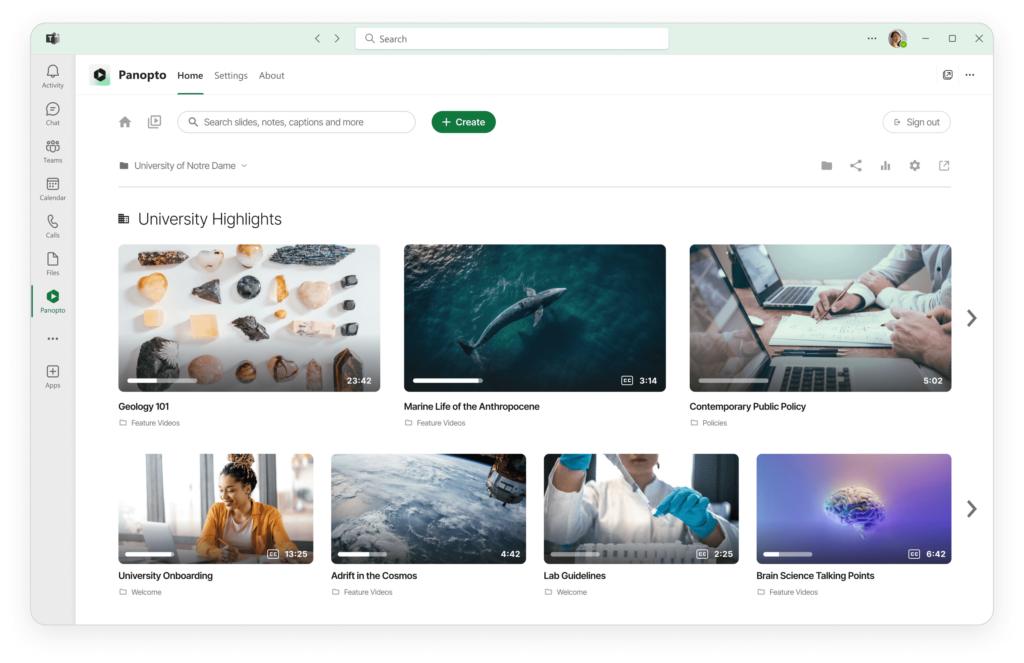
Centralized management for all your meeting recordings
Record and organize team, client, and conference calls
Capture meetings from Zoom, Microsoft Teams, or any video conferencing tool. Recordings automatically upload to organized folders. Your entire meeting history becomes searchable in one place.
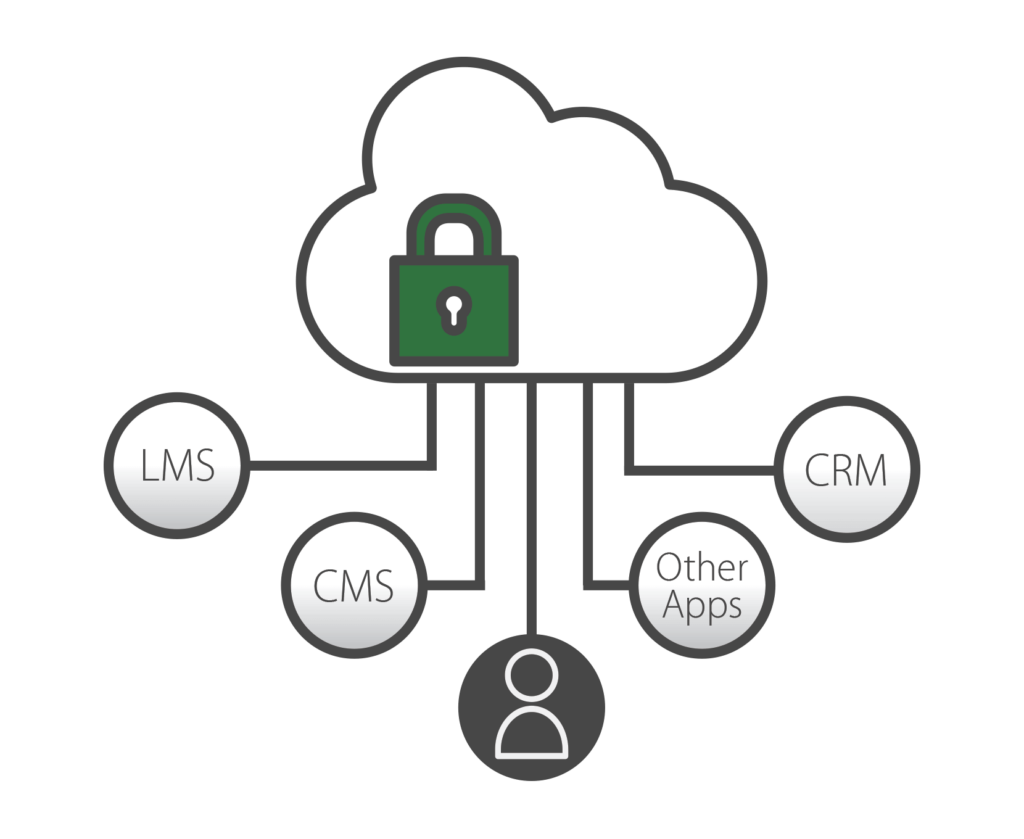
Panopto integrates with Zoom, Teams, and other platforms to automatically capture recordings and make them searchable. Every conversation becomes a knowledge asset people can find later.
The platform connects with your existing SSO systems like Google Apps, OAuth, SAML, and Active Directory, so employees use the same credentials they already have. Admins control sharing permissions at the company, department, or individual video level. Set retention policies to auto-delete recordings after a certain period or schedule content to publish on specific dates. Your meeting recordings stay organized and secure without extra work.
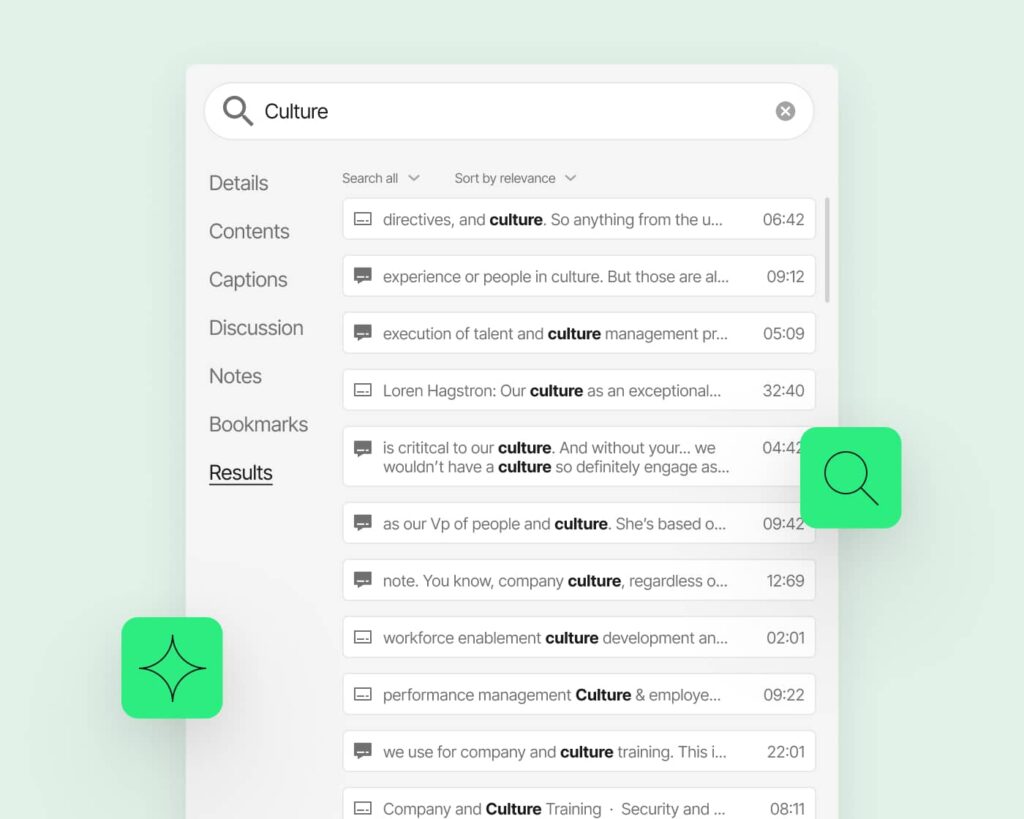
Search inside any recorded meeting
Skip the tedious process of rewatching entire meetings. Search for specific topics, action items, or decisions. Panopto takes you straight to the moment something was mentioned.
All-in-one platform for meeting recordings
Understand what the hype is really about in just under two minutes:
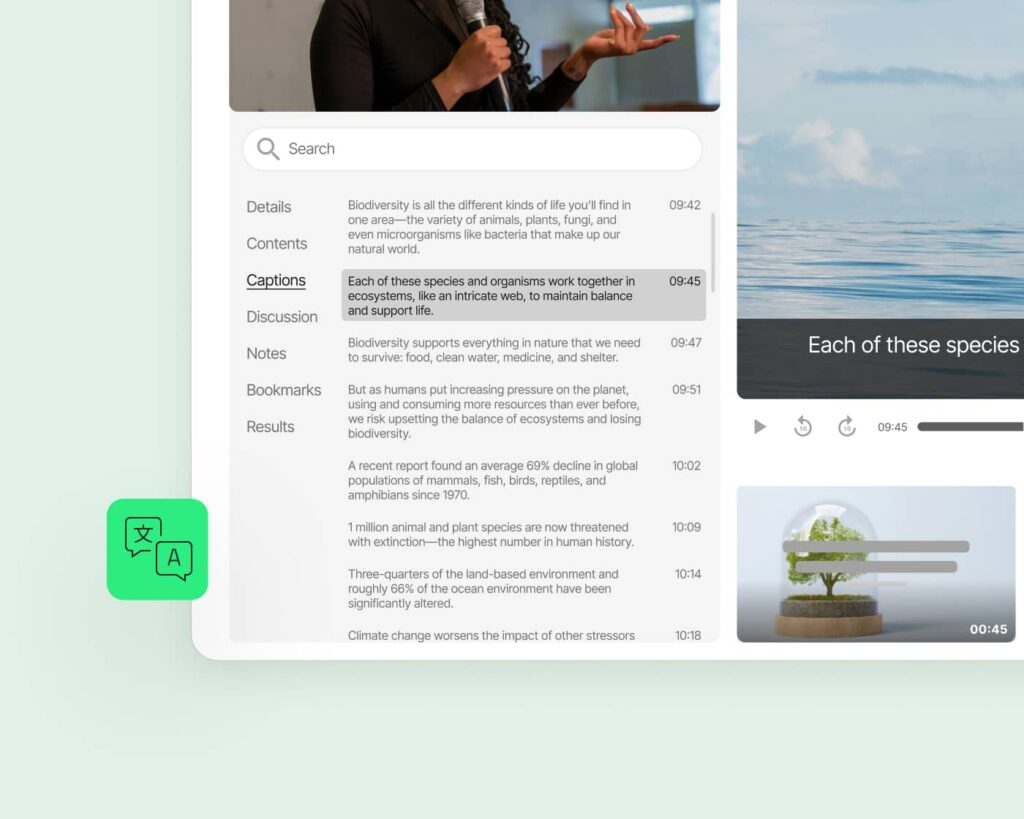
Automatic transcription and captions
Every recording gets transcribed without manual work. Captions appear automatically for accessibility. Transcripts are searchable and downloadable for reference.
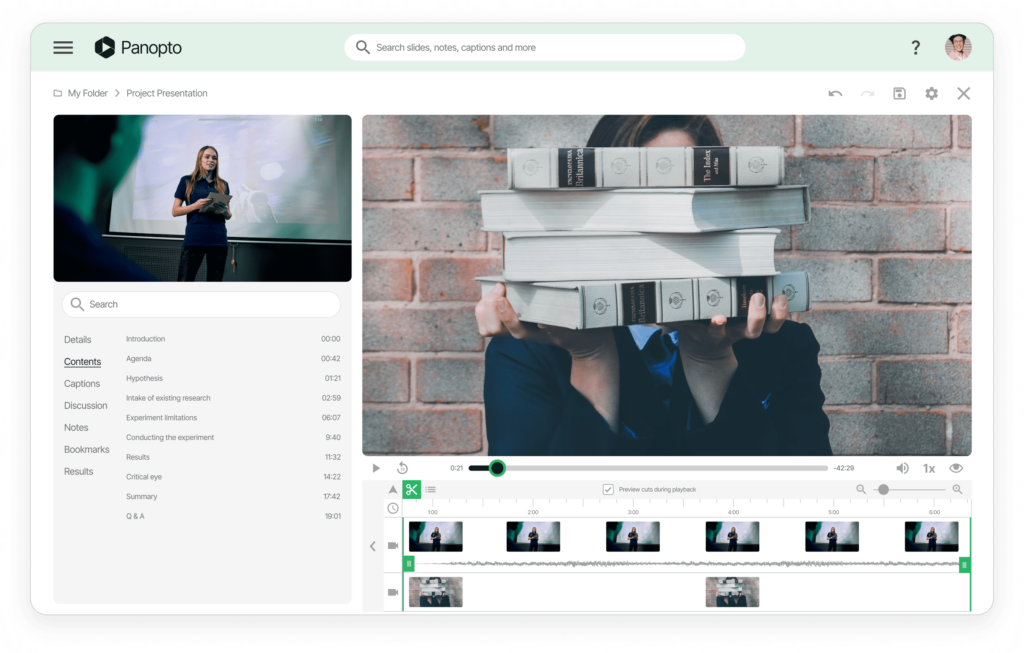
Built-in video editing tools
Remove dead air at the start, cut out breaks, or extract key segments. Create highlight reels from longer meetings. Share the important parts without making people watch the whole thing.
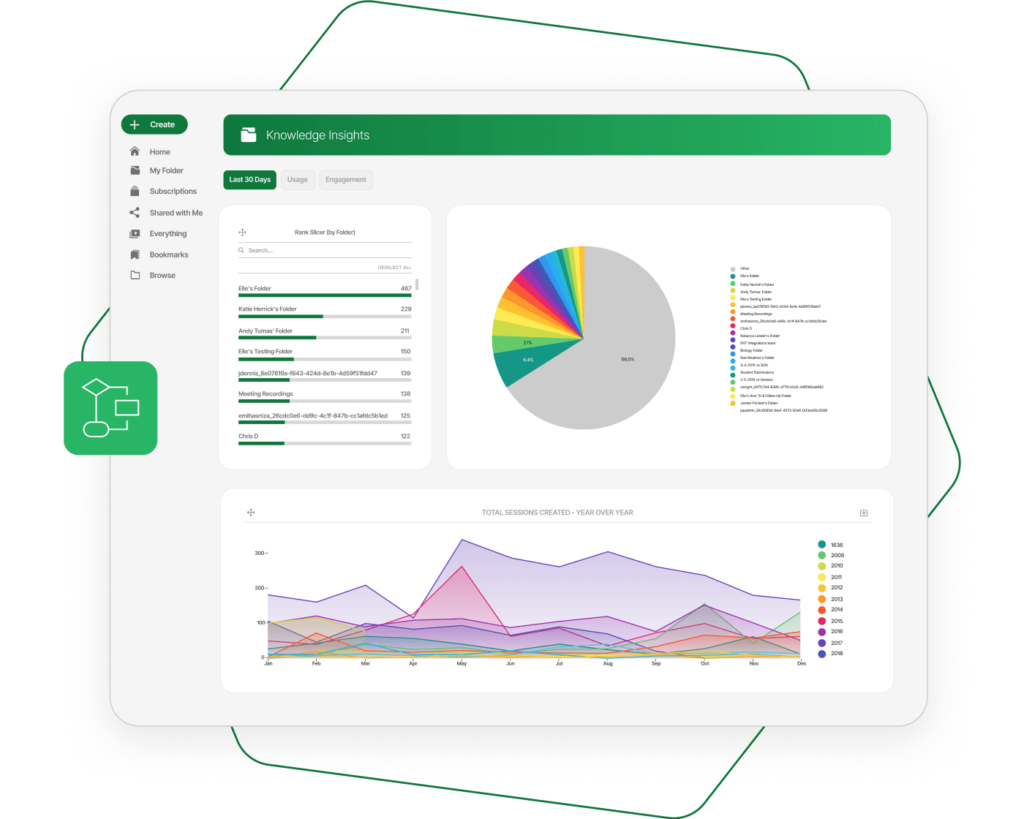
Extract insights with advanced analytics
Track which meetings drive the most engagement. See where viewers rewatch sections or drop off. Use data to improve meeting effectiveness and identify knowledge gaps.
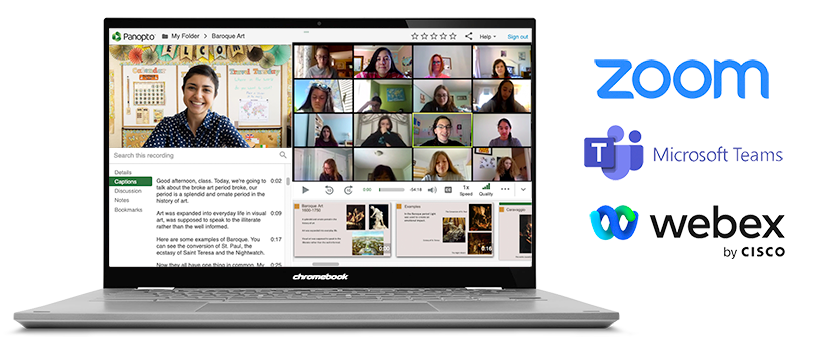
Customize your workflows and access controls
Configure automatic retention policies for different meeting types. Set default permissions by department or project. Build approval workflows for external sharing. Panopto adapts to how your organization works.
Read more about recording video conferences.


Frequently Asked Questions
Which video conferencing platforms does Panopto integrate with?
Panopto works with Zoom, Microsoft Teams, Webex, and other major video conferencing tools. Recordings automatically upload to your Panopto library after meetings end. No manual downloads or transfers needed.
Can we automatically delete old meeting recordings?
Yes. Set retention policies to auto-delete recordings after 30 days, 90 days, or any timeframe you choose. Apply different rules to different types of meetings. Compliance requirements stay manageable.
Do employees need separate login credentials for Panopto?
No. Panopto integrates with your existing single sign-on system including Google Apps, OAuth, SAML, and Active Directory. Employees use the same credentials they already have.
Can we prevent employees from sharing sensitive meeting recordings externally?
Absolutely. Admins control sharing permissions at every level. Restrict certain recordings to internal-only access. Require approval before any external shares happen.
How do we organize recordings from different teams and departments?
Create folders for each team, project, or department with customized access controls. Recordings can automatically route to the right folder based on who scheduled the meeting. Your library stays organized as it scales.
Can we schedule recordings to become available at a specific time?
Yes. Set any recording to publish on a specific date and time. Useful for embargo periods, coordinated announcements, or releasing training content on schedule. Videos stay hidden until you’re ready.