








Articulate Storyline and Panopto do different jobs, and many teams use them together. Storyline is a course authoring tool for interactive, slide-based eLearning with branching, triggers, and quizzes. Panopto is an enterprise video platform that records, hosts, and searches video to the exact moment, with per-viewer analytics. Authors build the course in Storyline and keep the video in Panopto, where it stays searchable and reusable outside the course.
When video outgrows a Storyline course
If you are adding more video to your Storyline courses, three questions tend to come up. Where is the best place to keep the video, why has the published package grown so large, and how will anyone find that one clip after the course ends?
Storyline is where instructional designers build the course. A video platform is where an organization stores, searches, and measures its video. Because the two do different jobs, they complement each other, and many teams use both.
This page covers what each tool is for, where the two overlap, and how teams connect them, so you can decide whether to keep video inside the course, move it to a platform, or split it between the two.
What each tool is for
Articulate Storyline 360 publishes courses as packages that follow learning management system (LMS) standards such as SCORM and xAPI. Panopto manages the video those courses use. The table below sets out where each tool’s responsibilities begin and end.
| Storyline | Panopto | |
| Built for | Interactive, slide-based courses with triggers, states, variables, and branching scenarios | Recording, hosting, searching, and measuring video across the organization |
| Output | SCORM 1.2, SCORM 2004, xAPI, cmi5, and AICC packages for an LMS | A central video library, delivered through the LMS by Learning Tools Interoperability (LTI), embed, or SCORM |
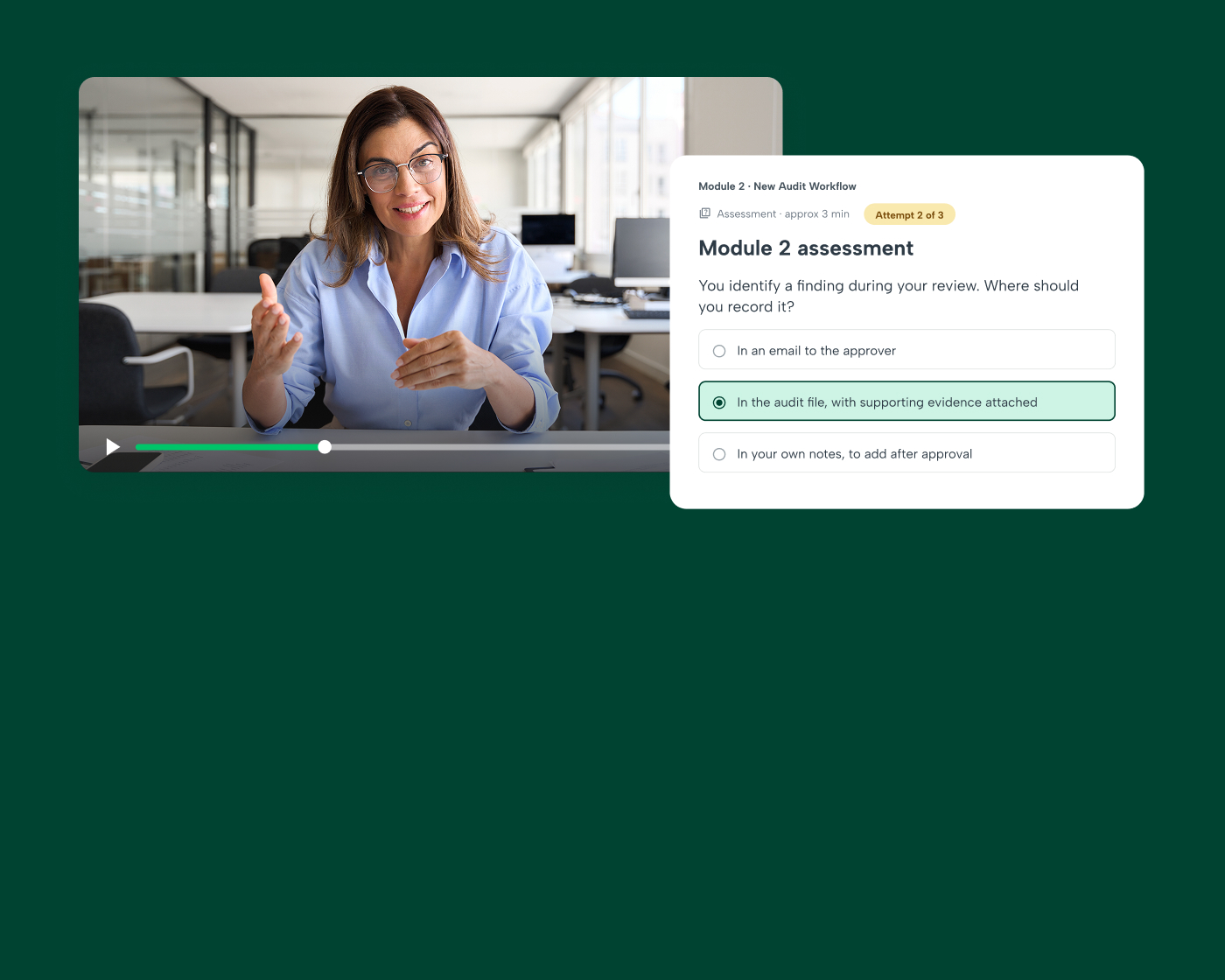
| Assessment | 20 form-based and six freeform question types, with results reported to the LMS | In-video quizzes at any timestamp, with gradebook passback to Canvas, Blackboard, and D2L Brightspace |
| Video | A file inside one course (MP4 or WebM, up to 2 GB per video), timed to the slide | Streamed from the library, searchable by spoken and on-screen words, reusable anywhere |
| Tracking | Course completion, quiz scores, and slides viewed | Per-viewer watch time, percent completed, and drop-off, exportable for audits |
Panopto’s tracking and analytics show how long each person watched and where viewers stopped, which gives training teams viewing data to pair with the completion data Storyline sends to the LMS.
Where Storyline and Panopto overlap
The two tools overlap in screen recording and quizzing. Video is where they differ most.
Screen recording
Storyline includes a built-in recorder for software simulations. Panopto records screen, camera, and slides together and suits longer recordings such as walkthroughs, lectures, and expert knowledge capture. Articulate ends support for its standalone Replay 360 and Peek 360 recorders, part of the Articulate 360 suite, on December 31, 2026, and points users to Storyline’s recorder. Teams that use Replay for longer recordings may want a different tool, and Panopto’s free recorder is a place to start.
Quizzes
Both tools can quiz a learner. Storyline assessments live inside a course, while Panopto quizzes travel with the video to wherever it plays.
Video
A Storyline video is part of one course. A Panopto video belongs to a library that every course, intranet page, and Microsoft Teams channel can draw from.
Video problems Storyline teams run into
Packages grow too large for the LMS
Video added from a file ships inside the published package. In one Articulate Community discussion, an author compressed videos and fixed the playback quality to bring a package under a 262 MB LMS limit. In another, an Articulate staff member suggests hosting the video elsewhere and adding it as a web object.
Nobody can find the clip later
Video inside a course cannot be searched from outside that course. In Panopto, speech recognition (ASR) and optical character recognition (OCR) index every spoken and on-screen word, so a learner can jump to the exact moment months later using video search.
Updating one video means republishing the course
You can update a video in the library, and the embedded copy reflects the change without republishing the course.
The same video lives in five courses
One library entry embedded everywhere replaces five separate copies, each of which someone has to find and replace when the content changes.
How teams use Storyline and Panopto together
Embed Panopto video in a Storyline slide
Copy the Panopto embed code and add it in Storyline as Video from Website, or as a Web Object—the video streams from Panopto instead of sitting in the package.
Plan for the timeline tradeoff
Articulate’s documentation says website videos play independently of the slide and are not controlled by the timeline. A trigger such as When media completes therefore does not fire on an embedded video. If a course must hold learners until the video finishes, keep that one video as a file in Storyline. Another route is to have a developer connect Panopto’s Embed API to Storyline variables, which a Panopto solutions engineer can help scope.
Track views in Panopto
Embedded plays register in Panopto’s viewer statistics, so the organization keeps a record of viewing on the Panopto side even though Storyline cannot see it.
Manage access and sign-in
Restricted Panopto videos ask the viewer to sign in, while public and unlisted videos play without a prompt. Sign-in behavior inside an LMS-launched course varies by setup, so a quick test with one restricted video shows what learners will see.
Deliver video-only training through the LMS
Not every piece of training needs a Storyline wrapper. Panopto connects to an LMS through LTI and SCORM, so you can add quizzes and track completion directly in the LMS. The full list of integrations shows which platforms Panopto supports.
Which tool to use when
Storyline leads when the training is interactive by design, such as branching scenarios, software simulations, scored assessments, and compliance courses with strict completion rules.
Panopto leads when the training is mostly video, such as recorded expert knowledge, walkthroughs, town halls, product updates, and anything people will search for later. Our guide to video training covers that approach in more depth.
Both tools work together when courses carry a lot of video or the same videos appear across many courses.
How organizations use Panopto with their LMS
SK Telecom delivers video training through the T Learning Portal, its own LMS. When the portal’s legacy video technology became obsolete, the company added Panopto to the LMS to handle video, screen recording, editing, and search. The library now holds nearly 5,000 videos, including formal training, industry-trend updates, and employee-recorded tutorials. Employees watch more than 100 hours of video a day on average, and total viewing time is 50 times the hours of video recorded.
Qualcomm Wireless Academy, a wireless education platform, has used Panopto to power its global academy for more than eight years. As the academy expanded its online learning, it relaunched its eLearning portfolio with more than 160 hours of 5G training across 50 courses.
Frequently asked questions
Does Panopto replace Articulate Storyline?
No. Storyline builds interactive, slide-based courses with branching scenarios and scored assessments, and Panopto records, hosts, searches, and measures video. Many teams build the course in Storyline and keep the video in Panopto.
Can you embed Panopto video in Storyline?
Yes. Copy the Panopto embed code and add it in Storyline as Video from Website or as a Web Object. Storyline plays embedded video independently of the slide timeline, so triggers that depend on the video ending will not fire.
Why is my Storyline SCORM package so large?
Video added from a file ships inside the published package, so every video adds to its size. Streaming the video from a platform such as Panopto keeps it outside the package. Compressing videos before import is another option.
Can Storyline track whether a learner watched an embedded video?
Not natively, because Storyline cannot read the playback of an embedded web video. Teams can keep that video as a file inside Storyline, or a developer can connect Panopto’s Embed API to Storyline variables. Panopto records the view on its side.
Where should I host training videos for Articulate courses?
Host them in a video platform such as Panopto when the same videos appear in several courses, need to be searchable, or push the package past your LMS upload limit. Panopto streams the video into Storyline through its embed code and keeps one searchable, measurable copy in the library. Videos that must trigger Storyline actions when they end can stay as files in the course.
Does Panopto have quizzes like Storyline?
Panopto has in-video quizzes with multiple-choice, true/false, and multi-select questions that can sit at any timestamp, and scores pass to the gradebook in Canvas, Blackboard, and D2L Brightspace. Branching scenarios and slide-based interactions belong to Storyline.
See the two working together
Storyline gives your courses their interactivity, and Panopto gives your video its search, analytics, and reach. See a demo and find out how Panopto keeps the video in your Storyline courses searchable, measurable, and reusable across the organization.