Enterprise Video Library Software with AI-Powered Search and Analytics
Securely store and share all your internal video assets in Panopto, a searchable online video library.








Secure Cloud Video Hosting for Corporate Training and Communications
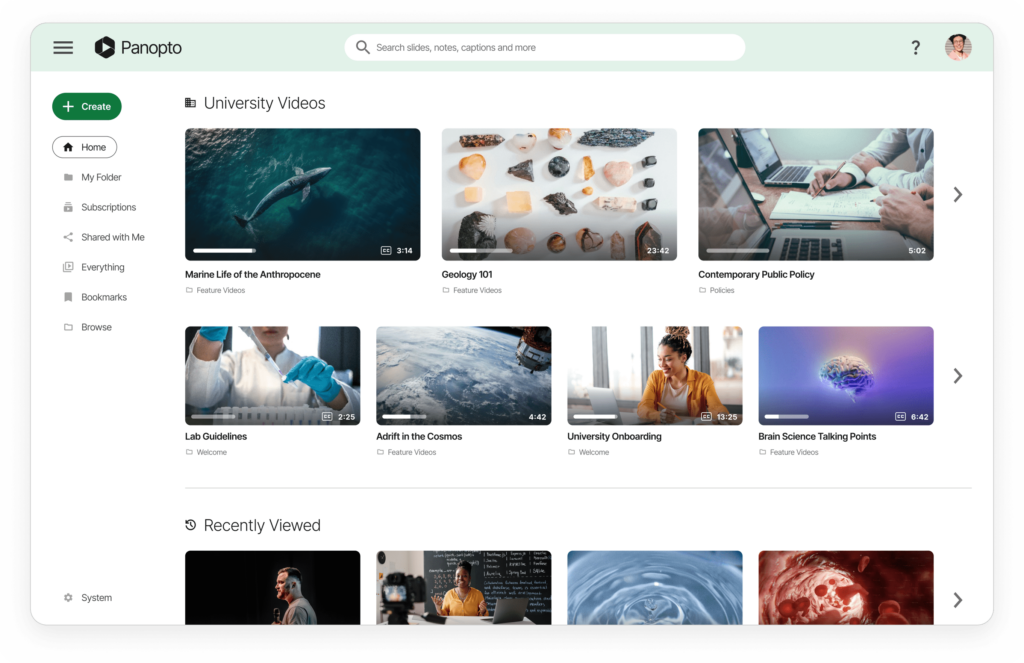
Video content scattered across SharePoint, intranets, and file shares becomes impossible to find or manage. Employees uploading corporate videos to YouTube, Vimeo, or Dropbox create serious security and compliance risks. Panopto’s video library software centralizes all organizational video in a single, secure platform with enterprise access controls. Upload videos via drag-and-drop individually or in bulk, and Panopto automatically transcodes files for optimal viewing across all devices while indexing every word for instant searchability.
“Panopto helps us organize, store, and deliver video so that anybody in any office can find any training materials they wish and can watch it. Doing that, in turn, is helping us unite our offices and take advantage of our shared expertise.”
Julie O’Brien, Attorney Development Manager, Perkins Coie LLP

Seamless Video Library Integration with Your LMS and Business Applications
Video has become mission-critical for training, communications, knowledge management, and sales enablement, but legacy enterprise platforms lack native video capabilities. Panopto’s video library software includes pre-built connectors for enterprise applications, enabling seamless video workflows across your technology stack. Share videos securely in Slack channels, embed training content in your LMS with SCORM tracking, publish video resources on CMS platforms and intranets, and attach product demonstrations to CRM records for sales teams.
Extend Zoom, Teams, and Webex with Searchable Video Recording Management
Transform Meeting Recordings into a Searchable Knowledge Base
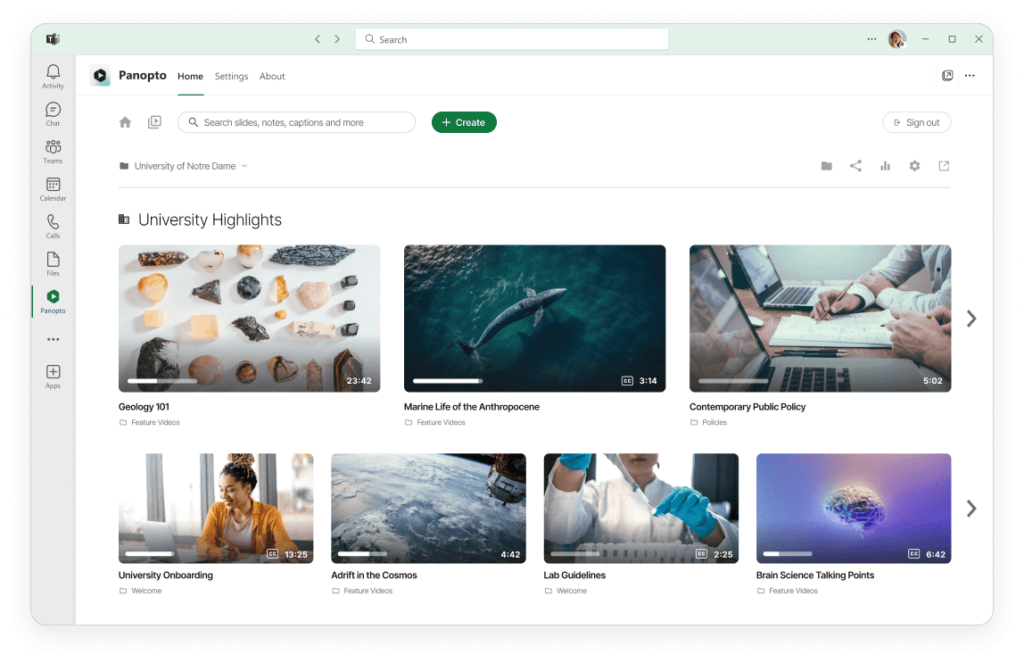
Zoom, Microsoft Teams, Webex, BlueJeans, and GoToMeeting enable real-time collaboration but lack robust post-meeting video management. Organizations lose valuable institutional knowledge when meeting recordings remain buried without search functionality or access controls. Panopto transforms your unified communications infrastructure by automatically capturing and indexing every recorded meeting, presentation, and virtual event from these video conferencing platforms.
Connect your existing video conferencing tools to Panopto, and recordings automatically upload to a centralized, searchable repository where employees discover and reference past discussions on-demand.
“Fundamentally, we wanted to make more use of more content. We had about 300 instructor-led events per year, but there were other opportunities that weren’t getting recorded — things like guru talks, knowledge sharing sessions, and brown bag discussions. We knew there was a wealth of great information being presented in those environments, and we wanted to capture it to make it available anytime, anywhere, for everyone at Qualcomm.”
Ken Davis, Senior Learning Technology Specialist, Qualcomm Inc.

Enterprise-Grade Security and Access Control for Video Content Management
Corporate video content contains sensitive business information including strategic discussions, compliance training, confidential presentations, and proprietary knowledge. Organizations need granular control over video access and comprehensive audit trails for compliance. Unlike consumer platforms like YouTube or Vimeo, Panopto’s enterprise video library provides enterprise-grade security with single sign-on integration for Google Workspace, oAuth 2.0, SAML, Microsoft Active Directory, and major LMS platforms. Cloud-hosted architecture enables real-time synchronization of access permissions, ensuring employees only see authorized videos.
Smart Video Search
Every word spoken and shown on-screen in your videos is searchable across your entire library, so employees can instantly find detailed answers and explanations from any video in one search.
Search Videos Anywhere
Let employees search videos in your content library from inside the tools they already use to collaborate and learn.
Video Tagging
Find and view relevant conversations with simple searches. Panopto transcribes words spoken and shown on-screen, so even the smallest detail can be found.
Subscriptions
Employees can subscribe to specific video tags and other people within your organization to surface new and useful content shared in your corporate video library.
Timestamped Linked Sharing
Send links to precise moments within a video or meeting recording to support productivity and enable more effective collaboration within your organization.
Collaborate in Videos
Add timestamped comments inside videos for more efficient communication when ideas are better demonstrated visually than explained in text.
Video Analytics Dashboard: Track Engagement and Learning Metrics
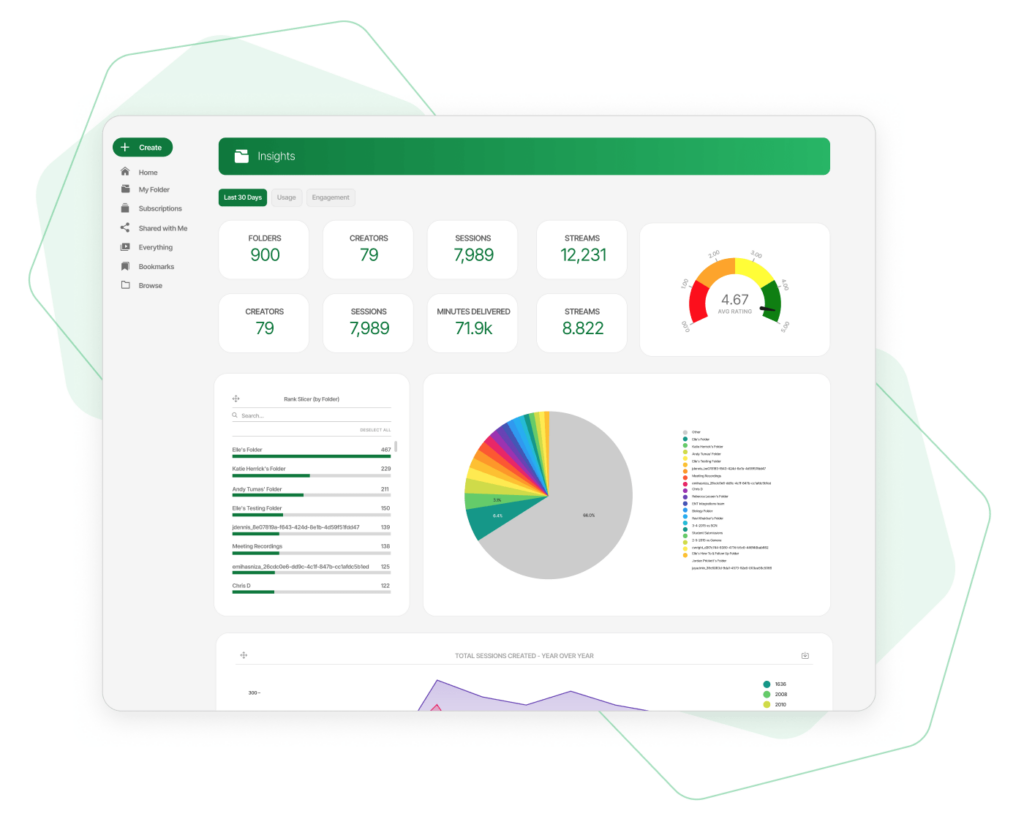
Enterprise organizations require detailed visibility into video consumption patterns that consumer platforms cannot provide. YouTube’s basic view counts offer no insight into individual viewer behavior or completion rates. Panopto’s video library software includes enterprise analytics dashboards that track individual user engagement down to the second, revealing exactly which employees watched specific videos and where they stopped viewing. This granular data proves essential for compliance verification, mandatory training completion, and policy acknowledgment confirmation.
Panopto’s Video Library Is Everything YouTube Isn’t.
See an overview and demo of the Panopto video library platform.

White-Label Video Portal with Custom Branding Options
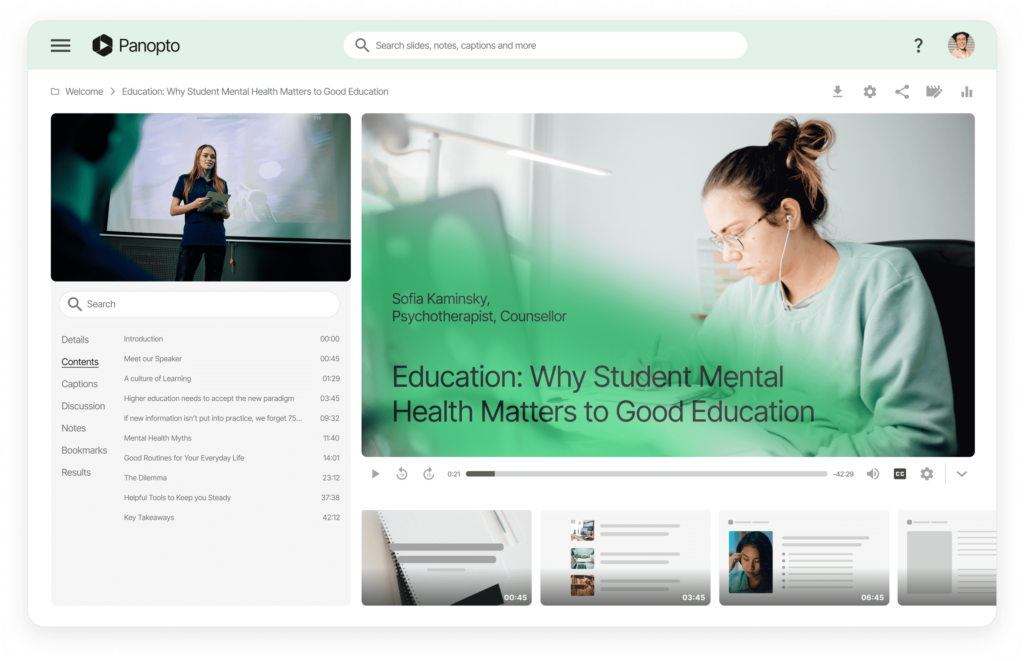
Brand consistency matters when employees interact with corporate learning resources. Generic video players with third-party branding undermine professional image and create confusion about content ownership. Panopto’s white-label video library software enables complete customization of your video portal and embedded player to match corporate brand guidelines. Upload your company logo, configure brand colors, and easily customize your video platform’s visual identity without technical expertise, creating a fully branded environment rather than appearing on an external platform.
Adaptive Video Streaming with Bandwidth Optimization
Network congestion and firewall restrictions create major challenges for enterprise video distribution, especially for distributed workforces with limited bandwidth. Traditional video streaming protocols cause buffering delays and poor playback quality that frustrate users and reduce training effectiveness. Panopto’s video library leverages HTTP Live Streaming (HLS) technology designed for efficient video delivery across enterprise networks and restrictive firewalls. This modern streaming approach dramatically reduces buffering while improving playback quality without consuming excessive bandwidth or requiring infrastructure upgrades.
Complete Video Content Management System for Enterprise Teams
From recording and editing to compressing and captioning, Panopto is an all-in-one platform that takes the hard work out of producing and managing a corporate video library, so your people can use video to be more productive.

Record Videos Online
Search and view recorded meetings on any mobile device, and create and share on-demand video messages with colleagues from anywhere in the world.

Livestream
In-video notes and discussions provide viewers with additional information and extend the collaborative experience beyond real-time meetings.

Edit Online Videos
Curate meeting recordings into playlists to create self-guided training programs, get others up to speed on ongoing projects, and more.

Mobile Apps
Curate meeting recordings into playlists to create self-guided training programs, get others up to speed on ongoing projects, and more.
Record and Share Training Videos, Free and Easy.
Scale the reach and impact of any remote or hybrid training program by making it easy for employees to securely find and view training when they need it most.
- You maintain 100% ownership of training material
- Nothing to download or install
- No limitations, watermarks, or ads
- No credit card required
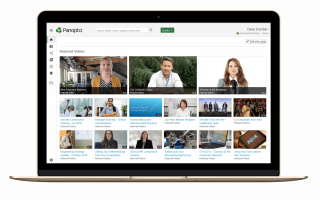
Step 1: Create a free Panopto account
Create a free Panopto account to get started. Panopto includes everything you need for training videos: built-in recorder, editor, quizzing, data analytics, storage, and enterprise-grade security. Nothing to download or install. Record and share training with anyone using just your browser.
Step 2: Upload or record your training content
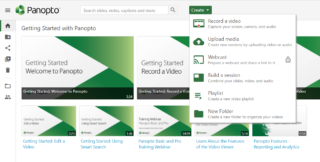
Once you sign in, click the Create button to create and share training content instantly. Select “Upload media” for previously recorded training that needs editing and sharing, or select “Record a video” and allow Panopto to access your camera and microphone for new recordings.
Step 3: Edit any training content
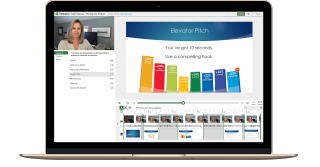
Edit any recording using the built-in editor. Trim or split recordings into smaller clips, switch between different video sources, attach files, and upload, combine, and splice new and existing videos. Changes can be undone at any time, even after sharing the video.
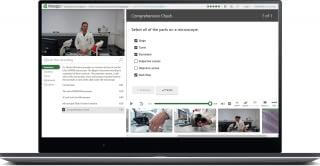
Step 4: Assess skills and understanding
Turn any training video into a skill assessment by adding multiple-choice, checkbox, and true/false questions. Insert quizzes at any point in a video using the built-in editor. Each quiz automatically pauses video playback, allowing viewers to take as much time as needed to answer.
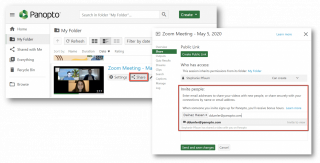
Step 5: Securely share with anyone
Securely share a training video by selecting the Share button and entering emails to invite viewers. Viewers can watch on-demand from anywhere at any time, plus they can search inside it for the exact moment you said something and jump to that moment with a click.
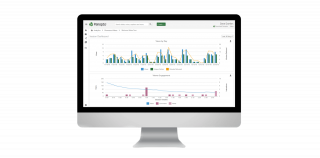
Step 6: Track and report training impact
Track and report how training drives desired results by clicking the chart icon in the upper right corner to view up-to-the-minute detailed reports on viewing behavior, audience engagement, and quiz results.
“Panopto has become a driving force behind a massive digital transformation at Canon Solutions America — it’s taking our entire organization to the next level.”
Eric Hill, Senior Product Training Specialist, Canon Solutions America, Inc.
Frequently asked questions
Is this just a free trial?
No, it is a fully-featured video training library solution that you may use for as long as you wish. It includes everything needed for creating, managing, and streaming training videos.
Can I upload, edit and share existing training videos?
Yes. If you have existing training videos, you can upload, edit, and share them. All uploaded videos are automatically encoded for streaming and indexed for search.
Why do I need Panopto if I can upload and share training videos for free using YouTube?
Unlike YouTube, where you sacrifice the ownership of your content and need a mix of tools to record and edit training videos, Panopto respects your content ownership and provides everything you need to record, edit, analyze, manage, and securely share training videos.
Will viewers see third-party ads on any videos I share with Panopto?
With Panopto, you control any content you create, including how you choose to monetize it. Panopto will not insert third-party ads or re-sell any viewer data. As the content owner, you can choose to insert ads or monetize however you choose.
What type of secure video sharing can I do with Panopto?
With Panopto, you can securely share a video with just one person, a group of people, or anyone on the internet. Panotpo’s iron-clad security provides everything you need.
Is Panopto a video conferencing solution like Zoom, Webex, and Teams?
Unlike video conferencing solutions which require everyone to be simultaneously present, Panopto provides the flexibility for you to create and share training videos that viewers can watch at any time and from any device.
Does Panopto require me to forfeit or share my content rights?
Unlike free-to-use ad-funded solutions like Youtube, Panopto honors your rights as a creator. You will always retain full ownership and control of any content you create or share using Panopto.
Does Panopto watermark videos or set file size/time limitations?
Panopto will not watermark any videos, set file size, or time limitations.
Can I cancel at any time?
Except for our Enterprise offering, you can close your account at any time.